

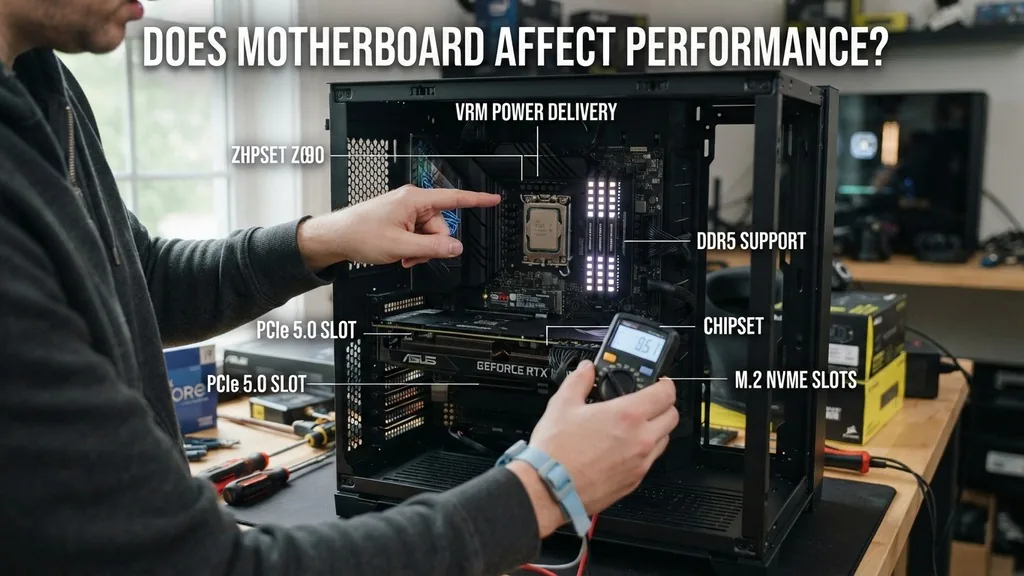
The question of whether a motherboard affects performance is one of the most persistent myths in the PC building community. Many enthusiasts assume that a more expensive board will inherently provide higher frame rates or faster processing speeds, but the reality is far more nuanced. In most scenarios, a motherboard acts as a conduit rather than a primary performance driver.
It connects your components, provides power, and manages data flow, but it rarely dictates how fast your processor or graphics card executes instructions. Understanding this distinction is crucial for anyone looking to optimize their budget for a new build.
Understanding the Role of the Motherboard in a PC
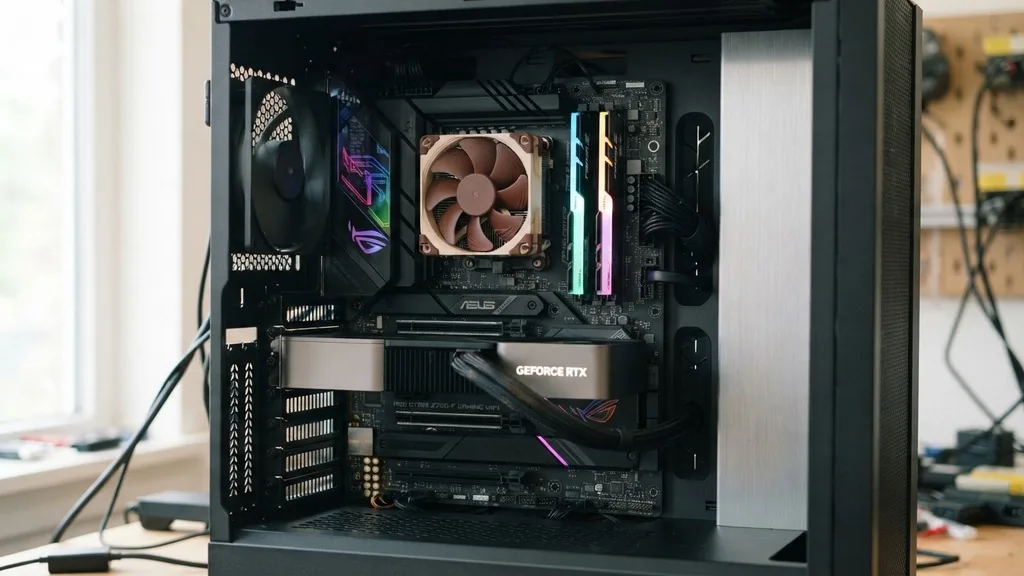
A motherboard provides the physical foundation for every component in your system. It serves as the primary communication hub for your CPU, RAM, storage, and expansion cards. While it is essential for the system to boot and operate, the motherboard itself does not perform the heavy lifting required for gaming or rendering.
The CPU handles the logic and calculations, while the GPU manages the graphical output. If you are comparing two boards with the same chipset, you will likely see identical performance metrics in standard benchmarks.
The primary function of the motherboard is to facilitate stability and connectivity. It ensures that the power supplied by the power supply unit reaches the CPU and other components at the correct voltages. Furthermore, it manages the lanes for data transfer, such as the PCIe lanes that allow your GPU to communicate with the CPU.
Unless a motherboard is fundamentally flawed or severely restricted by its design, it will not throttle your hardware. The perception that a high-end motherboard equals better performance often stems from marketing tactics that associate premium pricing with “gaming speed,” which is rarely the case for the average user.
Does Motherboard Affect Performance: The Chipset Factor
The chipset is the most significant factor when determining how a motherboard influences your system’s capabilities. A chipset dictates which features are available, such as the number of available PCIe lanes, support for high-speed storage, and overclocking capabilities.
For example, if you choose an entry-level chipset, you might find that you cannot overclock your CPU or that you have fewer high-speed USB ports. While this doesn’t change your base clock speed, it limits your ability to push your hardware beyond factory specifications.
When building a system, you must ensure that the chipset is compatible with your CPU. Some chipsets are designed for workstation tasks, offering massive amounts of I/O and support for enterprise-grade hardware, whereas others are optimized for budget-friendly home use. The performance difference usually manifests in the feature set rather than raw processing power.
If you are not planning to overclock or utilize multiple high-bandwidth devices, a mid-range motherboard will perform exactly like a high-end one. You can learn more about how different chipsets manage data traffic by visiting the official Intel motherboard resource page to understand the technical architecture.
Power Delivery and Thermal Management
Power delivery, often referred to as the VRM (Voltage Regulator Module) configuration, is one area where a motherboard can indirectly impact performance. High-end CPUs require a steady, clean flow of electricity, especially when they are under heavy load.
If a motherboard has weak or inadequately cooled VRMs, it might struggle to maintain the power stability necessary for the processor to stay at its maximum boost clock. In extreme cases, this can lead to thermal throttling, where the CPU automatically lowers its clock speed to prevent damage, resulting in a measurable drop in performance.
However, this is typically only a concern for users who are using top-tier, power-hungry processors on entry-level boards designed for low-power CPUs. For the vast majority of users, the VRM design on a standard, mid-range motherboard is more than sufficient.
Most modern CPUs have sophisticated power management systems that work in tandem with the motherboard to ensure efficiency. If you are not pushing your system to the absolute limit with extreme overclocking, the quality of the VRMs will have zero impact on your daily gaming or productivity results.
PCIe Lanes and Graphics Performance
Many users wonder if the motherboard affects GPU performance through the PCIe interface. PCIe lanes are the pathways that allow your graphics card to talk to the CPU.
Modern motherboards typically provide PCIe 4.0 or 5.0 support, which offers more than enough bandwidth for even the most powerful graphics cards available today. If your motherboard supports the same PCIe generation as your GPU, you will experience full performance.
The only time a motherboard might hinder a GPU is if the board uses an older standard, such as PCIe 3.0, while the GPU is designed for a much faster interface. Even then, the performance loss is usually negligible in most gaming scenarios, often amounting to a few percentage points at most. The primary concern is ensuring that your motherboard has a reinforced PCIe x16 slot, which is standard on almost all modern gaming boards to support the weight of heavy, modern graphics cards.
Connectivity and Storage Speed
Motherboards define the connectivity options available to you, which can affect the overall usability and speed of your system’s storage. With the rise of NVMe SSDs, the speed of your storage is now tied to the motherboard’s support for M.2 slots. If you are using a high-performance Gen4 or Gen5 NVMe drive, you need a motherboard that supports those specific standards to hit advertised speeds.
This is a clear example of where a motherboard affects the performance of a specific component. If you plug a fast drive into a slow slot, the drive will be bottlenecked by the board’s limitations.
Beyond storage, the quality of the integrated network controller and audio chipset can also be considered part of the “performance” package. While these don’t impact FPS, they do influence the quality of your online gaming experience and the clarity of your audio, which are essential parts of the user experience.
The Impact of BIOS and Firmware Updates
The motherboard’s BIOS acts as the brain that manages the communication between hardware components. Manufacturers frequently release firmware updates that can improve stability, fix bugs, and even optimize memory compatibility.
A well-maintained BIOS can lead to faster boot times and better performance with newer RAM kits. Sometimes, these updates include microcode improvements for the CPU that can enhance efficiency and performance in specific tasks.
Keeping your BIOS updated is a simple way to ensure your motherboard is performing at its best. It is a common misconception that you should avoid updating the BIOS unless you have a specific problem.
In reality, modern motherboards often receive important updates that improve how the system handles the latest hardware releases. If you see a new update on your motherboard manufacturer’s website, it is usually wise to install it to ensure your system remains stable and compatible with the latest software and hardware.
Comparing Motherboard Tiers for Gaming Builds
When selecting a motherboard for a gaming build, many users feel pressured to buy the most expensive option. However, the performance gap between a budget board and a flagship board is often non-existent in real-world gaming. The following table illustrates the typical differences across various price segments:
| Feature | Entry-Level Board | Mid-Range Board | High-End Board |
|---|---|---|---|
| Overclocking Support | Limited or None | Standard | Advanced/Extreme |
| PCIe Lanes | Basic | Flexible | Maximum Bandwidth |
| VRM Cooling | Basic/Minimal | Adequate | Premium/Active |
| Connectivity | Standard I/O | Enhanced I/O | Feature-Rich |
As the table shows, the differences are largely about features and headroom rather than raw speed. A high-end board provides more options for expansion and overclocking, but it does not make your CPU faster at stock settings.
Common Misconceptions and Reality
It is easy to get caught up in the marketing hype surrounding new motherboard releases. You will often see terms like “gaming optimized,” “ultra-durable,” or “performance-tuned” attached to mid-to-high-end boards.
While these boards are often built with higher-quality capacitors and better heat sinks, they do not inherently boost your frame rates. The most important thing to remember is that the motherboard is a supporting actor, not the lead performer.
If you are currently experiencing low performance in games, it is almost certainly due to your GPU, CPU, or a lack of sufficient RAM. Replacing your motherboard will not fix these issues.
Focus your budget on the components that directly impact your frame rates and processing speeds. If you have extra money in your budget, it is far better spent on a faster graphics card or a more efficient CPU cooler than on a motherboard that offers features you will never use.
Frequently Asked Questions
- Does changing the motherboard increase performance? Generally, no. Unless your previous board was failing or significantly bottlenecking your CPU due to thermal issues, switching to a new motherboard will not provide a noticeable increase in frame rates or processing speed for your existing hardware.
- Can a bad motherboard damage a CPU? Yes, although it is rare. A motherboard with a faulty voltage regulation system can send improper power to the processor, potentially causing instability or, in extreme cases, physical damage to the CPU or other connected components.
- Is it worth replacing a PC motherboard? Only if your current board is broken, lacks a necessary feature for a planned upgrade, or is incompatible with a new CPU you intend to install. If your system is working well, upgrading the motherboard for performance reasons is rarely worth the investment.
- How do I tell if my motherboard is failing? Common signs include frequent random crashes, failure to boot, inability to detect installed components like RAM or storage, or USB ports that stop working intermittently. If your PC exhibits these symptoms, the motherboard could be the culprit.
In summary, the motherboard is the backbone of your computer, but it does not dictate the raw speed of your system. Its primary role is to provide a stable, reliable platform for your CPU, GPU, and memory to function at their full potential.
By focusing on quality components that directly contribute to performance and selecting a motherboard that supports your specific needs, you can build a powerful system without falling for the myth that price always equates to faster speeds. Prioritize your budget toward the components that matter most, and ensure your motherboard provides the necessary features and reliability to support them for years to come.


