

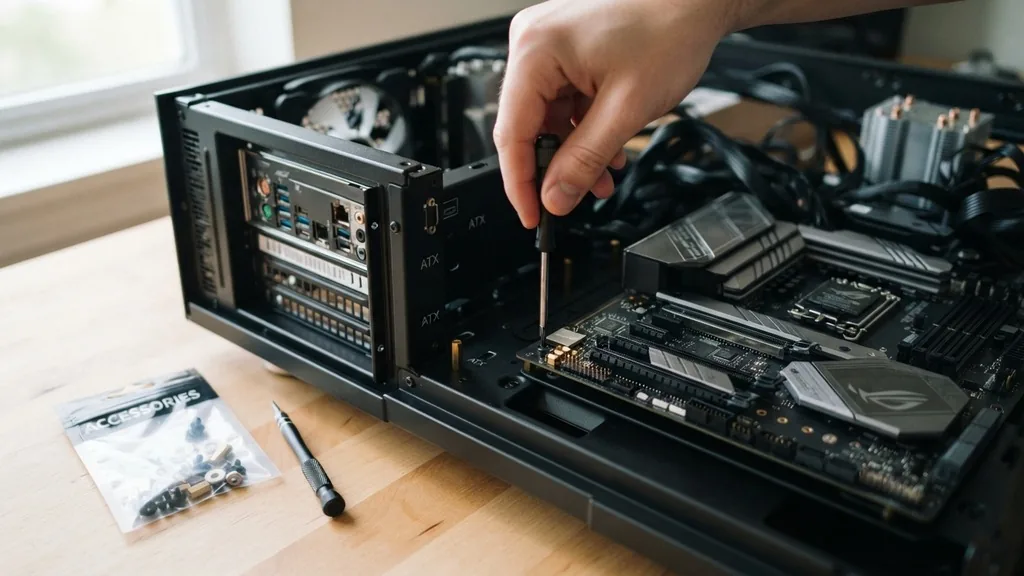
Building a custom computer is a rewarding experience, but it often brings a moment of panic when you open your PC case and realize you aren’t entirely sure where the mounting hardware is. If you are wondering, do motherboard screws come with case packaging, the short answer is yes.
Almost every modern computer chassis ships with a dedicated hardware kit containing the necessary fasteners to secure your components. However, understanding exactly which screws go where is vital to avoid damaging your hardware.
Why PC Cases Include Motherboard Screws
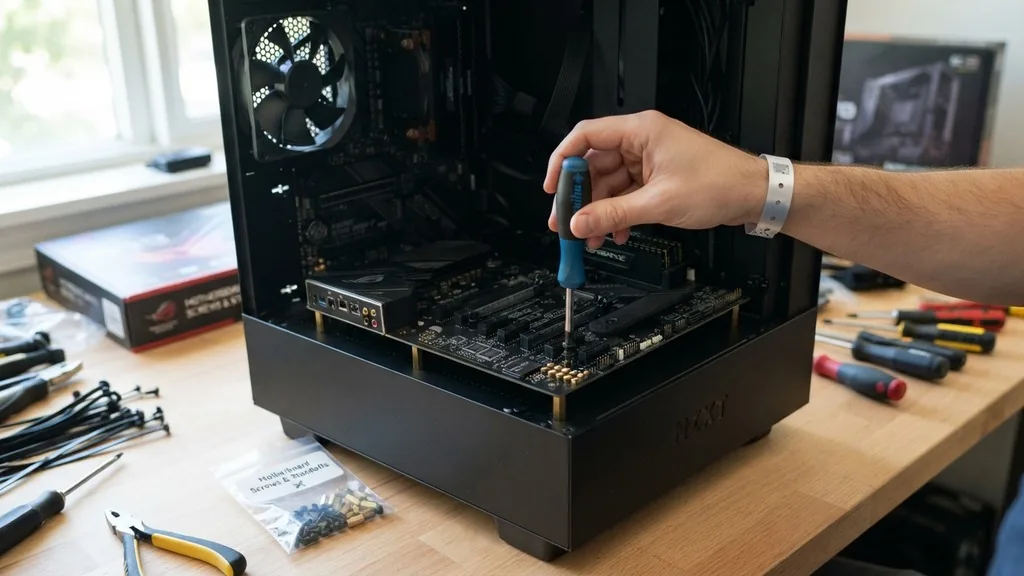
Do motherboard screws come with case hardware bundles? Yes, manufacturers include these items because the case is the primary structural support for the motherboard.
Without these specific screws, your motherboard would not be securely attached to the standoffs, leading to potential electrical shorts or physical damage if the board shifts. The case manufacturer provides the specific thread pitch and head style required for their specific design, ensuring that the motherboard remains stable under the weight of heavy air coolers or modern, bulky graphics cards.
When you purchase a brand-new chassis, you will typically find a small plastic bag or a cardboard box tucked inside the drive bays or taped to the interior of the case. This kit is not just for the motherboard; it usually contains an assortment of screws for the power supply unit, the GPU, and various storage drives. By including these in the box, the manufacturer ensures that you have everything you need to complete the build without having to source proprietary parts from external hardware stores.
Identifying the Correct Hardware in Your Kit
To determine if the screws in your hand are intended for your motherboard, you need to look at the physical characteristics of the fastener. Most motherboards are secured using 6-32 hex-head screws with a wide, flat underside, or occasionally M3 screws depending on the specific case manufacturer. These screws are designed to thread into the brass standoffs that you must install into the motherboard tray before placing the board inside.
If you are confused about which baggie contains which screw, you can often consult the manual that came with your case. The manual will have a diagram showing the different types of screws provided, usually labeled with letters like A, B, C, or D.
Match the screw to the diagram to ensure you aren’t using a coarser thread intended for a power supply, which could strip the threading on your motherboard standoffs. Using the wrong screw is a common beginner mistake that can cause significant frustration during the assembly process.
The Role of Standoffs in Motherboard Installation
You cannot discuss motherboard screws without mentioning the standoffs. The standoffs are small, usually brass-colored hexagonal spacers that lift the motherboard away from the metal surface of the case.
They prevent the back of the motherboard—which is covered in exposed solder points and circuitry—from making direct contact with the conductive steel or aluminum of the case. This is essential to prevent short circuits that could instantly fry your components.
In many cases, the standoffs are pre-installed by the manufacturer for ATX motherboards. However, if you are using a smaller form factor like Micro-ATX or Mini-ITX, you may need to move the standoffs to different positions to match the mounting holes on your specific motherboard.
Always double-check the alignment before you lower your motherboard into the chassis. If a standoff is in the wrong spot, it can press against the back of the board, causing damage or preventing the board from seating correctly.
What to Do If You Lose Your Screws
If you find yourself in a situation where the screws did not come with the case or you have misplaced them, do not panic. While it is rare for a case to ship without a hardware kit, it can happen due to manufacturing errors or lost bags during shipping.
If you find your kit is missing, the best step is to contact the manufacturer’s support team. Most major companies like Corsair, Lian Li, or NZXT have excellent customer service and will often send a replacement hardware kit for free if you provide proof of purchase.
For those who need a quicker solution, you can purchase generic PC building screw kits from online retailers. These kits are universal and contain a wide variety of screws, including motherboard standoffs, fan screws, and drive screws.
You can find detailed information on standard computer hardware sizes through resources like the PCI Special Interest Group, which maintains standards for various hardware interfaces and mounting specifications. Having a spare kit on hand is a great habit for anyone who builds or maintains systems over the years.
Comparing Common PC Building Screws
To keep your build organized, it helps to understand the different types of screws you will encounter. Each component in your PC uses a specific thread type and head shape. Using the wrong one can lead to stripped threads or a loose component that vibrates during operation.
| Component | Common Screw Type | Purpose |
|---|---|---|
| Motherboard | 6-32 or M3 | Secures board to standoffs |
| Power Supply | 6-32 | Secures PSU to case back |
| Hard Drives (3.5″) | 6-32 | Mounts to HDD cages |
| SSD/2.5″ Drive | M3 | Mounts to drive brackets |
| Case Fans | Self-Tapping | Cuts into plastic fan housing |
Addressing Topical Gaps and Common Confusion
One of the most frequent questions on forums is whether the motherboard itself comes with the screws. It is important to clarify that motherboards typically do not come with case screws.
The motherboard box will contain the I/O shield, SATA cables, and perhaps M.2 mounting hardware, but the screws required to attach the board to the case are always provided by the case manufacturer. This distinction often leads to confusion for first-time builders who expect everything they need to be in the motherboard box.
Another common gap in information concerns the difference between pre-installed standoffs and the need for manual adjustment. Many modern, high-end cases come with the standoffs already installed, but they are often configured for the standard ATX size. If you are using a smaller board, you might have extra standoffs that could touch the back of your motherboard and cause a short.
Always check the back of your board against the standoffs in the case before installation. If you see a standoff that does not line up with a hole in your motherboard, remove it immediately.
Tips for a Successful Motherboard Installation
When you are ready to secure the motherboard, follow these steps to ensure everything goes smoothly. First, install the I/O shield into the back of the case if it isn’t pre-installed. Second, place the motherboard gently onto the standoffs, ensuring all the ports line up with the I/O shield.
Third, insert your screws by hand first to ensure they aren’t cross-threading. Never use a power drill to tighten these screws; the pressure can easily crack the motherboard’s PCB.
Using a magnetic screwdriver is highly recommended. It prevents the tiny screws from falling into the dark, hard-to-reach corners of your case. Once all screws are in place, give them a final light turn with your screwdriver.
You don’t need to overtighten them; just tighten them until they feel firm. Overtightening can cause the standoff to unscrew from the case tray or damage the motherboard’s mounting holes.
The Importance of Proper Hardware Management
Building a PC is a precise task that requires attention to detail. Proper hardware management involves keeping your screws sorted during the build process.
Use small bowls or the compartments of a pill organizer to separate your motherboard screws from your fan and drive screws. This simple organizational step saves significant time and prevents the frustration of searching for a lost screw under your desk.
Furthermore, if you are upgrading your system, keep the extra screws from your original case in a labeled bag. You never know when you might need a spare standoff or a replacement fan screw.
Many enthusiasts keep a “spare parts” box that accumulates over the years, which becomes a lifesaver when you decide to swap out a GPU or add an extra drive down the line. Treating your hardware with care ensures that your PC remains reliable and easy to maintain throughout its lifespan.
Frequently Asked Questions
- Do I need to buy extra screws if I lost mine? If your case manufacturer cannot provide a replacement, you can purchase a generic PC mounting screw kit from most online retailers. These kits are inexpensive and contain all the standard sizes needed for motherboards, drives, and power supplies.
- Can I use any screw to mount my motherboard? No. You must use the specific screws provided with your case, which are usually 6-32 or M3 threads. Using the wrong thread can strip the standoffs or the motherboard mounting holes, leading to a loose connection or permanent damage to the chassis.
- Why does my motherboard have extra holes? Motherboards are designed to fit into a variety of case sizes, including ATX, Micro-ATX, and Mini-ITX. The extra holes allow the board to be compatible with different mounting patterns, but you only need to use the holes that align with the standoffs installed in your specific case.
- Should I use washers with my motherboard screws? Most modern cases do not require washers for motherboard installation. The screws are designed to sit flush against the board’s mounting pads. If your case manual does not mention washers, it is best to avoid using them, as they could cause clearance issues with nearby components.
Taking the time to understand the hardware that comes with your case is a critical step in the PC building process. By knowing exactly what to look for and how to use it, you can ensure that your build is secure, stable, and free from common assembly errors.
Whether you are building your first system or your tenth, the small details—like matching the right screw to the right standoff—are what separate a functional machine from one that suffers from preventable issues. Enjoy the process of creating your own custom computer, and remember that when in doubt, the case manual is always your best resource for clarification.


