

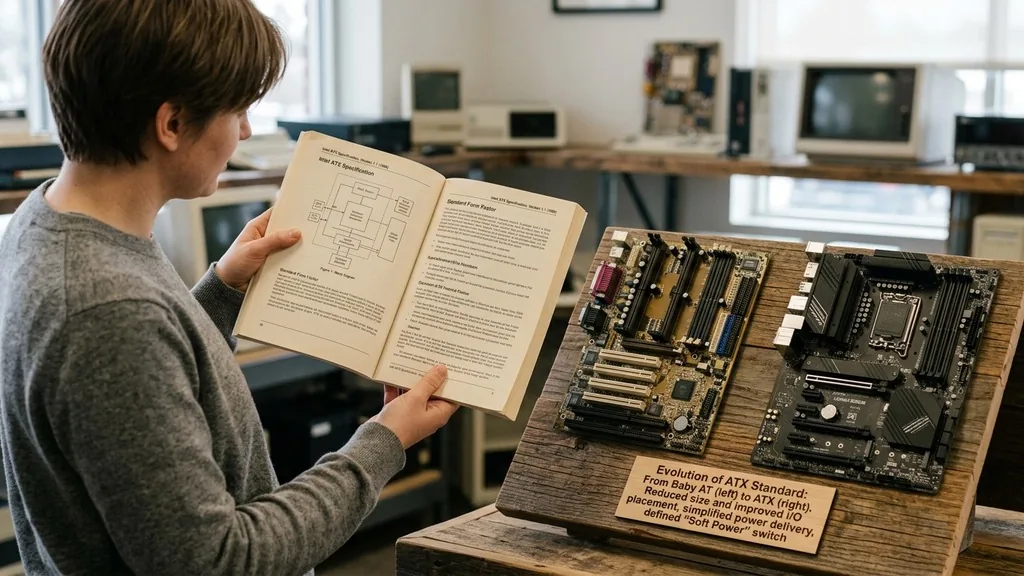
An ATX motherboard is the industry-standard circuit board design that serves as the backbone for most desktop personal computers. Introduced by Intel in 1995, the Advanced Technology eXtended (ATX) form factor replaced the aging Baby AT design, bringing a more efficient layout for component cooling, better port integration, and standardized power delivery. When you ask what is an ATX motherboard, you are essentially asking about the blueprint that dictates how your internal PC parts connect to one another and fit inside your computer chassis.
Because it remains the most common size for desktop builds, understanding this specification is essential for anyone looking to assemble, upgrade, or repair a PC. It defines the physical dimensions of the board, the placement of mounting holes, and the input/output interface on the back. By adhering to these strict design rules, manufacturers ensure that an ATX board will fit inside any case designed to support that specific form factor, creating a ecosystem of interchangeable parts that powers everything from budget office machines to high-end gaming rigs.
The History and Evolution of the ATX Standard
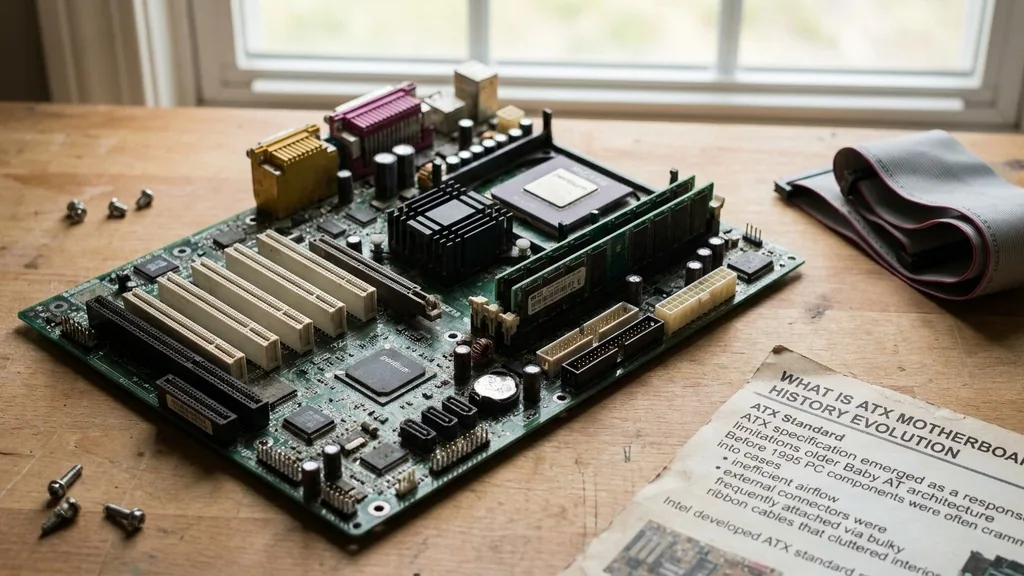
The ATX specification emerged as a response to the limitations of the older Baby AT architecture. Before 1995, PC components were often crammed into cases with inefficient airflow, and external connectors were frequently attached via bulky ribbon cables that cluttered the interior.
Intel developed the ATX standard to reorganize the motherboard layout, effectively rotating the processor and memory sockets to align with the airflow path of the power supply fan. This provided a massive leap forward in thermal management.
The shift to ATX also introduced the integrated I/O back panel. Prior to this, serial and parallel ports often required separate mounting brackets or ribbon cables connected to the motherboard.
By building these ports directly into the board, Intel simplified the assembly process and allowed for a cleaner, more reliable build. Over the decades, the standard has seen revisions, such as the introduction of the 24-pin power connector, which replaced the older 20-pin version to handle the increasing power demands of modern processors and graphics hardware.
Today, the standard remains remarkably consistent. While we have seen the emergence of smaller boards like Micro-ATX and Mini-ITX, the full-size ATX remains the gold standard for versatility.
It is the primary choice for users who prioritize having multiple expansion slots and robust power delivery systems. By maintaining this consistent physical footprint, the industry has allowed for decades of hardware compatibility, ensuring that a modern power supply can often still function with a board manufactured years ago.
Physical Dimensions and Mounting Specifications
A standard ATX motherboard measures exactly 12 inches by 9.6 inches (305 mm x 244 mm). These dimensions are strictly regulated to ensure that the board aligns perfectly with the standoff holes inside a compatible computer case.
If you are shopping for a new PC build, the mounting hole placement is perhaps the most critical detail. If the holes on the motherboard do not align with the standoffs in the case, you cannot securely fasten the board, which can lead to electrical shorts or mechanical damage.
The mounting holes are placed in specific locations relative to the back I/O panel and the expansion slots. This standardization ensures that when you slide the board into a case, the ports on the back—such as USB, Ethernet, and audio jacks—line up perfectly with the rectangular cutout on the rear of the chassis. Most cases that support ATX will also support smaller variants like Micro-ATX, as those boards are typically designed to use a subset of the standard ATX mounting pattern.
When installing, you must use the correct number of standoffs to support the weight of the board, especially near the CPU socket and the memory slots. Failing to use the correct mounting points can cause the board to flex when you install heavy components like large heat sinks or high-end graphics cards.
This flexibility is a common cause of system instability, as it can lead to microscopic cracks in the PCB or poor contact between the CPU and its socket. Always check the manual of your chosen case to confirm where to place the standoffs.
Key Features of the ATX Form Factor
The primary advantage of a full-size ATX board is the sheer amount of space available for components. Unlike smaller boards that must compromise on features to fit into a compact footprint, ATX boards provide ample room for complex circuitry, advanced voltage regulator modules (VRMs), and extensive cooling solutions. This makes them the preferred choice for enthusiasts who demand high performance and maximum reliability under heavy workloads.
Key features typically found on an ATX board include:
- Expansion Slots: Support for multiple PCIe slots, allowing for high-end graphics cards, capture cards, sound cards, and high-speed networking adapters.
- Memory DIMM Slots: Most full-size boards offer four DDR memory slots, enabling dual-channel or even quad-channel memory configurations for high-capacity RAM.
- Connectivity Headers: A wide array of headers for front-panel USB ports, audio jacks, and internal RGB lighting controllers.
- Storage Interfaces: Multiple SATA ports and M.2 NVMe slots for high-speed solid-state storage, often shielded by heat spreaders.
- Power Delivery: Robust power phases to ensure stable electricity flow to the CPU, which is vital for overclocking stability.
Because of this layout, ATX boards are often easier to build in than their smaller counterparts. There is more room to maneuver your hands, more space to route cables neatly behind the motherboard tray, and fewer clearance issues with large air coolers or liquid cooling radiators. For a first-time system builder, the extra breathing room provided by a standard ATX board can make the difference between a frustrating afternoon and a rewarding build experience.
Comparing ATX to Micro-ATX and Mini-ITX
While the standard ATX board is the most common, it is not the only option. The PC hardware market is segmented into several form factors, each serving a different user base.
Understanding the trade-offs between these sizes is essential for making an informed purchase. The main difference usually comes down to the number of expansion slots and the overall physical footprint of the board inside the case.
| Form Factor | Dimensions (Approx) | Expansion Slots | Best Use Case |
|---|---|---|---|
| Standard ATX | 12 x 9.6 inches | Up to 7 | High-performance gaming, workstations |
| Micro-ATX | 9.6 x 9.6 inches | Up to 4 | Budget builds, space-conscious PCs |
| Mini-ITX | 6.7 x 6.7 inches | 1 | Ultra-compact, portable, living room PCs |
Micro-ATX boards are essentially shortened versions of the ATX standard. They retain the same width but lose a few inches in length, which typically reduces the number of available PCIe expansion slots from seven down to four or even fewer.
This is rarely an issue for the average user, as most people only use a single graphics card. However, for those who need multiple add-in cards, the loss of those extra slots can be a dealbreaker.
Mini-ITX is the smallest of the common standards. These boards are designed for tiny, portable systems where space is the primary constraint. They sacrifice almost all expansion capability, usually offering only a single PCIe slot.
While they can be powerful, they often require specialized components, such as low-profile coolers, and can be much more challenging to build in due to the cramped interior. If you don’t have a specific reason to go small, the standard ATX remains the most practical and flexible choice.
The Role of Expansion Slots and PCIe Lanes
One of the defining characteristics of an ATX motherboard is its capacity to host a large number of expansion cards. The PCIe (Peripheral Component Interconnect Express) slots are the high-speed pathways that connect your graphics card, storage controllers, and other peripherals to the CPU. In a full-size ATX board, you will usually see a primary slot reinforced with metal shielding—this is intended for your graphics card, which is the heaviest and most bandwidth-intensive component in your system.
The remaining slots are often used for secondary hardware. For instance, a video editor might install a dedicated capture card or a high-speed networking card to transfer large files over a 10Gbps connection.
A professional musician might add a high-fidelity sound card. Because ATX boards provide enough physical space and enough PCIe lanes, you can populate these slots without worrying about them blocking the airflow to your GPU or interfering with other onboard headers.
It is worth noting that the number of available PCIe lanes is dictated by the CPU and the motherboard chipset, not just the physical slots. Even if an ATX board has three physical slots, the actual data bandwidth available to them may be split depending on the platform.
High-end platforms like HEDT (High-End Desktop) offer more lanes, allowing for multiple graphics cards to run at full speed, whereas mainstream consumer platforms are more restrictive. Always check your motherboard manual to see how the lanes are distributed, especially if you plan on using multiple high-bandwidth devices simultaneously.
Power Delivery and Thermal Management
Power delivery is perhaps the most significant differentiator between a cheap, entry-level board and a high-end enthusiast model. The VRM (Voltage Regulator Module) on an ATX motherboard is responsible for converting the high voltage from your power supply unit into the clean, low voltage required by your CPU. When you overclock your processor or put it under heavy, sustained load, the VRM can get extremely hot.
Standard ATX boards provide enough surface area to incorporate large, heavy aluminum heatsinks over these power components. Some manufacturers even include active cooling, such as small fans, to keep the VRM temperatures in check.
Because there is more physical space on the PCB, these heatsinks can be much larger than what would be possible on a Mini-ITX board. This thermal overhead is a major reason why ATX is often preferred for high-performance builds.
If the VRMs get too hot, they can trigger thermal throttling, which forces the CPU to drop its clock speed to prevent damage. This leads to a performance hit that you might not even realize is happening.
By choosing a well-designed ATX board with proper cooling, you ensure that your system can maintain its peak performance for as long as you need it to. You can learn more about the technical specifications of current board standards through the official Intel support pages, which outline the requirements for various desktop platforms.
Compatibility with Cases and Power Supplies
The beauty of the ATX standard is its broad compatibility. Because the form factor has been around for nearly thirty years, almost every mid-tower and full-tower case on the market is designed to accommodate it.
You will rarely run into a situation where a standard ATX board doesn’t fit into a case labeled as “ATX-compatible.” However, there are nuances to consider when it comes to the internal layout and cable management.
When selecting a case, look for features that make working with an ATX board easier, such as rubber grommets for cable routing, dedicated SSD mounts behind the motherboard tray, and ample clearance for tall CPU air coolers. Some cases are marketed as “ATX,” but they might be quite tight, making it difficult to install a large power supply or route the thick 24-pin power cable. Always check the maximum supported cooler height and GPU length listed in the case specifications.
The power supply unit (PSU) also follows the ATX specification. This means that the mounting holes on the back of the PSU will align with the bracket on your case, and the cables will follow a standardized color-coding and pinout.
While many modern power supplies are now “fully modular,” the connectors themselves remain consistent across the industry. This level of standardization is why you can safely mix and match power supplies and motherboards from different manufacturers without fear of incompatibility.
Addressing Common Misconceptions
A common question is whether ATX is becoming outdated. Some users see the rise of smaller, more efficient systems and wonder if the large full-size board is a relic of the past. In reality, the ATX form factor is far from dead.
While small form factor (SFF) PCs are popular for niche builds, the vast majority of consumer and enterprise desktops still rely on ATX or its Micro-ATX variant. The need for expansion, cooling, and ease of maintenance ensures that this layout will remain relevant for the foreseeable future.
Another misconception is that a larger motherboard automatically results in better performance. While it is true that ATX boards often have more features, the size of the board itself does not directly dictate how fast your CPU or RAM will run.
A high-end Mini-ITX board can often outperform a budget-tier ATX board in terms of raw processing power and memory speed. The performance of your PC is ultimately determined by the quality of the components (the chipset, the power delivery, and the BIOS design), not just the physical dimensions of the board.
Finally, some users worry about the difficulty of installation. While it is true that a larger board requires a larger case, the process of installing an ATX motherboard is generally more forgiving than working with smaller, tighter layouts.
The mounting points are standard, the connectors are usually placed in accessible locations, and the extra space allows you to troubleshoot issues more easily if something doesn’t work on the first boot. If you are a beginner, opting for a standard ATX build is the safest path to a successful and stress-free assembly.
Frequently Asked Questions
- Is it possible to put an ATX motherboard in a Micro-ATX case? Generally, no. A standard ATX board is taller than a Micro-ATX case, meaning the mounting holes won’t align and the board will physically not fit inside the chassis. Always ensure your case specifically lists support for ATX boards before purchasing.
- What is the main difference between AT and ATX motherboards? The AT standard, which dates back to the 1980s, lacked the integrated I/O panel and used different power connectors. ATX introduced the modern layout where the CPU is positioned for better airflow and the I/O ports are built directly into the rear of the board.
- Do I need an ATX motherboard for gaming? You do not strictly need one, but it is highly recommended. ATX boards provide better thermal management for high-end components, more room for multiple expansion cards, and generally better power delivery, which is beneficial for the sustained, high-power demands of modern gaming hardware.
- Is ATX the best size for a home office PC? For a basic home office PC, a Micro-ATX board is often the better choice. It is more compact and typically cheaper, offering all the connectivity you need—like USB ports and integrated audio—without the extra cost and size of a full-size ATX board that you might not fully utilize.


