

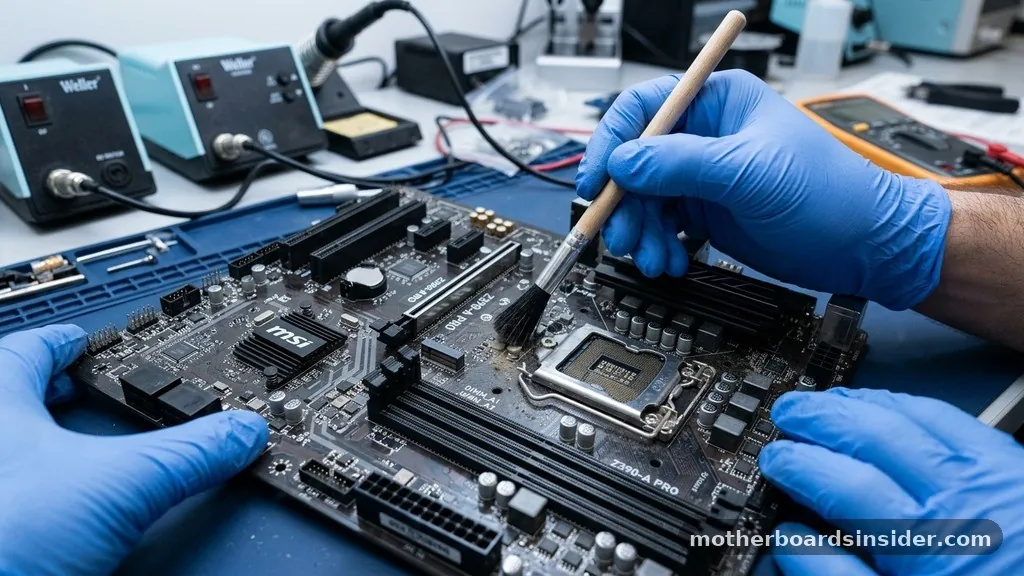
At its core, a motherboard is the primary printed circuit board (PCB) found in a computer, serving as the central nervous system that connects all essential hardware. It is the foundation upon which your entire system is built, acting as the communication hub that allows the CPU, RAM, graphics cards, and drives to interact seamlessly. Without this critical piece of equipment, your machine would simply be a collection of disconnected parts unable to process information or execute instructions.
The Fundamental Architecture of a Motherboard
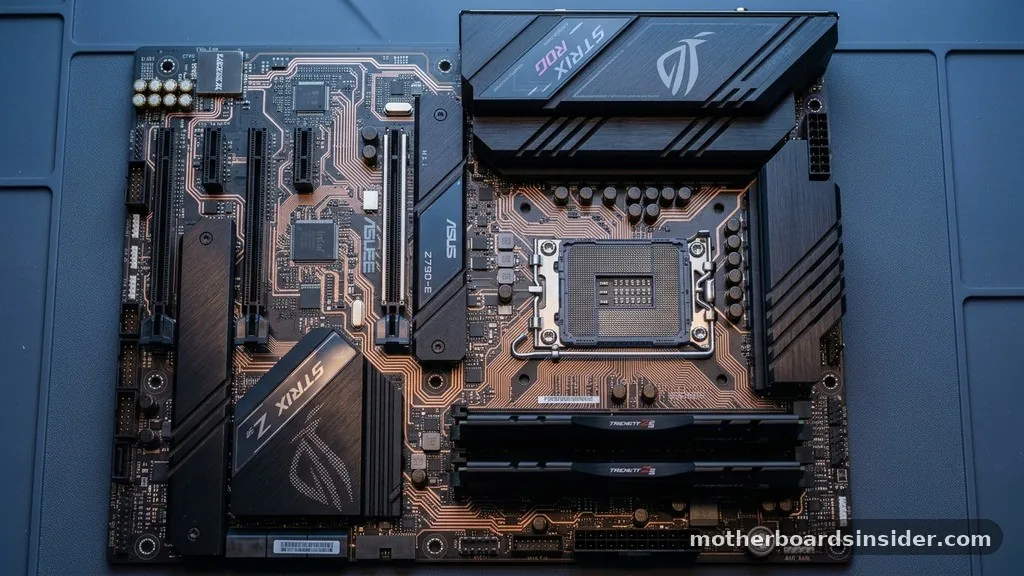
To understand what is a motherboard, you must visualize it as a complex city map etched onto a thin sheet of fiberglass or resin. Every board is layered with conductive pathways known as traces, which transmit electrical signals and data between components.
These traces are the physical manifestation of the system’s bus architecture. When you press the power button, the motherboard facilitates the distribution of power from the power supply unit (PSU) to the processor, memory modules, and storage devices.
The design of the motherboard is strictly governed by its form factor. This standard determines the physical dimensions of the board, the placement of mounting holes, and the layout of the back panel ports.
Common form factors like ATX, Micro-ATX, and Mini-ITX dictate compatibility with computer cases. Choosing the right form factor is the first step in any custom PC build, as it ensures that your chosen components will physically fit and that the board will align correctly with the case’s cooling and connectivity requirements.
The Central Processing Unit Socket and Chipset
The most prominent feature on any motherboard is the socket designed to house the processor. This area is the heart of the computer, and the motherboard provides the electrical interface necessary for the CPU to communicate with the rest of the system. Surrounding the socket, you will find the chipset—a collection of circuits that acts as the traffic controller for data moving between the processor, memory, and peripheral devices.
Modern chipsets are usually divided into two primary segments: the Northbridge (often integrated directly into the CPU in contemporary designs) and the Southbridge. The Northbridge traditionally manages high-speed communication between the processor and the RAM, while the Southbridge handles slower input/output (I/O) functions like USB ports, SATA connections for drives, and audio controllers. Understanding the chipset is crucial for users interested in overclocking, as higher-end chipsets provide the voltage regulation and thermal management required to push a processor beyond its factory-rated speeds.
Memory and Expansion Slots
Beyond the processor, the motherboard provides slots for volatile memory, commonly known as RAM. These slots are designed to accommodate specific generations of memory, such as DDR4 or DDR5.
Because the motherboard dictates which generation of RAM is supported, you cannot mix and match modules from different standards. The electrical pathways between the RAM slots and the CPU socket are optimized for high-speed signal integrity, ensuring that data can be retrieved and stored with minimal latency.
In addition to memory slots, motherboards feature expansion slots, most notably the PCIe (Peripheral Component Interconnect Express) slots. These slots are the gateway for adding specialized hardware to your system.
Whether you are installing a high-performance graphics card for gaming or a dedicated network interface card, these slots provide the high-bandwidth connection required for modern peripherals. The layout and number of these slots often define the intended use case for a specific motherboard, with gaming-oriented boards offering multiple reinforced slots for multi-GPU setups or high-speed NVMe storage drives.
Connectivity and Input/Output Ports
The rear of a motherboard is typically occupied by a variety of ports that allow the computer to interact with the outside world. This I/O panel is where you plug in your keyboard, mouse, monitors, and network cables.
Typical connections include USB Type-A and Type-C ports, HDMI or DisplayPort outputs for integrated graphics, and RJ45 ethernet jacks. Some premium motherboards also feature built-in Wi-Fi and Bluetooth antennas, providing wireless connectivity without the need for additional expansion cards.
Internally, the board provides headers for front-panel connectivity, such as power buttons, reset switches, and USB ports located on the front of the computer case. Furthermore, motherboard manufacturers often integrate high-quality sound controllers directly onto the board, complete with high-end capacitors and shielded audio paths to reduce electromagnetic interference. This integration has significantly improved the audio quality of onboard sound, making discrete sound cards less necessary for the average user.
How Motherboard Construction Impacts Performance
The physical construction of a motherboard has a direct impact on the overall performance and longevity of a computer. High-quality boards utilize multi-layered printed circuit boards to separate power and data signals, which reduces noise and interference. This becomes especially important when you are used to running demanding applications or performing intense tasks like video editing or overclocking.
Voltage Regulator Modules (VRMs) are another critical component of motherboard construction. The VRM is responsible for converting the high voltage from your power supply into the stable, low-voltage power required by the CPU.
A motherboard with a robust VRM design—often featuring large aluminum heatsinks—will provide cleaner power, which is essential for maintaining system stability under heavy loads. If you are researching technical specifications, the official Intel motherboard documentation provides a deep dive into the engineering standards that define these components.
Comparing Common Motherboard Form Factors
The physical dimensions of a motherboard are not just about size; they determine the feature set and expandability of your machine. Below is a comparison table outlining the most common form factors available in the market today.
| Form Factor | Typical Dimensions | Best For | Expansion Potential |
|---|---|---|---|
| ATX | 12 x 9.6 inches | High-end gaming and workstations | High (multiple PCIe slots) |
| Micro-ATX | 9.6 x 9.6 inches | Balanced builds | Moderate |
| Mini-ITX | 6.7 x 6.7 inches | Compact/SFF builds | Low (single PCIe slot) |
Addressing Common Misconceptions
A frequent point of confusion for beginners is the role of the motherboard in determining computer speed. Many believe that upgrading the motherboard will automatically lead to a faster machine.
In reality, the motherboard acts as the enabler; it allows your processor and memory to run at their rated speeds, but it does not generate performance on its own. A motherboard with a high-end chipset may allow for better overclocking or support for faster storage interfaces, but the actual compute performance is driven by the CPU and the availability of sufficient RAM.
Another common misconception is that all motherboards are interchangeable. Because of the vast array of processor sockets and chipset requirements, motherboards are strictly platform-specific.
You cannot, for instance, install an AMD processor into a motherboard designed for an Intel chip, nor can you install a processor from a new generation into a board designed for a legacy architecture. Always check the compatibility list provided by the motherboard manufacturer before purchasing components to ensure your parts will work together harmoniously.
The Evolution and Future of Motherboards
The development of motherboards has tracked closely with the evolution of computers themselves. In the early days of personal computing, motherboards were simple boards with few integrated features, requiring separate cards for nearly every function.
Today, the trend is toward high levels of integration. Modern motherboards include advanced features that were once only available through expensive add-in cards, such as high-fidelity audio, high-speed networking, and multiple M.2 slots for ultra-fast NVMe storage.
Looking ahead, we can expect to see further miniaturization and the integration of more AI-driven features. Some modern boards already include automated tuning tools that adjust fan speeds and power delivery based on real-time thermal data.
As hardware becomes more power-efficient, the focus of motherboard design is shifting toward better heat dissipation, aesthetic customization through RGB lighting, and smarter power management systems. The board remains the anchor of the system, and as long as we use distinct hardware components, the motherboard will be the essential bridge that keeps our digital world running.
Frequently Asked Questions
Does the motherboard affect my gaming performance?
The motherboard itself does not directly increase frame rates like a graphics card does. However, it ensures that your components, particularly the CPU and RAM, can operate at their peak designed speeds. A high-quality board provides stable power and efficient thermal management, which is vital for sustained performance.
What happens if my motherboard fails?
If a motherboard fails, the entire system will typically stop functioning. Since every component is connected to it, a failure usually results in a computer that won’t turn on, a “no post” error, or frequent system crashes. In most cases, the motherboard must be replaced to restore functionality.
Can I upgrade my motherboard without reinstalling Windows?
While it is technically possible to swap a motherboard without a clean Windows installation, it is highly discouraged. Modern operating systems rely on specific drivers tied to the motherboard’s chipset. Changing the board often leads to driver conflicts, stability issues, or activation errors, making a fresh installation the best practice.
How do I know which motherboard is compatible with my CPU?
To determine compatibility, check the motherboard’s socket type and chipset support. Manufacturers publish a “CPU Support List” on their websites. You must ensure the socket on the board physically matches the processor and that the BIOS version supports the specific CPU model you intend to use.
In conclusion, the motherboard is far more than just a piece of plastic and metal; it is the fundamental infrastructure that dictates the capabilities of your entire computer. By understanding how the board manages power, data, and communication between your components, you are better equipped to build, maintain, and upgrade a system that meets your specific needs. Whether you are building a budget-friendly office machine or a high-performance workstation, the motherboard is the one component you should select with the greatest care, as it sets the ceiling for your future upgrades and overall machine reliability.


