

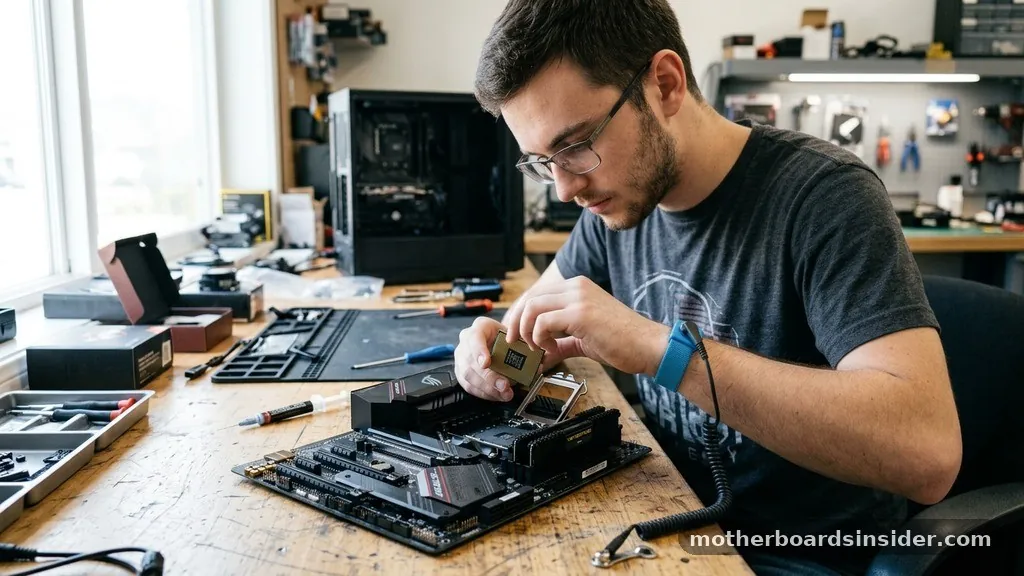
Selecting the right foundation for your computer is arguably the most critical decision in the assembly process. When you figure out how to pick a motherboard, you are essentially determining the lifecycle, upgrade path, and performance ceiling of your entire system. The motherboard acts as the central nervous system of your PC, facilitating communication between the CPU, RAM, storage drives, and graphics cards.
Failing to prioritize this component can result in bottlenecks that prevent your expensive hardware from reaching its full potential. Whether you are building a workstation for heavy rendering or a high-end rig for gaming, your choice of motherboard will dictate the stability and feature set of your machine for years to come.
Matching Your Processor to the Correct Chipset
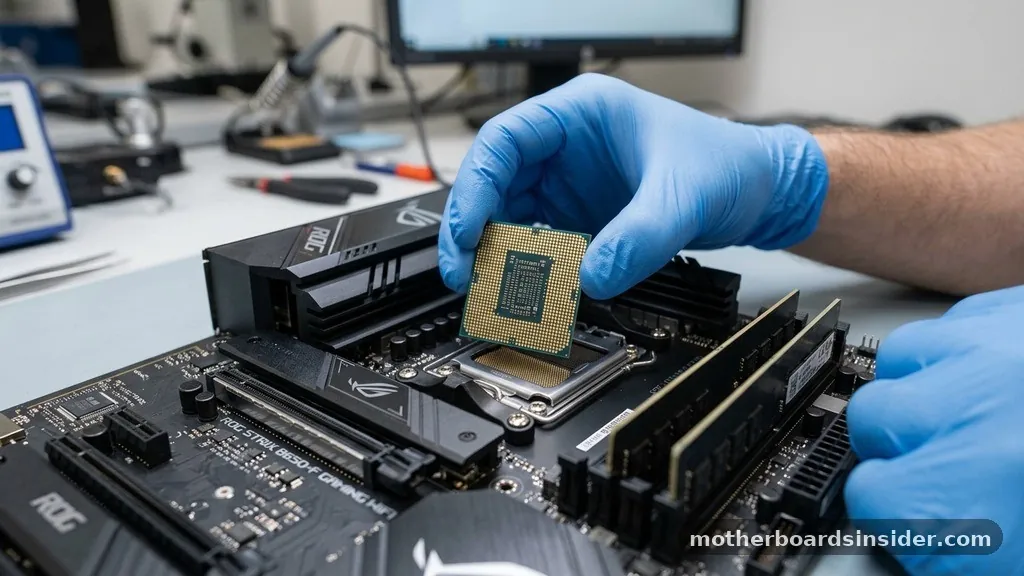
The most fundamental rule when learning how to pick a motherboard is ensuring compatibility with your chosen processor. You cannot simply pick any board that fits your budget; you must select one that houses the correct socket for your specific CPU. Manufacturers like Intel and AMD utilize different sockets that change over time, meaning a board designed for a processor from three years ago will likely be physically incompatible with a brand-new chip.
When you look at the specifications, you will see a chipset designation—such as Z790 for Intel or X670 for AMD. The chipset controls the communication between the processor and other components. If you want to overclock your processor to achieve higher clock speeds, you need a high-end chipset designed for enthusiast-level tuning.
If you are building a budget-friendly home office PC, a mid-range or entry-level chipset will offer everything you need without the unnecessary cost of premium power delivery systems. Always verify the manufacturer’s CPU support list on their website before clicking the purchase button to avoid the headache of a board that simply will not boot with your processor.
Understanding Form Factors and Case Compatibility
The physical size of your motherboard is known as the form factor, and this is the primary constraint when selecting your PC case. If you buy a massive motherboard and attempt to install it in a compact chassis, you will quickly find that the components do not align. The three most common form factors are ATX, Micro-ATX, and Mini-ITX.
Standard ATX boards are the most common, offering the widest array of expansion slots and ports. They are ideal for users who plan to add multiple graphics cards, sound cards, or high-end capture hardware. Micro-ATX is a smaller, more budget-conscious option that typically retains most of the functionality of a full-size ATX board but with fewer slots.
Mini-ITX is the smallest, designed for ultra-compact builds. While Mini-ITX boards are excellent for space-saving, they often come with a premium price tag and fewer features because of the physical space limitations on the circuit board. Before finalizing your decision, check the technical specifications of your case to see which form factors it is designed to support.
Evaluating RAM Slots and Memory Speed
Memory management is a core function of the motherboard, and the number of slots available will dictate your upgrade path. Most full-size ATX motherboards offer four RAM slots, allowing you to install dual-channel memory kits effectively. Some high-end workstation boards may even feature eight slots, though these are rare for standard consumer builds.
Beyond the number of slots, you must pay attention to the memory standard and the maximum frequency the board can handle. With the transition from DDR4 to DDR5, you must ensure your motherboard matches your memory modules. You cannot plug DDR5 RAM into a DDR4-only slot.
Furthermore, check the “Qualified Vendor List” (QVL) provided by the manufacturer. This list verifies that specific memory kits have been tested to run at their advertised speed without errors.
If you ignore this, you might find that your high-speed RAM is forced to run at a base frequency, significantly hampering your system’s performance. For those interested in deeper technical specifications, you can consult the JEDEC Solid State Technology Association standards to understand how memory architectures are evolving.
Expansion Slots and Graphics Card Support
For anyone building a system focused on gaming or video production, the PCIe slots are vital. These slots allow you to connect your graphics card, high-speed network cards, and additional storage controllers. The version of PCIe supported—such as PCIe 4.0 or 5.0—determines the bandwidth available to your components.
While your graphics card will likely occupy the primary x16 slot, you should consider what else you might need in the future. Do you plan to add a dedicated Wi-Fi card, or perhaps a high-speed NVMe expansion card? If your motherboard only has one or two physical slots, you may find yourself limited.
Additionally, consider the spacing between these slots. Large, modern graphics cards often occupy the space of two or three slots; if they are placed too close together, they can restrict airflow and cause the components to overheat. A well-designed motherboard provides enough physical distance between slots to ensure that your hardware can breathe, which is essential for maintaining consistent performance under heavy loads.
Connectivity and Integrated Ports
The rear I/O panel and internal headers define how you interact with your machine. When you look at the back of the motherboard, you should assess the number and type of USB ports available.
Do you need high-speed USB-C connectivity for external storage drives? Are there enough USB-A ports for your mouse, keyboard, and other peripherals?
Beyond USB, consider the integrated networking features. Most modern motherboards come with built-in Gigabit or 2.5 Gigabit Ethernet, which is standard for most users. If you do not have access to a hardwired internet connection, you will need to ensure the board includes integrated Wi-Fi and Bluetooth.
Internal headers are equally important; these connect to the buttons and ports on the front of your computer case. Ensure the motherboard has enough fan headers to accommodate your cooling setup, as well as RGB headers if you are interested in aesthetic lighting customization. A board with too few headers will force you to purchase extra splitters or controllers, which adds complexity to your cable management.
Storage Options and NVMe Configurations
Modern storage has moved away from traditional spinning hard drives toward high-speed NVMe M.2 SSDs. How many M.2 slots does the motherboard offer, and do they have built-in heat sinks? Heat management is critical for high-performance SSDs, as they can throttle their speeds if they get too hot.
Comparing Motherboard Classes
To help you decide which tier of board fits your needs, the following table breaks down the typical features found in each segment of the market.
| Feature | Entry-Level (Budget) | Mid-Range (Mainstream) | Enthusiast (High-End) |
|---|---|---|---|
| VRM Quality | Basic | Solid | Premium/Overclocking |
| M.2 Slots | 1-2 | 2-3 | 4+ |
| Wi-Fi/Bluetooth | Optional | Standard | Integrated/High-Speed |
| PCIe Lanes | Limited | Standard | Abundant |
Entry-level boards are sufficient for basic computing, but if you are a power user who handles large files or uses multiple drives, you should prioritize a mid-range or high-end board. These boards offer more robust cooling solutions and better power delivery to the CPU, which helps keep the system stable during long sessions of heavy use.
Power Delivery and Thermal Management
The Voltage Regulator Module (VRM) is the unsung hero of a motherboard. The VRM converts the electricity from your power supply into a stable voltage that the CPU can use. If you are using a high-end processor, you make sure to look for a motherboard with a robust VRM phase design and adequate heatsinks.
Cheap boards with underpowered VRMs can cause the processor to downclock during heavy tasks because the motherboard cannot deliver enough stable power. This is particularly problematic in “all-core” workloads like video rendering or intense gaming sessions. Furthermore, look for boards that include thermal pads on the VRM heatsinks.
These pads transfer heat away from the sensitive power components and into the metal heatsink, preventing thermal throttling. While these technical details might seem secondary, they are the difference between a system that runs smoothly for five years and one that begins to struggle after only a few months of use.
Answering Topical Gaps and Common Pitfalls
Many buyers overlook the importance of the BIOS/UEFI interface. A motherboard is only as good as the software that manages it.
Look for manufacturers that provide frequent updates, as these updates often fix stability issues, improve memory compatibility, and add support for newer processors. A board with a terrible, unintuitive BIOS will make your life difficult every time you try to change a setting.
Another common gap is ignoring the onboard audio quality. While many users use external DACs or USB headsets, if you rely on the motherboard’s audio output, check for a decent onboard audio chip and shielded circuitry to prevent interference. Finally, do not forget about the aesthetics.
While performance is paramount, you will be looking at this component through your case window. Many manufacturers offer boards in various color schemes or with integrated RGB lighting that can complement your overall build theme. Choosing a board that satisfies your functional requirements while also looking good is the hallmark of a well-planned PC build.
- Verify the CPU socket type matches your processor exactly.
- Ensure the form factor fits inside your chosen computer case.
- Check the QVL list for RAM compatibility and speed.
- Confirm the number of M.2 storage slots meets your capacity needs.
- Review the rear I/O for necessary USB and networking ports.
- Assess the VRM cooling for long-term system stability.
Frequently Asked Questions
Does the motherboard affect gaming performance?
The motherboard itself does not directly increase frame rates, but it enables your components to perform correctly. A poor-quality board with inadequate power delivery or thermal management can cause components to throttle, which will negatively impact your gaming experience and frame consistency during long sessions.
How do I know if a motherboard is good?
A good motherboard is defined by its build quality, the robustness of its power delivery system, and the inclusion of features you actually need. Look for positive reviews from reputable sources, high-quality capacitors, effective heatsinks, and a BIOS that is easy to navigate and frequently updated by the manufacturer.
Should I prioritize features or price?
Prioritize features based on your specific use case. If you are a casual user, a budget board is perfect. However, if you are a content creator or high-end gamer, spending extra on a mid-range board with better cooling and more connectivity is a wise investment that improves system longevity.
Can I upgrade my motherboard later?
Technically yes, but it is one of the most difficult upgrades. Because the motherboard is the foundation of the PC, swapping it usually requires removing every other component and performing a fresh installation of your operating system. It is almost always better to choose the right board at the start.
Selecting the right motherboard is about balancing your current needs with your future ambitions. By focusing on chipset compatibility, form factor, and the quality of essential components like the VRM and expansion slots, you can build a reliable machine that serves your needs for years. Take your time to research the specific models that fit your budget, ensure your components are compatible, and you will have a rock-solid foundation for your next computer build.


