

Choosing the right foundation for your computer is a critical step that dictates your system’s performance, longevity, and upgrade path. Many builders fixate on the CPU or GPU, yet the motherboard acts as the central nervous system, connecting every component and managing data flow. When you ask yourself what motherboard should I get, you are essentially determining the limits of your machine’s capabilities.
A board that lacks necessary features today will force an expensive full-system rebuild tomorrow. Conversely, overspending on features you never use is a waste of your hard-earned budget.
Understanding Chipsets and CPU Compatibility
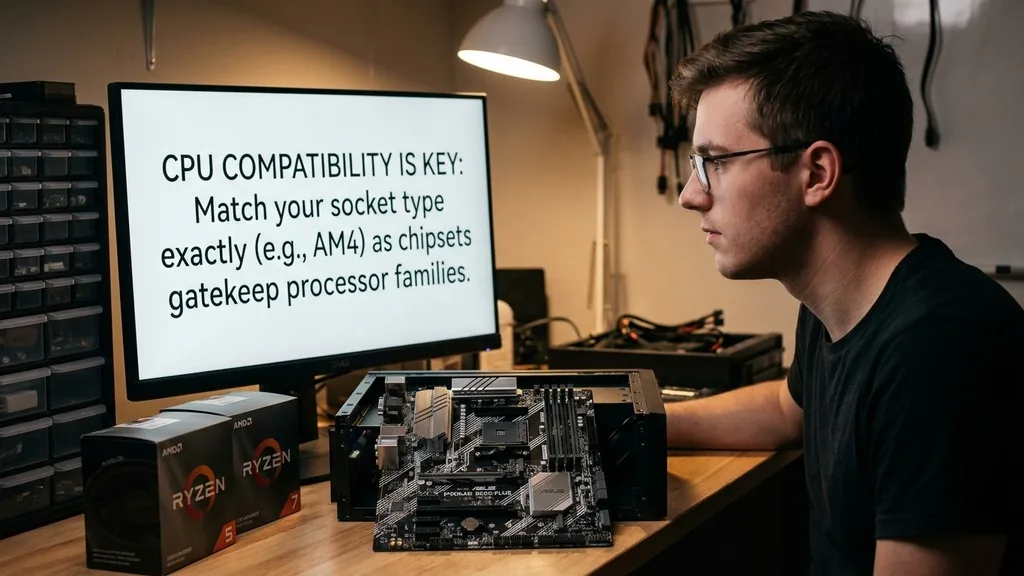
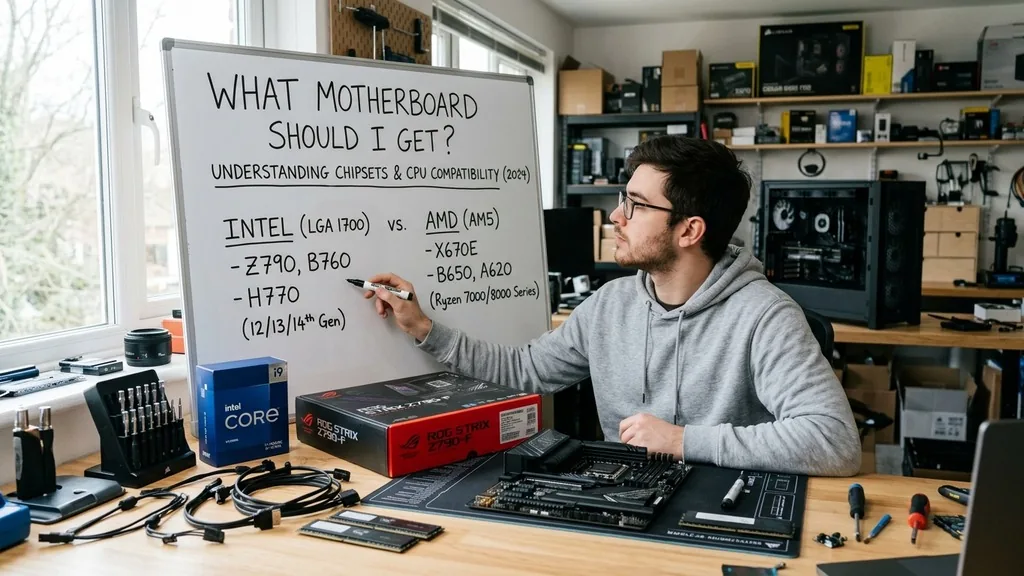
The most direct answer to what motherboard should I get starts with CPU compatibility. A motherboard’s chipset is the gatekeeper that determines which processor families will function with the board. You must match your CPU socket type exactly to the motherboard socket.
For example, modern AMD processors utilize the AM5 platform, while Intel’s latest chips require specific LGA 1700 or LGA 1851 sockets. Ignoring this leads to a non-functional system before you even press the power button.
Beyond the physical socket, chipsets define the tier of your board. Entry-level chipsets (like the A-series for AMD or H-series for Intel) are designed for basic office tasks and budget gaming. Mid-range options (B-series for AMD, B-series for Intel) offer the best price-to-performance ratio for most users.
High-end chipsets (X-series or Z-series) provide extensive overclocking support, more high-speed connectivity, and superior power delivery. If you plan to push your processor to its limits, you need a board with a robust voltage regulator module (VRM) cooling system to maintain stability under heavy loads.
Evaluating Power Delivery and Thermal Management
Power delivery components, or VRMs, determine how efficiently your motherboard converts power from your power supply into stable current for your CPU. You should look for boards with high-quality chokes and capacitors, especially if you are pairing the board with a high-TDP processor like an Intel Core i9 or an AMD Ryzen 9. A board with poor power delivery will throttle your CPU performance as the VRMs hit thermal limits, causing your system to slow down during intense gaming or rendering sessions.
Thermal management extends beyond just the VRMs. Look for integrated heatsinks on the M.2 slots, as high-speed NVMe SSDs can get surprisingly hot during sustained file transfers.
If your motherboard lacks these, your SSD may experience performance drops due to thermal throttling. A well-designed board will have a cohesive cooling solution that covers the chipset, VRMs, and storage slots, ensuring that every component stays within its optimal operating temperature range even during long hours of operation.
Connectivity and PCIe Expansion Slots
The number and type of PCIe slots dictate what you can add to your system later. Modern boards often feature a primary PCIe x16 slot reinforced with steel, which is essential for heavy modern graphics cards. If you anticipate adding capture cards, high-end sound cards, or high-speed network adapters, ensure the board provides enough physical space and lane bandwidth to accommodate these without interfering with your GPU.
PCIe generation matters significantly for future-proofing. PCIe 4.0 and 5.0 are currently the standards for high-speed storage and GPUs.
While many components still run perfectly on 3.0, choosing a board with PCIe 5.0 support ensures you are ready for next-generation storage drives and graphics cards that utilize the massive bandwidth increase. Always check the board’s manual to see how using multiple slots affects total bandwidth, as some boards disable certain ports when all expansion slots are occupied.
The Importance of Integrated Wi-Fi and Networking
In many modern home setups, a physical Ethernet connection isn’t always convenient. Deciding what motherboard should I get often comes down to whether you need integrated Wi-Fi. Many mid-to-high-end boards come with built-in Wi-Fi 6E or Wi-Fi 7 modules.
These are far superior to USB-based network adapters, offering lower latency, better range, and more stable connections. If you plan on gaming online or streaming, a board with a reliable integrated wireless chip is a massive quality-of-life upgrade.
For those using a wired connection, examine the onboard LAN port. Most quality boards now feature 2.5Gb Ethernet, which is a significant step up from the standard 1Gb port.
If your internet service provider offers speeds faster than 1Gbps, or if you transfer large files across a home network, a 2.5Gb or even 10Gb port is a feature you should prioritize. Check the technical specifications on the manufacturer’s website to confirm the network controller used, as some are more stable than others.
I/O Ports and Peripheral Support
The rear I/O panel is where you connect all your peripherals. Think about your current setup: do you use a high-end mechanical keyboard, a specialized gaming mouse, a DAC for your audio, or multiple external hard drives? You need enough USB ports to accommodate these devices without relying on external hubs, which can introduce latency or connection issues.
Modern motherboards should feature a mix of USB-A and USB-C ports. USB-C is becoming the universal standard, and having at least one high-speed USB-C port on the rear is essential for modern high-speed peripherals. Additionally, consider the internal headers.
If your computer case has a front-panel USB-C port, ensure your motherboard has the corresponding internal header to connect it. Without this specific header, that fancy port on your case will remain non-functional. You can compare common port configurations in the table below.
| Feature | Budget Board | Mid-Range Board | High-End Board |
|---|---|---|---|
| USB Ports | 4-6 (Mostly USB 2.0/3.0) | 6-8 (Includes USB 3.2 Gen 2) | 10+ (Includes USB 4/Thunderbolt) |
| M.2 Slots | 1-2 | 2-3 | 4+ |
| Wi-Fi | Optional/None | Wi-Fi 6E | Wi-Fi 7 |
| Audio Codec | Basic | Mid-tier | Audiophile-grade |
Form Factor and Case Compatibility
The physical size of your motherboard is known as the form factor. The most common sizes are ATX, Micro-ATX, and Mini-ITX. ATX is the standard size, offering the most slots and ports.
Micro-ATX is a smaller, often more affordable option that fits into smaller cases while still providing enough room for a GPU and a few extra components. Mini-ITX is the smallest, designed for ultra-compact builds, but it usually comes with only one PCIe slot and limited RAM slots.
Choosing the right size depends entirely on your case. If you have a massive full-tower case, an ATX board will fill the space nicely and offer the best expandability. If you are building a small-form-factor PC for a desk with limited space, a Mini-ITX board is your only choice, but be prepared for a more challenging building process due to the cramped layout.
Always verify your case’s compatibility list, as some smaller cases are strictly limited to specific board sizes. You can find detailed size specifications and compatibility guides at the Intel motherboard support center to ensure your parts fit correctly.
Addressing Common Misconceptions and Gaps
A common mistake is thinking that a more expensive motherboard directly increases gaming FPS. In reality, the motherboard has a negligible impact on raw frame rates compared to the CPU and GPU.
A $500 board will perform almost identically to a $200 board in terms of raw gaming performance, provided both are running the same CPU and RAM at the same clock speeds. You are paying for features, connectivity, and build quality, not “gaming speed.”
Another gap in many guides is the role of the BIOS. A motherboard is only as good as its software interface. Some manufacturers provide intuitive, easy-to-navigate BIOS menus with excellent fan control and overclocking profiles, while others feel archaic and difficult to manage.
Before you buy, look up reviews specifically regarding the BIOS experience for that model. Having a clear, responsive interface makes troubleshooting and system tuning significantly easier for builders of all experience levels.
Long-Term Reliability and Support
The lifespan of a motherboard is generally quite long, but it is the component most likely to fail due to physical damage or electrical shorts. Look for boards from reputable manufacturers that offer long warranties and consistent BIOS updates.
Manufacturers frequently release updates to improve memory compatibility, security, and CPU performance. A board that receives regular updates for three or four years is a much better investment than one that is abandoned by the manufacturer after six months.
Consider the physical build quality. Look for boards with reinforced PCIe slots, high-quality audio capacitors, and solid, heavy heatsinks.
These physical attributes suggest a level of engineering care that often correlates with better long-term reliability. While it is impossible to predict a failure, choosing a well-regarded model from a company with a strong track record for support will save you from major headaches down the line.
- Socket Compatibility: Ensure the socket matches your CPU generation perfectly.
- VRM Quality: Prioritize better power delivery if you use high-end, power-hungry processors.
- Connectivity: Match the number of USB ports and M.2 slots to your current and future needs.
- BIOS Interface: Look for brands known for user-friendly, frequently updated software.
- Form Factor: Confirm the board fits your specific computer case dimensions.
- Thermal Solutions: Opt for boards with integrated heatsinks for M.2 drives and VRMs.
Frequently Asked Questions
- How do I choose the right motherboard? Start by picking your CPU, then find a compatible chipset. From there, select a board that fits your case size and provides the specific ports, Wi-Fi capabilities, and expansion slots you need for your current and future peripheral devices.
- Does the motherboard affect gaming performance? Generally, no. A motherboard does not increase frame rates like a GPU or CPU. It only impacts performance if it lacks sufficient power delivery for your CPU, causing thermal throttling, or if it limits your RAM speeds or storage bandwidth.
- What is the typical lifespan of a motherboard? Most motherboards are designed to last for five to ten years of regular use. However, they are often replaced sooner because they become obsolete as newer CPU sockets and faster technologies, like PCIe 5.0, become the new industry standard.
- Do I need an expensive motherboard? No. Most users only need a mid-range board. You only need to spend more if you require specific high-end features like professional-grade audio, multiple 10Gb Ethernet ports, extreme overclocking capabilities, or a massive amount of high-speed storage connectivity for specialized tasks.


