

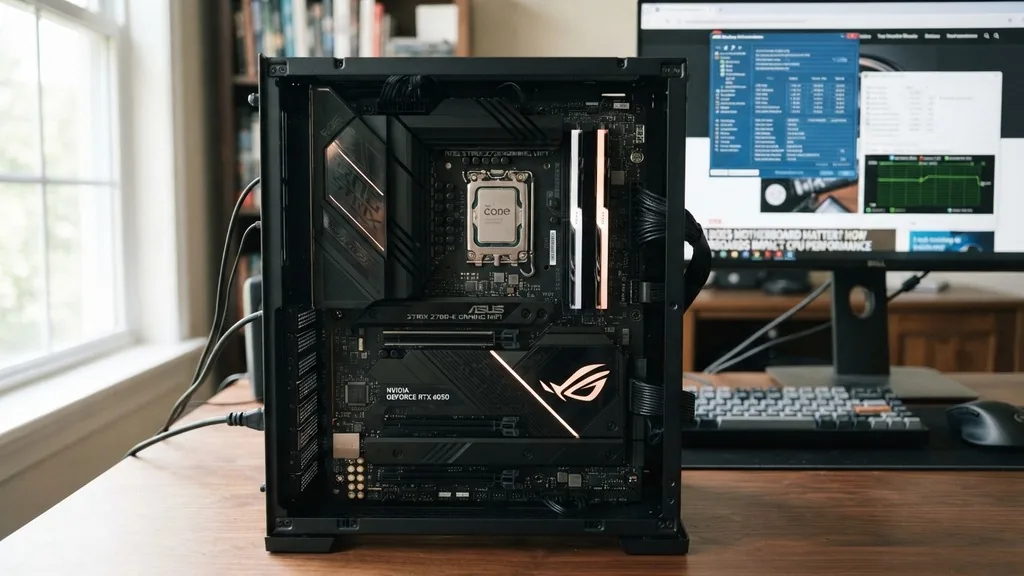
Choosing a motherboard is often the most confusing part of building a PC. While the CPU and GPU get all the glory, the motherboard acts as the foundation for your entire system.
Many builders wonder: does motherboard matter for actual performance, or is it just a fancy box to hold your components? The short answer is that while the motherboard rarely changes raw frame rates in games, it dictates your upgrade path, stability, and the overall longevity of your rig.
How Motherboards Impact CPU Performance and Stability
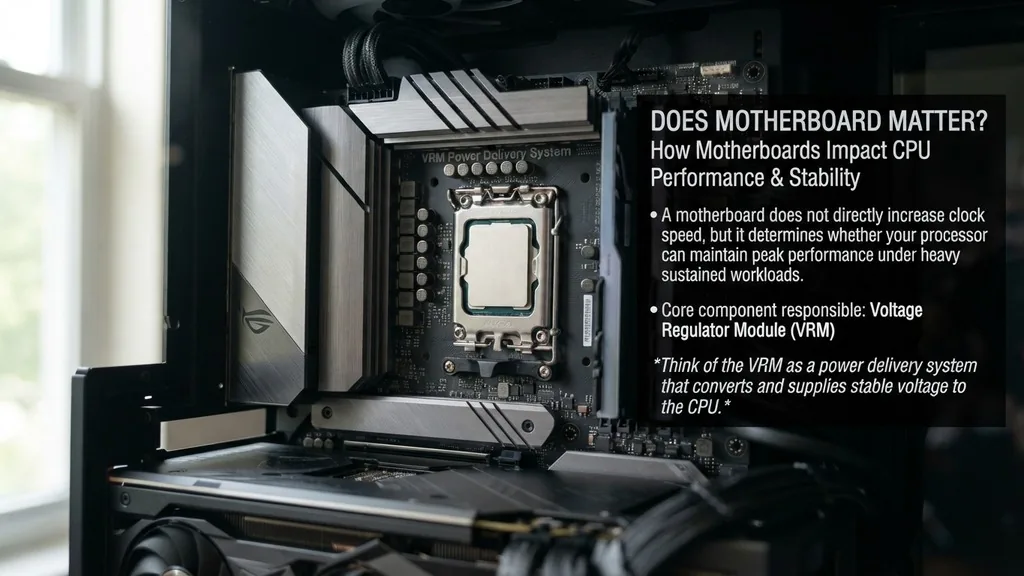
A motherboard does not directly increase the clock speed of your processor, but it determines whether that processor can maintain its peak performance under heavy, sustained workloads. The core component responsible for this is the Voltage Regulator Module (VRM). Think of the VRM as a power delivery system that converts the high voltage coming from your power supply into the precise, low-voltage power your CPU needs to function.
If you pair a high-end, power-hungry CPU with an entry-level motherboard, the VRMs might struggle to keep up. When these components get too hot, the system triggers thermal throttling. This forces the CPU to lower its clock speed to prevent damage, which directly results in reduced performance.
In this specific scenario, a better motherboard absolutely matters because it provides cleaner, more stable power. If you are running a standard processor at stock settings, however, even a budget-friendly board will provide enough power to keep the CPU running at its advertised speed without any issues.
Understanding the Role of Chipsets and Feature Sets
The chipset is the brain of your motherboard, acting as a traffic controller for data moving between the CPU, memory, and peripherals. When you ask if the motherboard matters, you are often really asking if the chipset matters. Higher-tier chipsets, like the Z-series for Intel or X-series for AMD, offer more PCIe lanes, more USB ports, and better support for high-speed storage.
Lower-tier chipsets are designed for users who want a simple, functional computer. They might lack the ability to overclock the CPU or limit the number of high-speed M.2 slots available for your storage drives.
If you need a workstation with multiple NVMe drives and high-speed networking, a premium chipset is a necessity. If you are building a basic office PC or a budget-friendly gaming machine, those extra features will go unused, and paying for them would be a waste of your budget.
The Link Between Motherboard Quality and Overclocking
Overclocking is the process of pushing your hardware beyond its factory-set limits to squeeze out extra speed. This process requires a motherboard with a robust power delivery system and a BIOS that offers granular control over voltages and frequencies. If you are interested in overclocking your CPU or RAM, the motherboard is arguably the most important part of your build.
A cheap motherboard might lack the necessary heat sinks on the VRMs or the high-quality capacitors required to handle the increased power draw. Attempting to overclock on such a board can lead to system instability, random crashes, or even hardware failure. Enthusiasts looking to push their silicon to the limit should prioritize boards with heavy-duty cooling and high-end power phases.
For the average user who prefers a “plug-and-play” experience, the overclocking capabilities of a board are irrelevant. You can learn more about official hardware standards and specifications through the Intel documentation portal to understand how different chipsets interact with processors.
Motherboard Form Factors: ATX vs. Micro-ATX vs. Mini-ITX
The physical size of your board—the form factor—is one of the few areas where the motherboard matters regardless of performance. The standard size is ATX, which provides plenty of room for expansion slots, multiple RAM sticks, and massive cooling solutions. Micro-ATX is a slightly smaller, more compact option that often offers a better price-to-feature ratio, making it a favorite for mid-range builds.
Mini-ITX is the smallest common form factor. These boards are designed for tiny, space-saving cases. However, because space is so limited, these boards often come at a premium price.
You will typically sacrifice expansion slots and might have fewer headers for case fans or RGB lighting. When choosing a form factor, consider your case size first.
If you buy a massive case, an ITX board will look lost inside and might make cable management more difficult. If you are building a small form-factor PC, you have no choice but to use an ITX board, which means you must be careful about component clearance.
Connectivity and Future-Proofing Considerations
A motherboard is the central hub for every peripheral you connect to your computer. Whether it is your mouse, keyboard, external hard drives, or high-speed internet, the motherboard handles the input and output.
When you look at the back of a motherboard, notice the variety of ports. Some boards come with integrated Wi-Fi 6E or 7, high-end audio chips, and 2.5Gbps or even 10Gbps Ethernet ports.
Future-proofing is a common concern for builders. A motherboard with the latest PCIe standard (such as PCIe 5.0) ensures that your system will be compatible with next-generation GPUs and storage drives for years to come.
While you might not need that speed today, upgrading a motherboard later is a massive headache that usually requires disassembling the entire computer. Buying a board with slightly more connectivity than you currently need is often a smart financial decision, as it prevents the need for a full system overhaul when new technology becomes the standard.
RAM Compatibility and Memory Performance
Memory performance is deeply tied to the motherboard’s traces—the tiny copper wires that connect the RAM slots to the CPU. High-frequency RAM requires a clean, stable signal to run at its rated speeds. Premium motherboards often feature better shielding and optimized trace layouts that allow for higher XMP or EXPO memory profiles.
If you are a competitive gamer who needs every last frame, you might find that a high-end motherboard allows your RAM to run at higher speeds with tighter timings. However, for most users, the difference between 5600MHz and 6000MHz RAM is negligible in real-world applications. Compatibility is more important than raw speed.
Always check the motherboard’s Qualified Vendor List (QVL) before buying your RAM. This list tells you exactly which memory kits have been tested and verified to work with that specific board, saving you from potential boot loops or stability issues.
Summary of Key Differences by Motherboard Tier
To help you distinguish between the various options on the market, the following table breaks down the typical features you can expect based on the motherboard price point and intended use case.
| Feature Tier | Budget Boards | Mid-Range Boards | High-End/Enthusiast |
|---|---|---|---|
| VRM Cooling | Basic or None | Solid Heatsinks | Active Cooling/Heatpipes |
| PCIe Slots | Minimal | Standard Expansion | Multi-GPU/High-Speed Support |
| Overclocking | Generally Locked | Basic Support | Advanced Bios/Extreme Control |
| Networking | 1Gbps LAN | 2.5Gbps + Wi-Fi | 10Gbps + High-End Wi-Fi |
Addressing Common Misconceptions and Topical Gaps
There is a persistent myth that a more expensive motherboard automatically makes your games run faster. This is simply not true. Your GPU is responsible for rendering frames, and your CPU handles game logic and physics.
A motherboard does not have a “gaming mode” that magically improves these processes. The only way a motherboard impacts gaming performance is by preventing thermal throttling or allowing for faster RAM speeds that might slightly boost minimum frame rates.
Another common gap in knowledge is the importance of the BIOS. Many users never update their BIOS, yet this is one of the most critical maintenance tasks for a motherboard. Manufacturers release BIOS updates to improve stability, add support for newer CPUs, and patch security vulnerabilities.
If you are experiencing weird crashes or your new CPU isn’t working as expected, a simple BIOS update is often the solution. Never ignore the software side of your motherboard, as it is just as important as the physical hardware components.
Final Thoughts on Choosing the Right Board
When building a PC, your budget should prioritize the parts that impact performance directly: the GPU, the CPU, and the RAM. The motherboard should be chosen based on the features you need and the stability you require. If you aren’t planning to overclock, don’t need a dozen USB ports, and don’t care about the latest Wi-Fi standards, a mid-range board is the sweet spot.
- Identify your CPU socket and ensure the motherboard is compatible.
- Determine your case size to pick the right form factor (ATX, Micro-ATX, or ITX).
- Check the number of M.2 slots if you plan on using multiple high-speed SSDs.
- Verify the BIOS flash feature, which allows you to update the board without a CPU.
- Consider the aesthetic and RGB headers if the look of your build matters to you.
- Look for integrated Wi-Fi if you do not have a direct Ethernet connection.
Ultimately, does motherboard matter? Yes, but only in the context of what you want to achieve. It matters for reliability, it matters for future upgrades, and it matters for specific power-user tasks like overclocking.
Don’t overspend on a motherboard just for the brand name or extra features you won’t use. Instead, invest that money into a better graphics card or a faster SSD, which will provide a much more noticeable improvement to your daily computing experience.
Frequently Asked Questions
- Does a better motherboard improve gaming performance? No, a motherboard does not increase raw gaming performance. It only ensures your components run stably. A high-end board will not give you more frames per second compared to a budget board, provided the budget board can adequately power your CPU without thermal throttling.
- What happens if I choose an incompatible motherboard? If the motherboard socket does not match your CPU, the processor will physically not fit into the board. Attempting to force it will destroy both the CPU pins and the motherboard socket. Always confirm the socket type (e.g., AM5 or LGA 1700) before purchasing your parts.
- How long should a motherboard last? A high-quality motherboard can easily last 7 to 10 years or more. They rarely fail unless there is a power surge, physical damage, or a manufacturing defect. Most users replace their motherboards only when they decide to upgrade to a newer CPU that requires a different socket.
- Do I need the most expensive motherboard for a high-end CPU? Not necessarily. You only need a board with high-quality VRMs capable of handling the power draw of your specific CPU. While many high-end CPUs are paired with expensive “flagship” boards, a well-engineered mid-range board is often more than sufficient for stock operation and light optimization.


