

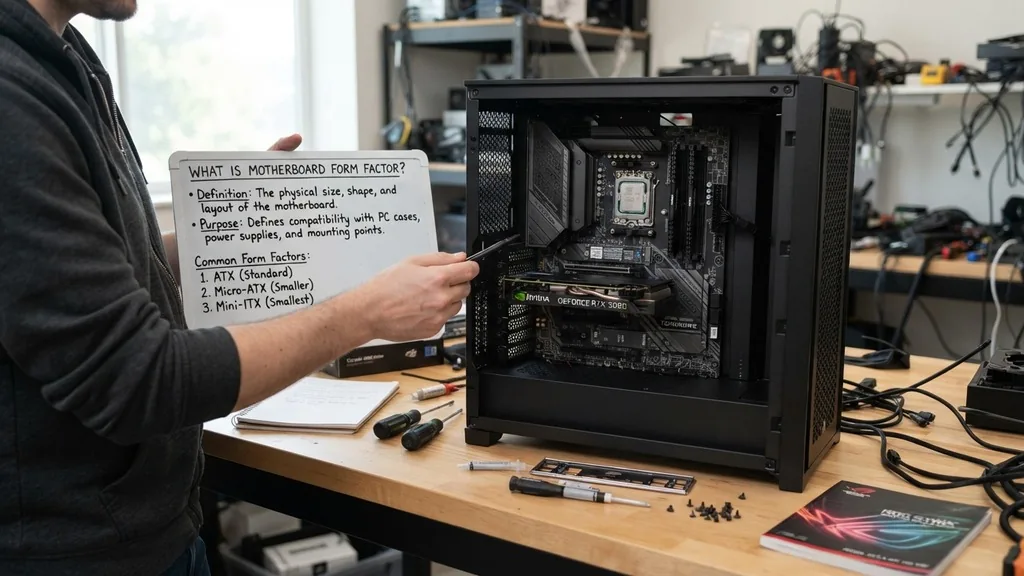
When you set out to build a computer, the physical dimensions of the components are just as critical as their technical specifications. You might find a high-performance processor and a top-tier graphics card, but if they cannot physically fit into your chassis or align with the mounting points of your case, the build will fail before it even begins.
This is where the concept of a motherboard form factor becomes essential. It acts as a standardized blueprint that dictates the physical dimensions, power connector locations, and the layout of the interface ports on the main circuit board.
At its core, a form factor defines how a motherboard fits into a computer case and how it interacts with the power supply unit. By adhering to these standardized sizes, manufacturers ensure that components remain interchangeable.
Without these rules, every single case and board would be a proprietary nightmare, forcing users to buy all their hardware from a single company. Understanding these standards is the first step toward successful PC assembly and hardware maintenance.
The Definition and Purpose of Form Factor

A motherboard form factor refers to the physical specifications—such as height, width, and depth—that dictate the shape and layout of the main circuit board. These standards ensure that your motherboard, case, and power supply are physically compatible. When engineers design these boards, they must follow specific industry guidelines that determine the placement of screw holes, the location of the input/output panel, and the spacing required for cooling systems.
The primary purpose of these standards is to provide consistency across the computing industry. Because the motherboard is the central hub for your CPU, RAM, and storage, it needs to communicate with the case for cooling and with the power supply for electricity. If the mounting holes on the board do not align with the standoffs in your computer case, you won’t be able to secure the board safely.
A short circuit could occur if the board touches the metal chassis in the wrong place, potentially destroying your hardware. These dimensions are measured in inches or millimeters to ensure that every manufacturer, from ASUS to MSI, produces boards that fit into standard ATX or Micro-ATX cases.
Tracing the Evolution of Motherboard Standards
The history of these physical standards is tied to the evolution of the personal computer itself. In the early days, proprietary designs were common, which made upgrading nearly impossible.
IBM introduced the AT (Advanced Technology) form factor in the 1980s, which set the initial standard for how boards should be laid out. As computers grew more complex, the need for better airflow and more efficient power delivery led to the development of the ATX standard by Intel in the mid-1990s.
ATX revolutionized the industry by moving the processor and memory slots to a position that allowed for better airflow and easier access for the user. Over time, as users wanted smaller machines, new variations like Micro-ATX and Mini-ITX emerged.
These smaller versions retained the electrical compatibility of the larger boards but reduced the overall footprint by cutting down on the maximum number of expansion slots and other peripheral ports. This history of design iterations proves that the industry prioritizes modularity and ease of use, allowing enthusiasts to scale their systems from massive workstations to compact home theater PCs.
Standard ATX: The Industry Benchmark
The standard ATX is the most widely used form factor in desktop computing today. Measuring 12 by 9.6 inches, it provides the most space for components, making it the preferred choice for enthusiasts, gamers, and professionals who require high-performance hardware. The sheer surface area allows for multiple PCIe slots, four or more RAM slots, and extensive heat-sink coverage for voltage regulator modules.
If you are building a workstation that requires multiple graphics cards or large storage arrays, the ATX board is almost always the correct choice. Because of its size, it offers a high number expansion capability, ensuring that you can add sound cards, network interface cards, or additional storage controllers without running out of physical room.
Most mid-tower and full-tower cases are designed primarily for this board size, ensuring that you will have plenty of clearance for large air coolers or liquid cooling radiators. It is the gold standard for compatibility; if a case supports ATX, it almost certainly supports smaller variants as well.
Micro-ATX: Balancing Performance and Space
Micro-ATX is often described as the “sweet spot” for many users who want a capable machine that doesn’t occupy an entire desk. Measuring 9.6 by 9.6 inches, it is a square-shaped board that maintains the same width as a standard ATX board but is shorter in height. This reduction in length means you lose a few expansion slots, but for most people, this is a non-issue.
Most modern builds only require one or two PCIe slots for a graphics card and perhaps a Wi-Fi card. Micro-ATX fulfills these needs perfectly while allowing for more compact case designs. Many budget-conscious builders prefer this format because the boards themselves are often less expensive to manufacture, passing those savings on to the consumer.
You don’t sacrifice raw performance; you simply sacrifice the ability to add a large number of legacy peripherals that are rarely used in modern setups. It is an excellent choice for a gaming rig that needs to remain portable or fit within a tighter workspace.
Mini-ITX: The Compact Powerhouse
For those who prioritize aesthetics and space-saving, the Mini-ITX form factor is the pinnacle of engineering. Measuring a tiny 6.7 by 6.7 inches, these boards are designed for ultra-compact systems. Despite their small size, they are fully functional, usually featuring a single PCIe slot and two RAM slots.
Building in this format requires more planning than a standard build. You have to be mindful of the physical footprint of your CPU cooler and the length of your graphics card. Because these boards are so small, components are packed tightly together, which can lead to higher temperatures if you do not have adequate airflow in your case.
However, modern Mini-ITX boards are incredibly robust, often including built-in Wi-Fi and premium power delivery systems that rival their larger counterparts. If you want a powerful computer that hides behind your monitor or sits unobtrusively on your desk, this is the form factor for you. You can learn more about these technical specifications through the official Intel technical documentation on board designs.
Key Differences in Physical Layout
When comparing these boards, the differences go beyond just dimensions. The layout of the board dictates where your power cables need to reach.
On an ATX board, the 24-pin power connector is typically on the right side, but on smaller boards, it might be shifted slightly to account for the lack of space. The mounting holes are also standardized; an ATX board will have a specific pattern of nine holes, while a Mini-ITX board might only have four.
Comparison of Common Motherboard Dimensions
| Form Factor | Dimensions (Inches) | Best Use Case |
|---|---|---|
| Standard ATX | 12.0 x 9.6 | High-end gaming and workstations |
| Micro-ATX | 9.6 x 9.6 | Budget builds and home offices |
| Mini-ITX | 6.7 x 6.7 | Compact builds and small spaces |
| E-ATX | 12.0 x 13.0 | Extreme enthusiast and server builds |
The table above illustrates the hierarchy of size versus utility. As you move from E-ATX down to Mini-ITX, you gain space efficiency at the cost of expansion capability. The E-ATX, or Extended ATX, is the largest of the common consumer boards, providing extra room for additional hardware, such as multiple CPUs in workstation-grade systems.
Addressing Common Compatibility Gaps
One of the most frequent points of confusion for new builders is the “standoff” issue. Standoffs are the small metal or plastic spacers that lift the motherboard off the metal surface of the case.
If you have an ATX case and you are installing a Mini-ITX board, you must ensure that you remove the extra standoffs that are not required for the smaller board. If you leave them in, they could press against the back of your motherboard, causing a short circuit when you turn the power on.
Another common gap is the I/O shield. The I/O shield is the metal plate that covers the ports on the back of your computer. While some high-end motherboards now come with pre-installed I/O shields, many budget boards still require you to snap this piece into the case separately.
If you forget to install this before putting the motherboard in, you will have to disassemble your entire machine just to pop it into place. Always check the physical dimensions of your case to confirm it supports the specific board size you have purchased.
How to Identify Your Motherboard Size
If you are upgrading an existing computer, you might not know what you have inside. The simplest way to check is to look at the model number of the motherboard and search for it online. Manufacturers list the form factor clearly on their product pages.
Alternatively, you can open your case and look at the board itself. A standard ATX board will be rectangular and span across most of the case, while a Mini-ITX board will look like a tiny square in the middle of a large chassis.
You can also use software to identify your hardware. Tools like CPU-Z provide detailed information about your mainboard, including its model and often its physical classification. If you are looking at a system and wondering if you can replace the motherboard, measure the distance between the mounting holes.
A standard ATX board has a consistent distance between these points, which is part of the specification that makes these parts interchangeable. If you see that your board is missing several expansion slots compared to a full-sized board, you are likely looking at a Micro-ATX or Mini-ITX model.
FAQ: Common Questions About Form Factors
- How do I find my motherboard form factor? The easiest way is to check the manufacturer’s website by searching your motherboard model number. Alternatively, you can measure the board in inches; standard ATX is 12×9.6, while Mini-ITX is 6.7×6.7. Software tools like CPU-Z can also provide this information under the mainboard tab.
- Which motherboard form factor is best? The “best” factor depends on your goals. Standard ATX is best for maximum expansion and cooling, making it ideal for gaming. Mini-ITX is best for small, space-saving builds. Micro-ATX offers a perfect middle ground for budget-conscious users who still want a functional, well-equipped PC.
- Is ATX a form factor? Yes, ATX is the most common industry-standard form factor for desktop computers. It defines the physical dimensions of the board, the placement of mounting holes, and the layout of the back panel ports, ensuring that motherboards, cases, and power supplies from different manufacturers work together seamlessly.
- What is an ATX form factor motherboard? An ATX motherboard is a full-sized circuit board designed to fit into standard computer cases. It features the largest amount of space for components, including multiple RAM slots, several PCIe expansion slots, and broad support for various cooling solutions, making it the most versatile option for PC builders.
As technology continues to shrink, we may see even more specialized form factors, but the core principles of standardization will remain. By understanding these dimensions, you ensure that your build is not only functional but also easy to upgrade and maintain for years to come. Whether you are building a small home server or a massive liquid-cooled gaming machine, knowing your form factor is the foundational knowledge that prevents costly mistakes.
Always double-check your case specifications against your motherboard size before tightening that final screw. With a bit of planning, you can assemble a system that perfectly balances your performance needs with your spatial constraints.


