

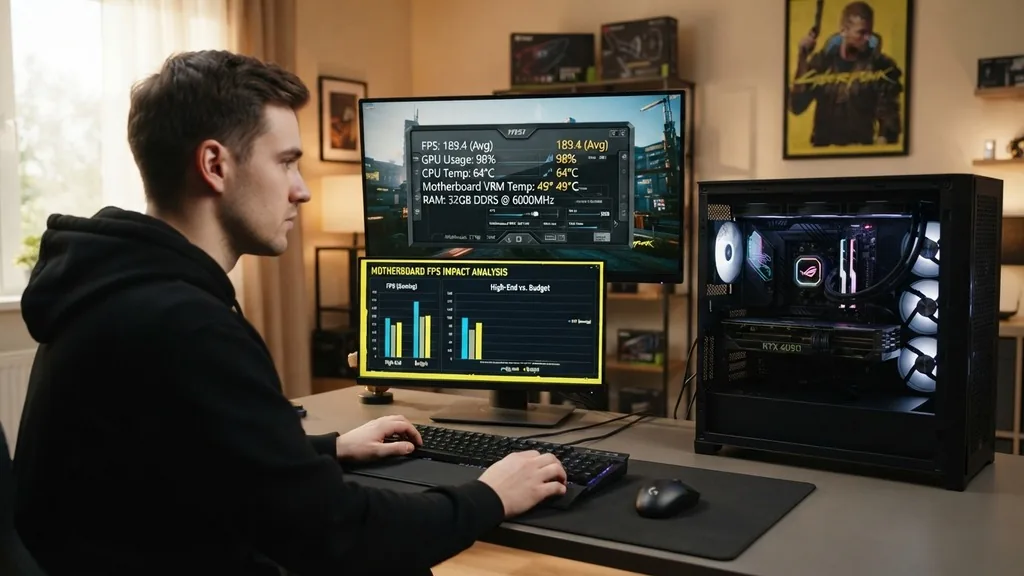
The question of whether a motherboard affects FPS is one of the most persistent myths in the PC building community. Many enthusiasts assume that since the motherboard connects every component in a PC, it must play a direct role in how fast a game runs.
In reality, the motherboard acts as a high-speed highway for data, but it does not process the graphics or physics calculations that generate frames per second. While a cheap or poorly designed board can indirectly throttle your system, it isn’t the primary driver of your gaming performance.
The Direct Relationship Between Motherboard and Gaming Performance
Does the motherboard directly influence frame rates? In short, no. The motherboard serves as the foundation for your hardware, providing the pathways for the CPU, GPU, and RAM to communicate.
It does not contain a processor that renders game assets or calculates frame delivery. When you ask if your board is “bottlenecking” your gaming experience, you are usually looking at the wrong component. The primary factors dictating how many frames you see on your monitor are your graphics card (GPU) and your central processing unit (CPU).
The motherboard provides the electrical connectivity and the chipset logic required for these parts to work together. Think of it as the infrastructure of a city. If the roads are built to code, the cars—your CPU and GPU—can travel at their maximum speed.
Replacing the road with a “premium” version doesn’t make the car go faster; it just ensures that the traffic flows as intended. As long as your board supports your hardware’s specifications, you will get the same gaming results whether you use a budget-tier board or an expensive flagship model.
How Thermal Throttling Affects Performance Indirectly
While the motherboard itself doesn’t calculate frames, it can indirectly cause FPS drops through thermal management. If you are using a high-end, power-hungry processor on a motherboard with inadequate Voltage Regulator Modules (VRMs), the board might overheat under load.
When the VRMs get too hot, the motherboard’s safety protocols may force the CPU to lower its clock speed to prevent permanent damage. This phenomenon is known as thermal throttling.
When your CPU throttles, it cannot process game instructions as quickly as it should. This causes the frames per second to dip, leading to stuttering or a lower average frame rate.
This is particularly common when users pair a top-tier chip with a bare-bones motherboard that lacks proper heatsinks. If you are planning a high-end build, you don’t necessarily need a more expensive board for “speed,” but you do need one with robust thermal management to ensure your CPU can sustain its boost clocks indefinitely.
The Role of PCIe Lanes and Graphics Card Bandwidth
One area where a motherboard can influence your visual experience is through its support for various PCIe generations. Modern graphics cards rely on the PCIe interface to communicate with the rest of the system. If you install a modern, high-bandwidth GPU into an older motherboard that only supports a lower PCIe generation, you might encounter a bandwidth limitation.
Most modern gaming setups use PCIe 4.0 or 5.0. If your motherboard is limited to PCIe 3.0, you might see a minor performance hit in specific titles that require massive amounts of data transfer between the GPU and system memory. This is rarely a dramatic change in FPS, but it is a genuine consideration for those using the latest hardware.
You can check the official PCI-SIG specifications to understand how different generations of bus technology handle data throughput. It is important to note that for most users, the difference between PCIe 3.0 and 4.0 in gaming is negligible, often amounting to a single-digit percentage difference at most.
Does Motherboard Chipset Impact Gaming?
The chipset on your motherboard is the set of controllers that manage the data flow between the CPU, memory, and peripherals. Different chipsets—such as those from Intel’s Z-series or AMD’s X-series—offer more features than their entry-level counterparts. These features include more USB ports, more M.2 slots for storage, and better overclocking support.
Crucially, the chipset itself does not provide an FPS boost. You will not get higher frame rates simply by choosing a Z790 motherboard over a B760 model if both are running the same CPU and GPU at stock speeds. The primary reason for choosing a higher-end chipset is to enable CPU or RAM overclocking.
If you intend to push your processor beyond its factory settings, a board with a better chipset and stronger power delivery will allow you to achieve higher clock speeds, which does lead to higher FPS. In this specific scenario, the motherboard is a facilitator for performance gains rather than a direct source of them.
RAM Support and Memory XMP Profiles
The motherboard’s BIOS/UEFI plays a vital role in how your system interacts with your RAM. High-frequency memory is essential for modern gaming performance, especially for CPUs that rely on fast communication between the memory and the processor cores. If your motherboard does not support the specific speed or XMP (Extreme Memory Profile) of your RAM, your system will default to a much slower JEDEC speed.
This is a scenario where the motherboard significantly affects FPS. If you buy a 6000MHz memory kit but your motherboard is locked or incapable of supporting that speed, your CPU will be starved of data. This leads to lower minimum frame rates and increased frame time variance.
Before purchasing a board, verify that its QVL (Qualified Vendor List) includes your specific RAM kit. Ensuring your RAM runs at its rated speed is one of the most effective ways to extract the performance you paid for.
Understanding the Bottleneck Principle
To truly understand if a motherboard affects FPS, you must look at the system as a whole. A computer is only as strong as its weakest link.
If you have an incredibly powerful motherboard paired with a weak GPU, your FPS will remain low. Conversely, if you have a top-of-the-line GPU but a motherboard that cannot provide adequate power or bandwidth, you might experience instability or throttling.
| Component | Impact on FPS | Role in Gaming |
|---|---|---|
| Graphics Card | High | Renders frames and textures |
| CPU | High | Processes game logic and physics |
| RAM | Moderate | Stores temporary data for CPU access |
| Motherboard | Low (Indirect) | Provides power and communication path |
As the table above illustrates, the motherboard is at the bottom of the hierarchy for direct frame rate contribution. It is vital for stability and feature support, but it does not “create” frames.
Understanding this helps you allocate your budget effectively. Spending an extra $200 on a motherboard will rarely give you a better gaming experience than spending that same money on a better GPU.
Addressing Common Misconceptions and Topical Gaps
A common question is whether a “gaming” motherboard is actually faster than a standard office board. Many manufacturers market boards with aggressive aesthetics, RGB lighting, and “gaming” branding. These features are purely cosmetic or convenience-based.
They do not increase the clock speed of your processor or the frame rate of your games. Some users believe that these boards have “optimized” pathways for data, but in modern digital signaling, the difference in latency caused by trace routing on a consumer motherboard is measured in nanoseconds—far too small to impact gaming performance.
Another gap in common knowledge is the impact of integrated features like high-end audio or specialized network controllers. While these features are fantastic for specific needs, they do not touch the GPU pipeline.
If you are struggling with low FPS, upgrading your audio codec or your Wi-Fi card will not help. Focus on the core components—the GPU, CPU, and RAM—and ensure your cooling solution is adequate to prevent throttling.
What to Look for When Choosing a Board
Since the motherboard does not directly affect FPS, you should base your purchasing decision on other metrics. First, look for power delivery (VRM quality). If you are using a high-wattage CPU, you need a board that can handle the current without overheating.
Second, consider the number of M.2 and PCIe slots you need for your storage and expansion cards. Third, ensure the BIOS interface is user-friendly, as you will need it to enable XMP profiles for your RAM.
- Ensure the socket type matches your specific CPU generation.
- Check for adequate heatsinks on the VRMs if you plan to overclock.
- Verify that the motherboard supports the PCIe generation of your GPU.
- Confirm the RAM slots are compatible with your memory type (DDR4 vs DDR5).
- Select a form factor that fits your PC case (ATX, Micro-ATX, or Mini-ITX).
- Prioritize connectivity options like USB-C ports and onboard Wi-Fi based on your lifestyle.
By following these criteria, you will select a board that provides a stable, reliable, and functional foundation for your build. You will avoid overspending on features that don’t impact your gaming experience while ensuring you don’t compromise on the stability of your system.
Frequently Asked Questions
- Does a more expensive motherboard improve gaming performance? No, a more expensive board does not directly increase FPS. It usually offers better build quality, more features, and superior cooling for overclocking, but the actual gaming performance is determined by your CPU, GPU, and RAM.
- Can a motherboard cause low FPS? Yes, but only indirectly. If a motherboard’s VRMs overheat, the CPU may throttle its speed to cool down, resulting in lower FPS. Additionally, if the board doesn’t support the full speed of your RAM, your performance will be lower than expected.
- What should I prioritize over a motherboard for gaming? Always prioritize the graphics card and the processor. These two components have the most significant impact on your frame rates. Once those are selected, ensure you have sufficient, high-quality RAM and a power supply capable of handling your hardware’s load.


