

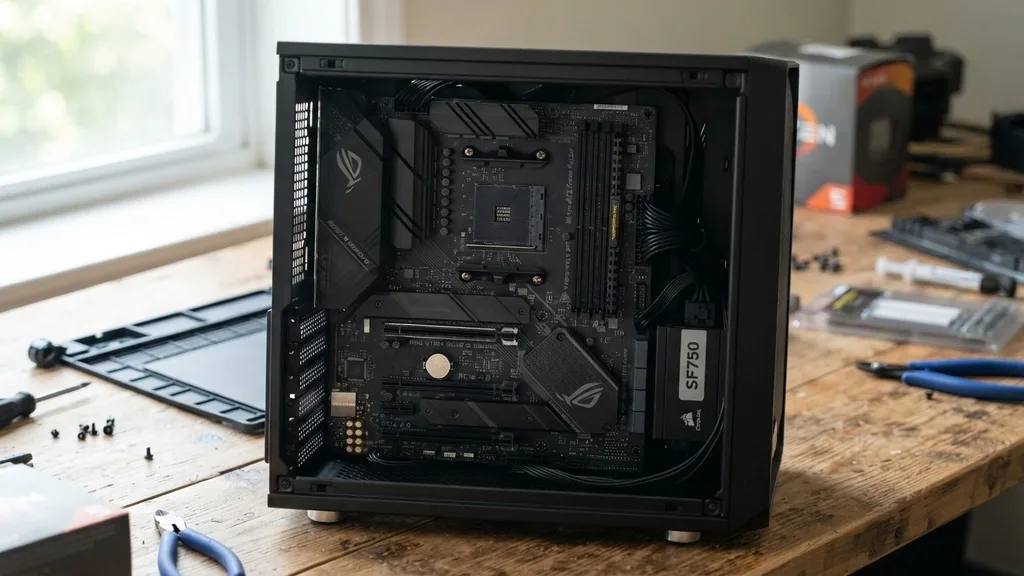
A mATX motherboard, or Micro-ATX, serves as the middle ground in the world of computer building. It bridges the gap between the compact, often restrictive Mini-ITX form factor and the large, feature-heavy ATX standard.
Many system builders choose this size because it offers a balance of affordability, functionality, and physical footprint that fits perfectly into a variety of desktop cases. When you are planning a build, understanding the physical dimensions and the layout limitations of this specific board type is essential for ensuring all your components fit and function correctly.
Defining the Micro-ATX Form Factor
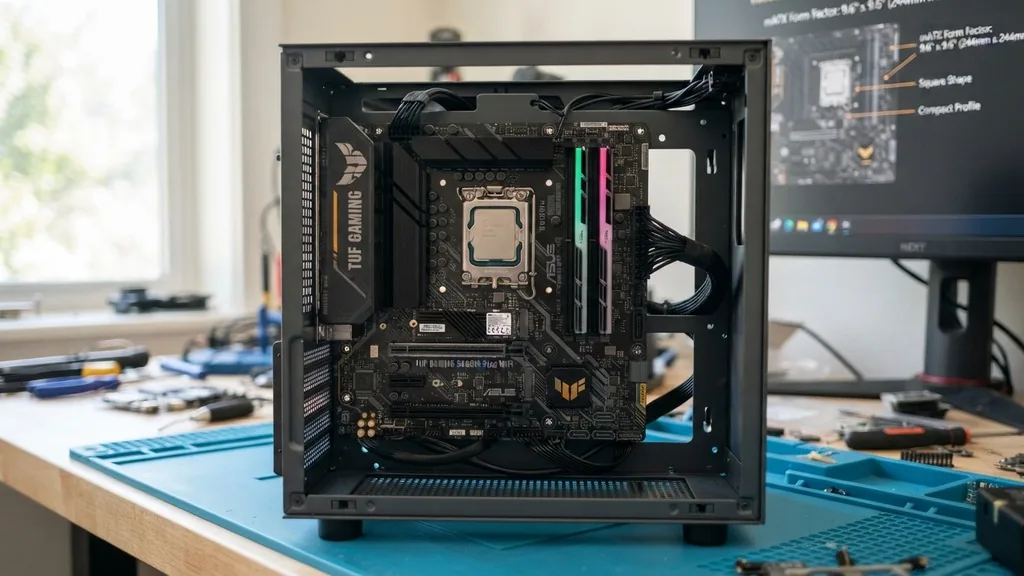
A mATX motherboard is a specific circuit board size standardized to measure 9.6 inches by 9.6 inches (244 mm x 244 mm). This square shape is significantly smaller than the standard ATX board, which typically measures 12 inches by 9.6 inches.
The primary goal of this design is to provide a smaller physical profile without sacrificing the core functionality required for a high-performance PC. By reducing the height of the board, manufacturers are able to decrease the overall volume of the computer case required, which is a major advantage for users who have limited desk space or prefer a cleaner, more compact aesthetic.
Because the form factor is standardized, these boards are physically compatible with almost any case that supports a standard ATX layout. If a case is designed to hold a full-size ATX board, it almost certainly has the mounting holes to accommodate a Micro-ATX board as well.
This backward compatibility makes it an incredibly versatile choice for builders who might want to upgrade their case later or reuse an existing chassis. While they are smaller, they still retain the essential CPU socket, memory slots, and power delivery circuitry needed for modern computing.
Evolution and Popularity in Modern Computing
The rise of the mATX motherboard is largely tied to the shift in consumer preferences toward more efficient, space-conscious hardware. In the early days of personal computing, massive towers were the norm, and internal space was rarely an issue.
However, as hardware became more power-efficient, the need for sprawling, oversized motherboards diminished. Manufacturers realized that they could strip away unnecessary real estate—such as extra, unused PCIe slots—without harming the actual performance of the processor or graphics card.
Today, this form factor is a staple in both budget-oriented builds and high-end gaming rigs. You will find that many mid-range boards offer advanced features like built-in wifi, robust power delivery systems for overclocking, and fast storage controllers, all packed into this smaller footprint.
It has become the sweet spot for many enthusiasts who want to avoid the premium price tags associated with niche Small Form Factor (SFF) builds, which often require expensive, specialized power supplies and cooling solutions. By choosing a Micro-ATX board, you avoid those extra costs while still enjoying a compact system.
Comparing mATX vs. ATX Dimensions and Features
The most common question builders ask is whether they are losing performance by choosing a smaller board. The short answer is no; the size of the board itself does not dictate the raw processing power of your CPU or the speed of your GPU. However, the reduction in size does impact the number of physical connections available.
A full-size ATX board typically provides seven expansion slots, whereas a Micro-ATX board is usually limited to four. For the vast majority of users, this difference is entirely irrelevant.
Most modern gamers and professionals only require a single graphics card and perhaps one or two additional add-in cards, such as a high-quality sound card or a specialized capture card. Since a single modern GPU often takes up two or even three slots due to its massive cooling shroud, having seven slots on an ATX board is often overkill. The following table highlights the key physical and functional differences you should consider when selecting your components.
| Feature | Micro-ATX (mATX) | Standard ATX |
|---|---|---|
| Dimensions | 9.6 x 9.6 inches | 12 x 9.6 inches |
| Expansion Slots | Usually 3 to 4 | Usually 6 to 7 |
| Case Compatibility | mATX and ATX cases | ATX cases only |
| Price Point | Generally more budget-friendly | Varies, often higher |
Managing Expansion Slots and Connectivity
When you look at the physical layout of a mATX motherboard, the reduction in space is most obvious in the area below the CPU socket. This is where the PCIe expansion slots reside. While you lose the extra slots found on ATX boards, you still maintain the primary x16 slot for your graphics card.
This slot is typically reinforced on higher-end boards to support the weight of heavy, modern GPUs. If you are a user who plans to run a multi-GPU setup, which is increasingly rare in the modern era of computing, then a larger ATX board might be necessary.
However, for most users, the connectivity provided is more than sufficient. You will typically find multiple headers for USB ports, front-panel audio connectors, and several SATA ports for hard drives and SSDs.
Many boards also include dedicated slots for M.2 NVMe drives, which sit directly on the board and eliminate the need for extra cables. This integrated approach to connectivity is a major benefit of modern board design, as it keeps the interior of your case tidy and improves airflow by reducing cable clutter.
The Importance of Case Selection
Choosing a case for your mATX motherboard is an exercise in balancing size and airflow. Because these boards fit in both small and large cases, you have a wide range of aesthetic options.
If you opt for a compact case, you must pay close attention to the clearance for your CPU cooler and the length of your graphics card. Some smaller cases can be quite cramped, making the assembly process more difficult, especially when it comes to cable management.
If you choose a larger, standard ATX mid-tower case, you will have plenty of room to work. This can make the build process much easier, especially for beginners who are worried about damaging components during installation.
Furthermore, a larger case provides better airflow potential, which can help keep your components running cooler under load. You can learn more about the technical specifications of these components by visiting the official Intel technical resources page to understand how chipset and motherboard compatibility works for modern processors.
Compatibility with Intel and AMD Platforms
A common misconception is that the form factor dictates the type of processor you can use. In reality, the physical size of the board is independent of whether it uses an Intel or AMD socket. You can find excellent mATX options for both platforms.
Manufacturers design these boards with the same chipsets used in their larger counterparts. This means that a Micro-ATX board with a high-end chipset will offer the same overclocking capabilities, memory speed support, and PCIe bandwidth as a full-size board using the same chipset.
Whether you are building an AMD Ryzen system or an Intel Core rig, you can find a board that meets your performance requirements. The key is to look at the chipset (e.g., B-series or Z-series for Intel, B-series or X-series for AMD).
The chipset determines the features available to you, such as the number of USB 3.2 ports, support for the latest DDR memory standards, and the version of PCIe supported. Always verify that your chosen motherboard is compatible with your CPU’s socket type, as this is the single most important factor in your build.
RAM Capacity and DDR Standards
Even on smaller boards, you rarely have to sacrifice memory capacity. Most mATX boards feature four DIMM slots, allowing you to install up to 128GB of RAM, depending on the generation of the platform.
This is plenty for gaming, video editing, and heavy multitasking. Some ultra-budget boards may only offer two slots, which limits your upgrade path, so it is wise to check the specifications if you anticipate needing more memory in the future.
The transition to DDR5 memory has also been integrated into these boards. Since the motherboard acts as the bridge between your RAM and your CPU, the quality of the traces on the board is vital for stability.
Higher-end boards often feature better signal shielding, which is particularly important when running high-frequency memory kits. When you are shopping, look for boards that specify support for the speed of the DDR memory you intend to buy to ensure you are getting the performance you paid for.
Common Limitations and Considerations
While mATX is a fantastic choice for many, it is not without its trade-offs. The most significant limitation is the “cramped” feel that can occur when using high-performance components. If you use a massive air cooler, it might interfere with your RAM slots.
If your graphics card is particularly thick, it might block the remaining PCIe slots on the board. These are physical realities that come with the territory of a smaller board.
Another factor is the number of fan headers. Because there is less surface area on the PCB, manufacturers sometimes include fewer headers for case fans. This can be mitigated by using a fan hub or a splitter, but it is an extra step you need to plan for during your build.
Additionally, some entry-level boards may lack advanced features like integrated RGB lighting headers or high-end integrated audio chips. If aesthetics or premium sound quality are priorities for you, make sure to read the specific feature list of the board rather than assuming all mATX boards are identical.
Frequently Asked Questions
- Is mATX worse than ATX for gaming? Not at all. As long as the motherboard has the necessary features, such as a strong power delivery system and a PCIe x16 slot for your graphics card, there is no performance difference between mATX and ATX for gaming purposes.
- Can I put a mATX motherboard in an ITX case? No, you cannot. Mini-ITX cases are designed specifically for the much smaller Mini-ITX form factor. A mATX board will be too large physically to fit inside an ITX chassis, and the mounting holes will not align.
- Does Micro-ATX support modern CPUs? Yes, modern Micro-ATX boards support the latest generations of both Intel and AMD processors. They use the same chipsets as their larger ATX counterparts, ensuring that they can handle the power and connectivity requirements of modern high-performance CPUs.
- Why would I choose mATX over ATX? Many builders choose mATX because it allows for a smaller, more compact PC build without the high price and extreme limitations of Mini-ITX. It is the most cost-effective way to save space while keeping all the functionality of a standard desktop computer.
When you are weighing your options, keep in mind that the motherboard is the foundation of your system. While the size is a major factor, the quality of the components—like capacitors and voltage regulator modules—is what ultimately determines the longevity and stability of your computer.
By selecting a reputable brand and matching the board to your specific needs, you can build a powerful, reliable machine that fits perfectly into your space. Whether you are building a workstation for productivity or a dedicated gaming rig, the mATX form factor provides the versatility and efficiency to get the job done right.


