

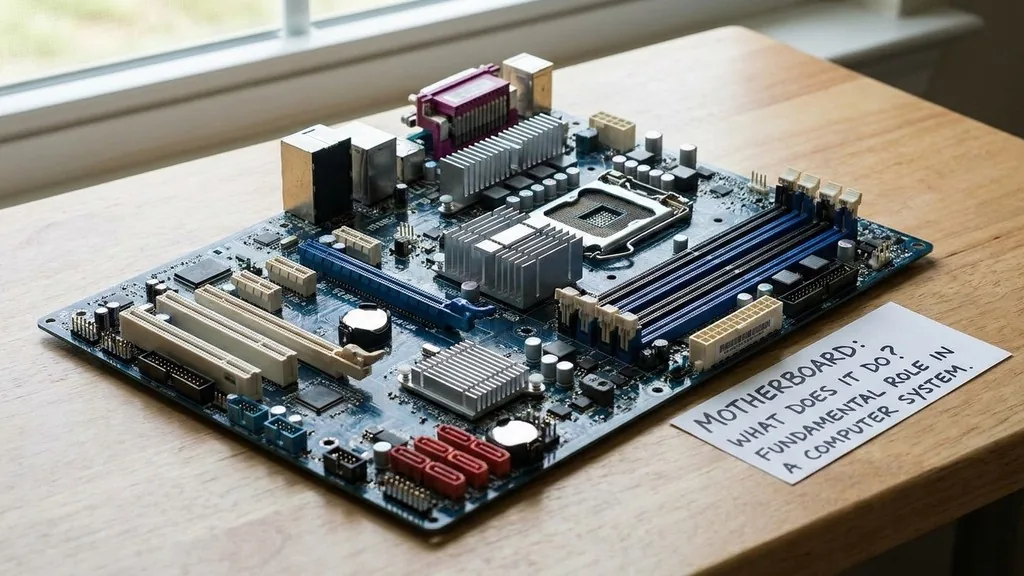
A motherboard acts as the central nervous system of any computing device. Without this complex piece of printed circuit board, your processor, memory, and storage devices would essentially be disconnected parts incapable of communicating.
When you ask about the motherboard and what it does, you are essentially inquiring about the physical foundation that allows all other hardware to function as a cohesive unit. It is the primary platform that bridges the gap between disparate electrical components, ensuring that data flows exactly where it needs to go.
The Fundamental Role of the Motherboard in a Computer System
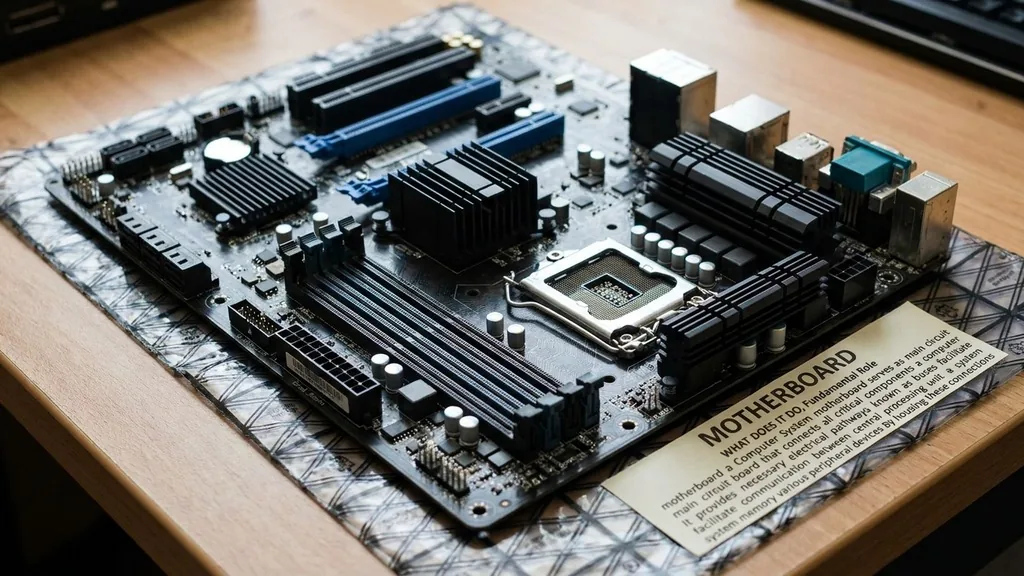
The motherboard serves as the main circuit board that connects all critical components of a computer. It provides the necessary electrical pathways, known as buses, to facilitate communication between the central processing unit, system memory, and various peripheral devices. By housing these connections, the board ensures that instructions from the software are translated into electrical signals that the hardware can execute.
Think of it as the town square of a busy metropolis. Every major building—the bank, the post office, the power plant—connects to this central hub. If the road network (the circuitry) fails, the entire city grinds to a halt.
The board also regulates the distribution of power. It takes the raw electricity from the power supply unit and channels it through voltage regulator modules to ensure the CPU and other delicate chips receive the exact amount of power they require to operate without frying.
How the Motherboard Manages Data Traffic
Data transfer is the primary job of the motherboard. Every time you click a mouse or type a key, a request travels through the board.
The chipset, which is a collection of integrated circuits, manages the flow of data between the processor and the rest of the system. This chipset is often divided into two parts: the Northbridge and the Southbridge, though modern architecture has largely integrated these functions directly into the CPU itself.
The pathways on the board are laid out in a way that minimizes latency. High-speed components like the GPU and RAM need to communicate with the CPU as quickly as possible. Engineers spend thousands of hours optimizing the physical length of these tracks to ensure that signals arrive in perfect synchronization.
If one trace were slightly longer than another, the data would arrive out of order, leading to system instability. This precision engineering is why even a tiny crack in the board can render a high-end machine completely useless.
Understanding Motherboard Form Factors and Compatibility
Not all boards are created equal, and they come in different physical dimensions known as form factors. The most common standard is the ATX format, which dictates the size of the board and the placement of the mounting holes.
Choosing the right size is essential because it must fit inside your computer case. If you try to force a large board into a compact chassis, you will run into airflow issues and physical clearance problems.
Beyond size, you must consider socket compatibility. The CPU socket on the board must match the specific processor you intend to use. If you have an Intel processor, you need a board with an Intel-compatible socket.
This compatibility layer is a frequent point of confusion for builders. You can find detailed technical specifications for various hardware standards through the Institute of Electrical and Electronics Engineers, which helps standardize many of the protocols used in modern computing.
| Form Factor | Typical Use Case | Expansion Capability |
|---|---|---|
| ATX | Standard Desktop PCs | High (Multiple PCIe slots) |
| Micro-ATX | Compact Workstations | Medium |
| Mini-ITX | Small Form Factor Builds | Low (Usually one slot) |
The Role of Expansion Slots and Connectivity
Expansion slots, particularly PCIe slots, are what allow a computer to grow and adapt to your needs. These slots allow you to plug in discrete graphics cards, sound cards, or high-speed networking hardware.
Without these slots, you would be limited to the integrated functionality provided by the onboard chipset. A motherboard provides the bridge between these external cards and the system bus, allowing the CPU to treat them as native extensions of itself.
Connectivity ports found on the back of the board provide the interface with the outside world. USB ports, Ethernet jacks, and audio inputs all route through the board to the controller chips.
These ports are the final stop for data leaving your system to reach your monitor, printer, or external drive. The quality of the shielding around these ports can often determine whether you experience signal interference or dropped connections, especially in high-bandwidth scenarios like professional audio recording.
Power Delivery and Voltage Regulation
A critical, often overlooked function of the motherboard is power distribution. The power supply unit provides electricity, but the board acts as the traffic controller for that energy.
It features a series of capacitors, inductors, and MOSFETs that form the Voltage Regulator Module, or VRM. This module converts the 12V electricity from your power supply into the lower voltages required by the processor.
If you are a gamer or a creator, you might push your CPU to perform at higher speeds than factory defaults. This requires cleaner, more stable power. High-end motherboards include more robust VRM phases to ensure that even under a heavy load, the voltage stays steady.
If the power delivery is unstable, the CPU will throttle its performance or the system will crash to prevent hardware damage. This is why overclockers pay a premium for boards with better power delivery systems.
BIOS and UEFI: The Board’s Internal Intelligence
The Basic Input/Output System, or BIOS, is the firmware stored on a small chip on the motherboard. It is the very first thing that runs when you press the power button.
This firmware performs the Power-On Self-Test (POST), which checks that your RAM, CPU, and storage are all present and functional before passing control to the operating system. Modern boards use a more advanced version called UEFI, which offers a graphical interface and mouse support.
This intelligence layer allows you to configure your hardware without needing an operating system. You can change fan speeds, set memory frequency, or update the security settings of your machine.
Because the BIOS is stored on the board itself, it remains intact even if you wipe your hard drive. It is the gatekeeper of your system, ensuring that the hardware is configured in a way that the software can understand and utilize efficiently.
Addressing Topical Gaps: Why Is the Board Essential?
Many users wonder if the motherboard is simply a “dumb” piece of plastic and metal. In reality, it is a highly active participant in the computing process. A major topical gap in the industry is the misunderstanding of how the board impacts overall system performance.
Many people believe the CPU and GPU are the only factors that matter for speed. This is incorrect. A motherboard with a slow bus speed or limited memory bandwidth can bottleneck even the most powerful processor.
Furthermore, the board determines the longevity of your machine. A high-quality board will use better capacitors that resist heat and wear, extending the life of the entire system.
When you invest in a reliable board, you are effectively buying insurance for your other components. It prevents electrical surges from reaching your sensitive CPU and provides the stable environment necessary for the long-term health of your storage drives and memory modules.
Common Problems and Troubleshooting
When a computer fails to boot, the motherboard is often the first suspect. Because it connects everything, a failure anywhere in the system can manifest as a board issue.
If you hear a series of beeps upon startup, those are actually error codes generated by the motherboard to tell you which component is failing. For instance, a specific pattern of beeps might indicate that the RAM is not seated correctly or the graphics card is missing.
To troubleshoot, start by checking the power connections. Ensure the 24-pin main power cable and the 8-pin CPU power cable are firmly clicked into place. If the system still won’t start, clear the CMOS by removing the small coin-shaped battery from the board for a minute.
This resets the BIOS to factory defaults, which often fixes configuration errors. If the board still shows no signs of life, it may be time to inspect the capacitors for bulging or burnt marks, which are tell-tale signs of a permanent hardware failure.
FAQ Section
- Is the motherboard the most important part of a computer? It is the most critical for stability and communication. While the CPU does the heavy lifting, the motherboard ensures every component can talk to the others. Without a functioning board, the system cannot exist as a computer, making it the most vital structural component.
- Does the motherboard affect gaming performance? Directly, it doesn’t provide frames per second like a GPU, but it determines the speed of your RAM and the stability of your CPU. A poor-quality board can cause thermal throttling or bottleneck data transfer, which will indirectly lower your gaming performance and impact overall smoothness.
- Can I upgrade my motherboard without reinstalling Windows? Technically yes, but it is risky. Windows ties your license and hardware drivers to the motherboard. Swapping the board usually confuses the operating system, often leading to blue screens or crashes. It is almost always better to perform a clean install of your operating system after a motherboard swap.
- How long do motherboards typically last? With proper care and good airflow, a motherboard can easily last ten years or more. They rarely wear out unless the capacitors fail due to heat or electrical surges. Most people choose to replace them only when they become obsolete and cannot support newer, faster components.


