

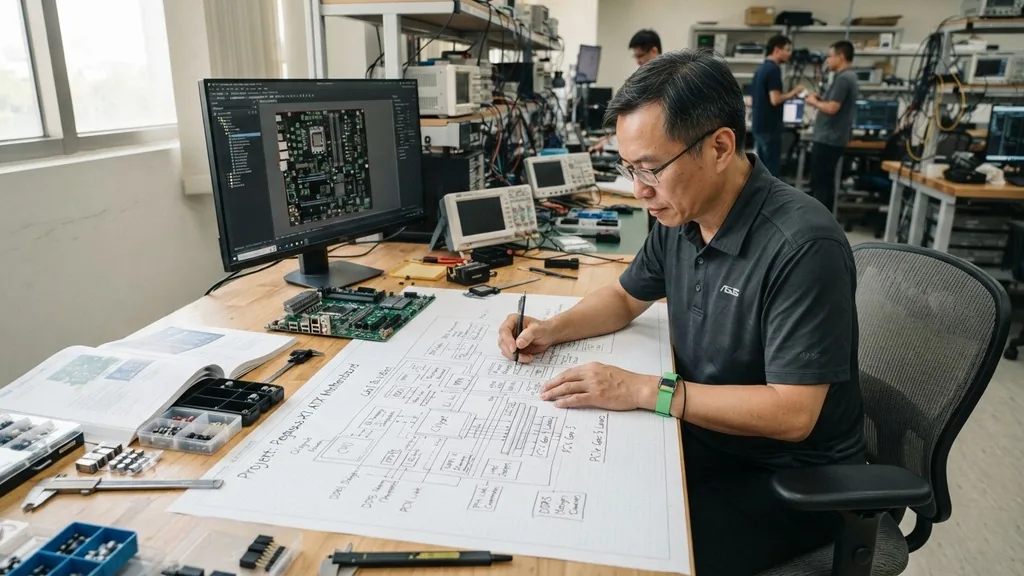
Creating a motherboard is one of the most complex tasks in consumer electronics engineering. At its core, the motherboard serves as the central nervous system of any computing device, acting as the primary printed circuit board (PCB) that facilitates communication between the CPU, memory, storage, and various peripherals.
While hobbyists can assemble a computer from off-the-shelf parts, the actual fabrication of the board itself requires a deep understanding of electrical engineering, signal integrity, and high-precision manufacturing. This process moves from initial conceptual design through complex multi-layer layering, component placement, and rigorous testing cycles before a finished product reaches the consumer.
The Fundamental Architecture and Design Phase
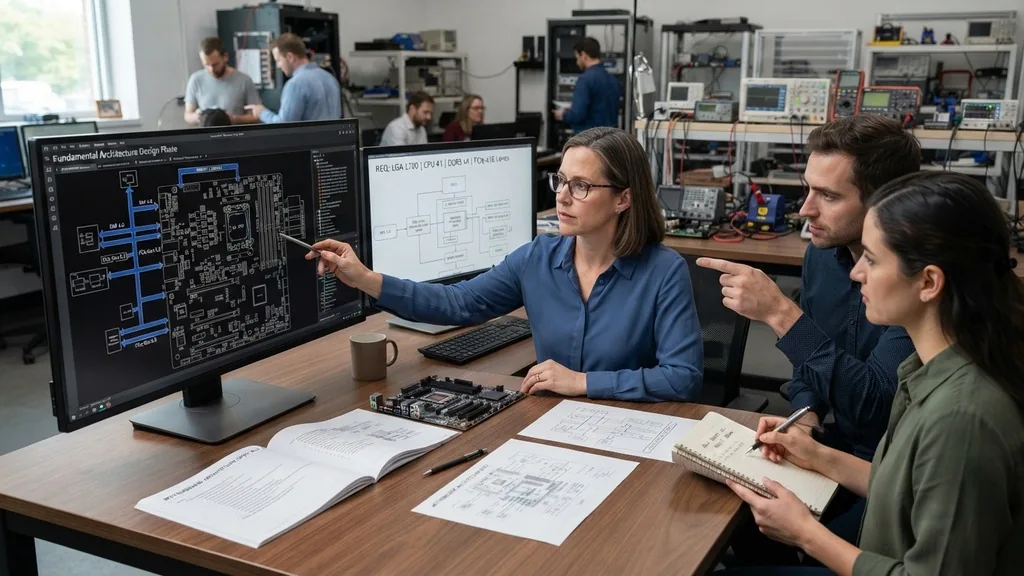
The design phase is where the motherboard is born. It is the most critical stage because errors here cannot be fixed once the board is etched.
Engineers begin by defining the hardware requirements, such as the socket type for the processor, the number of RAM slots, and the necessary data bus widths for PCIe lanes. They use specialized Electronic Design Automation (EDA) software to map out every single connection.
During the design, the team must account for signal integrity. Because modern processors operate at gigahertz frequencies, even a tiny change in trace length can cause timing errors. Engineers must calculate the impedance of every trace to ensure that high-speed data signals arrive at their destination simultaneously.
This involves complex electromagnetic simulations. If the traces are not perfectly balanced, the computer will suffer from data corruption or fail to boot entirely. The design must also incorporate power delivery circuits, known as Voltage Regulator Modules (VRMs), which convert the high-voltage electricity from your power supply into the precise, low-voltage current required by the CPU.
Choosing Materials for the PCB
A motherboard is essentially a high-density PCB made from several layers of insulating material and conductive copper. The most common substrate is FR-4, a composite material consisting of woven fiberglass cloth impregnated with an epoxy resin binder that is flame-resistant. The quality of this material dictates the board’s durability and its ability to handle heat.
For high-end boards, manufacturers may use specialized materials that offer lower signal loss at high frequencies. The number of layers is another key factor. A basic motherboard might use four layers, while high-performance gaming boards often utilize eight to twelve layers.
These layers are stacked like a sandwich. The internal layers are typically used for power planes and ground planes, which act as a shield against electromagnetic interference. By placing the signal traces between these shielding layers, engineers reduce the risk of noise affecting the system’s stability.
The Role of Layering in Signal Management
To manage complex signals, engineers use “vias,” which are tiny copper-plated holes that allow electrical connections to move between the various layers of the board. Proper via placement is vital to create a path that minimizes reflection and crosstalk. If you look closely at a motherboard, the intricate web of lines you see is merely the surface layer; the real complexity is hidden deep within the board’s internal stack.
Fabrication: From Design to Physical Board
Once the digital design is finalized, it is sent to a fabrication facility. The process begins by printing the circuit patterns onto the copper-clad substrate.
This is often done using a photolithographic process, where a light-sensitive chemical called photoresist is applied to the board. UV light is shone through a mask that contains the circuit design, hardening the resist where the copper needs to be protected.
After exposure, the board is placed in a chemical bath that etches away the unprotected copper. This leaves behind only the desired conductive traces. This step is repeated for every layer of the board.
Once the layers are etched, they are aligned with extreme precision and laminated together under high pressure and heat. This creates a single, rigid piece of hardware. The final steps include drilling the thousands of holes for the components and applying a solder mask—the green or black coating that prevents solder from bridging across traces—and a silkscreen layer that labels the components.
Surface Mount Technology and Component Assembly
The assembly of the parts onto the board is handled by high-speed pick-and-place machines. Because modern components are incredibly small, human hands cannot reliably solder them.
Instead, a stencil is used to apply solder paste to the contact pads on the board. The machine then picks up components like capacitors, resistors, and integrated circuits and places them directly onto the paste.
Once all components are placed, the entire board is sent through a reflow oven. The oven heats the board to the exact temperature required to melt the solder paste, forming a permanent electrical and mechanical bond between the component and the PCB. This process must be perfectly controlled; if the temperature is too high, the components can melt or be damaged, and if it is too low, the solder won’t form a proper connection, leading to a “cold joint” that will eventually cause the board to fail.
Integration of Critical Control Systems
A motherboard is more than just traces and capacitors; it contains several critical chips that manage the system. The chipset is the traffic controller of the motherboard.
It coordinates communication between the CPU, memory, and storage devices. Without a properly integrated chipset, the system cannot manage data flow or handle input/output operations from peripherals like mice, keyboards, and USB drives.
Another vital piece is the BIOS (Basic Input/Output System) or UEFI firmware. This is stored on a non-volatile memory chip on the board. The firmware is the first code executed when you press the power button.
It initializes the hardware, performs a Power-On Self-Test (POST), and then hands over control to the operating system. Developing this firmware is a massive software project that must be perfectly synced with the physical board design to control the boot process.
Addressing Common Engineering Challenges
One of the biggest challenges in making a motherboard is thermal management. As components draw power, they generate heat, which can degrade performance and shorten the lifespan of the hardware.
Engineers must strategically place heat sinks and ensure there is enough copper in the internal layers to act as a heat spreader. They also have to consider the physical layout to ensure that large components don’t block airflow from system fans.
Electromagnetic interference (EMI) is another major hurdle. A computer is essentially a high-speed radio transmitter. If not properly shielded, the board can emit signals that interfere with other electronic devices, or it can be susceptible to interference from outside sources.
Engineers use ground planes and careful trace routing to minimize these issues. You can learn more about the technical standards for electronic design and electromagnetic compliance at the Institute of Electrical and Electronics Engineers, which provides the global benchmarks for such engineering practices.
Comparative Analysis of Motherboard Classes
Different motherboards are built for different purposes, ranging from budget home PCs to high-performance workstations. The following table highlights the differences in construction requirements based on the target use case.
| Feature | Budget Board | Workstation Board |
|---|---|---|
| Layer Count | 4-6 Layers | 8-12+ Layers |
| VRM Quality | Basic, low phase count | Advanced, high phase count |
| Material | Standard FR-4 | High-Tg / Low-loss laminate |
| Expansion Slots | Limited PCIe lanes | Multiple full-width slots |
Testing and Quality Assurance
Before a board leaves the factory, it undergoes rigorous testing. The first phase is Automated Optical Inspection (AOI), where cameras scan every inch of the board to check for missing components, misaligned parts, or solder bridges. If the AI detects a defect, the board is flagged for manual inspection or rework.
Following AOI, the board undergoes “In-Circuit Testing” (ICT). A “bed-of-nails” tester—a fixture with thousands of tiny spring-loaded pins—presses against test points on the board to verify that every connection is electrically sound. Finally, the boards are powered on in a testing rack.
They are run through a stress test that pushes the CPU and memory to their limits to ensure that the power delivery system and signal paths remain stable under heavy load. Only after passing these tests is the board packaged for shipment.
Topical Gaps and Advanced Manufacturing Trends
Many people wonder if it is possible to build a motherboard at home. While you can design a simple PCB for a microcontroller like an Arduino or a Raspberry Pi, creating a modern, high-performance motherboard for a desktop PC is effectively impossible for an individual. The equipment required—such as multi-layer lamination presses, high-precision CNC drills, and industrial reflow ovens—costs hundreds of thousands of dollars.
- Design Complexity: Modern boards require thousands of traces that must be length-matched to the millimeter.
- Multi-Layer Fabrication: Creating internal copper layers requires specialized chemical processes that are difficult to replicate.
- Surface Mount Precision: Placing hundreds of tiny chips requires automated pick-and-place robotics.
- BIOS/UEFI Development: Writing the low-level code to interface with modern CPUs is a task for entire teams of software engineers.
The trend in the industry is moving toward even tighter integration, with more components being moved onto the CPU package itself (System-on-a-Chip architecture). However, the motherboard remains essential for handling the physical connections to the outside world, power distribution, and modular expansion, ensuring that computers remain upgradeable and functional for years.
Frequently Asked Questions
Is it difficult to design your own motherboard?
Yes, it is extremely difficult. It requires expertise in electrical engineering, signal integrity, and PCB layout software. While hobbyists can create simple boards for microcontrollers, the complexity of modern multi-layer desktop motherboards requires industrial-grade manufacturing equipment and advanced design skills that take years to master.
Are motherboards fragile during the manufacturing process?
They are surprisingly resilient once fully assembled, but they are very fragile during the fabrication stage. Before components are soldered on, the thin copper traces can be easily damaged by static electricity, moisture, or even minor scratches. This is why factories maintain strict clean-room environments to prevent contamination.
Is a motherboard just a printed circuit board?
Technically, a motherboard is a highly
Technically, a motherboard is a highly complex, multi-layered PCB, but the term implies much more. It includes the integrated circuits, resistors, capacitors, and the firmware required to manage the hardware. A bare PCB is just the foundation; the motherboard is the complete, functional system of components working in unison.
Can I build a motherboard from scratch at home?
You can create a basic, single-layer board at home using etching chemicals, but you cannot replicate a modern PC motherboard. Modern boards use 8 to 12 layers of circuitry that must be laminated together under high pressure, which is impossible to achieve without professional-grade industrial manufacturing facilities.


