

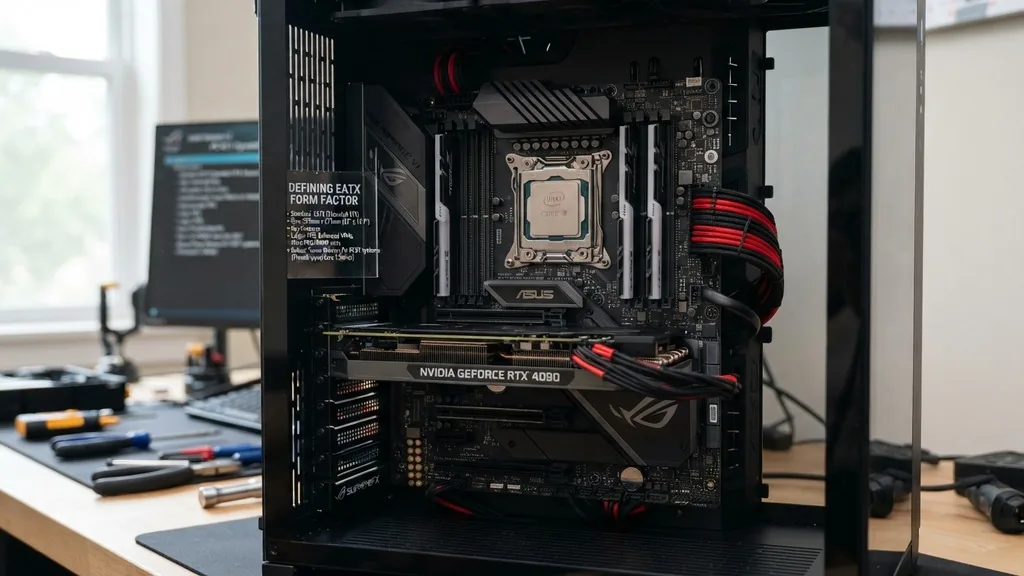
An EATX motherboard is an Extended ATX form factor circuit board designed to provide extra surface area for high-end components, advanced power delivery systems, and additional connectivity options. While standard ATX boards serve the vast majority of consumer needs, the EATX variant caters to enthusiasts, workstation builders, and professionals who require more physical space for complex hardware configurations. Understanding the distinction between these board sizes is essential for anyone planning a custom PC build, as the physical footprint dictates which computer cases can house the system safely and effectively.
Defining the EATX Form Factor
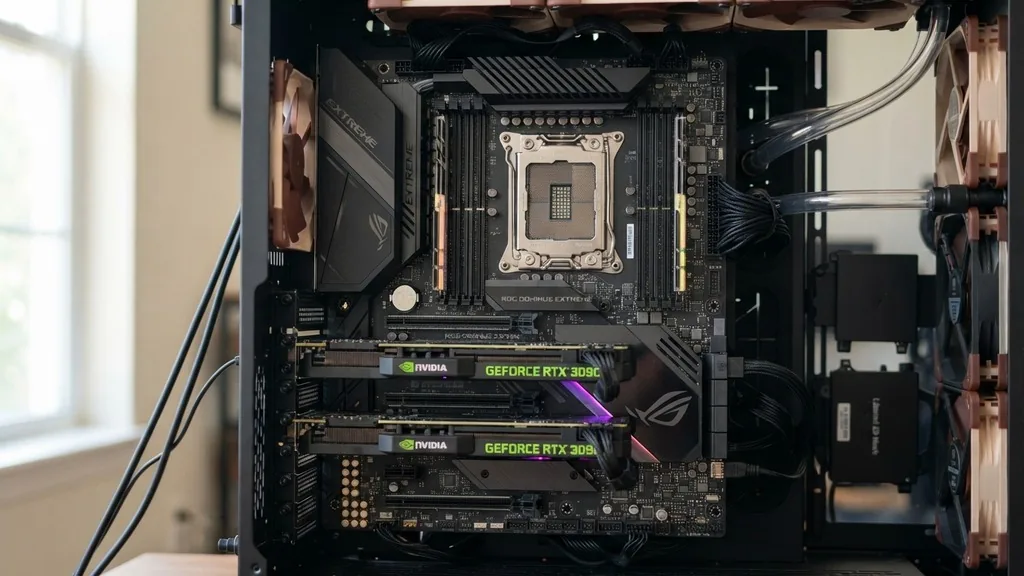
An EATX motherboard is a larger version of the standard ATX specification, typically measuring 12 inches by 13 inches, which provides significantly more room for onboard components compared to smaller boards. This expanded footprint is not just about size; it is about density and capability. Because manufacturers have more physical surface area to work with, they can integrate additional voltage regulator modules (VRMs), more robust cooling solutions, and a higher count of electrical lanes for data processing.
The primary reason to opt for an EATX board is to facilitate high-performance computing tasks. These boards often feature more DIMM slots for high-capacity memory, extra PCIe slots for multi-GPU setups or high-speed networking cards, and a more generous layout for M.2 storage drives.
When you see an EATX board, you are usually looking at the flagship product of a specific motherboard series. These boards represent the peak of what a manufacturer can offer for a specific socket, such as those used by AMD or Intel, prioritizing performance over cost-efficiency or compact design.
Comparing EATX and ATX Dimensions
An EATX motherboard is physically wider than a standard ATX motherboard, which is why it requires a compatible case to mount properly without interfering with cable management or cooling airflow. A standard ATX board measures 12 inches by 9.6 inches.
In contrast, an EATX board generally maintains the same 12-inch height but extends the width to 13 inches. This extra 3.4 inches of width is where the magic happens, allowing for more headers, ports, and heat sinks.
When selecting parts, you must verify that your chassis supports the EATX standard. Many mid-tower cases are designed exclusively for ATX or smaller boards, meaning an EATX board might physically cover the rubber grommets used for cable routing.
If you try to force an EATX board into a case that isn’t rated for it, you will likely find that the mounting holes do not align, or the board will overhang the cable management cutouts. This creates a messy build aesthetic and can make it nearly impossible to route your 24-pin power cable or SATA cables cleanly.
The Role of Expansion Slots and PCIe Lanes
EATX motherboards are built to maximize expansion, providing more PCIe slots and spacing than you would find on a standard board. This is critical for users who need to run multiple high-bandwidth devices simultaneously.
With more physical space, engineers can place PCIe slots further apart, which is a major advantage for thermal management. When you have two or more graphics cards, the cards generate significant heat; having extra room between them ensures that the top card isn’t “choked” by the card below it, allowing for better airflow and lower operating temperatures.
Beyond just graphics, these boards are often the go-to for professional workstations. If you are a video editor or a 3D renderer, you might need a capture card, a dedicated RAID controller, or a high-speed 10GbE network card in addition to your GPU.
EATX boards provide the necessary lanes and physical slots to accommodate these peripherals without sacrificing stability. You can learn more about how these standards are maintained by visiting the official Intel technical documentation site regarding chipset and form factor standards.
Power Delivery and Thermal Management
Because EATX boards are intended for high-end processors that draw significant amounts of current, they feature advanced power delivery systems that require more space on the PCB. A motherboard’s VRM is responsible for converting power from the power supply unit into a stable voltage for the processor. High-performance CPUs, especially those with high core counts, require a massive number of power stages to operate stably under heavy, sustained loads.
This increased power draw results in more heat, which is why EATX boards almost always come with oversized, heavy-duty aluminum heat sinks covering the VRM area. Furthermore, the extra space allows for better integration of active cooling, such as small fans built into the heat sinks themselves.
These cooling solutions are difficult to fit on smaller boards without interfering with the CPU cooler or the RAM slots. By choosing an EATX board, you are investing in the thermal headroom necessary to overclock your system or simply ensure that your components do not throttle during intense, long-duration tasks.
Compatibility with Computer Cases
The most common mistake builders make is assuming that “big” means “compatible.” While EATX motherboards are large, not all large cases are EATX-compatible.
You must check the specifications of your case to see if it lists support for EATX, specifically looking at the width of the motherboard tray. Some cases labeled as “full tower” might still only support up to E-ATX, while others might be limited to standard ATX.
| Form Factor | Dimensions (Inches) | Typical Use Case |
|---|---|---|
| EATX | 12.0 x 13.0 | Workstations, Enthusiast Gaming |
| ATX | 12.0 x 9.6 | Standard Gaming, General Productivity |
| Micro-ATX | 9.6 x 9.6 | Compact Desktops |
| Mini-ITX | 6.7 x 6.7 | Small Form Factor PCs |
When you install an EATX board, you also need to consider the impact on your cable management. Because the board extends further to the right, it often covers the vertical cable management holes found in many cases.
You will need to ensure your case has enough depth or specialized cutouts to allow cables to pass through or around the board. If the case is not designed for the extra width, you may find yourself struggling to connect the main 24-pin power cable without putting significant strain on the motherboard connector.
Connectivity and Onboard Features
EATX boards are usually packed with more USB ports, audio headers, and fan headers than their smaller counterparts. If you are building a system that requires a high number of peripheral connections, such as multiple external drives, high-end audio interfaces, or various RGB controllers, the EATX form factor provides the I/O capacity to handle them. You will often find a higher density of USB Gbps ports on the rear I/O panel, allowing for faster data transfer speeds across multiple devices.
Additionally, these boards frequently include more advanced networking options, such as dual LAN ports or high-end integrated Wi-Fi modules. On a smaller board, space is at a premium, and manufacturers often have to cut features to keep the layout clean.
On an EATX board, those compromises are rarely necessary. You get the full suite of features intended for the chipset, including debug LEDs, voltage check points, and physical power/reset buttons directly on the board, which are incredibly useful for troubleshooting during the assembly process.
Addressing Common Misconceptions
Many people believe that EATX is inherently “better” or faster than ATX, but this is a common misunderstanding. Form factor is a measure of physical size and layout, not performance. An EATX board uses the same chipsets and supports the same processors as an ATX board of the same generation.
You do not gain extra processing power simply by choosing a larger board. The benefits are purely functional: more room for cooling, more slots for expansion, and more ports for connectivity.
Another misconception is that you cannot use an ATX board in an EATX-compatible case. In reality, most cases designed for EATX are backwards compatible with standard ATX and even Micro-ATX boards. The mounting holes for ATX are a subset of the EATX mounting pattern.
Therefore, if you buy a large case now, you have the flexibility to downsize your motherboard in the future if your needs change. This makes a high-quality EATX-compatible case a great long-term investment for a PC builder who likes to upgrade components over time.
When Should You Choose EATX?
You should choose an EATX motherboard if your specific build requirements demand the extra space and connectivity it provides. If you are planning a multi-GPU workstation for 3D rendering or machine learning, the extra PCIe spacing is invaluable. If you are an enthusiast who plans to overclock your CPU to its absolute limits, the superior power delivery and cooling capacity of an EATX board will provide better stability and longevity.
If you are a standard gamer who uses a single graphics card and a few storage drives, an EATX board is likely overkill. You would be paying for features and space that you simply won’t utilize. In those cases, a high-quality ATX board will provide the same level of performance for a lower price and in a more compact package.
Always assess your actual needs regarding expansion, cooling, and connectivity before deciding on the form factor. If you find yourself running out of room for cables, struggling with high temperatures, or needing more slots for add-in cards, that is the moment to transition to the EATX platform.
Frequently Asked Questions
- Is EATX better than ATX for gaming? EATX is not inherently better for gaming. It offers more space for multiple graphics cards and better cooling, but a standard ATX board provides the same gaming performance for a single-GPU setup. Choose EATX only if you need the extra expansion slots or advanced power delivery.
- Can I fit an ATX motherboard in an EATX case? Yes, most cases that support EATX motherboards are designed to be backwards compatible with standard ATX and Micro-ATX boards. The mounting points for ATX are generally included within the EATX mounting layout, allowing you to install smaller boards without any issues.
- What is the main difference between E-ATX and ATX? The primary difference is physical size. An EATX motherboard is wider than an ATX board, typically measuring 13 inches wide compared to the 9.6 inches of an ATX board. This extra width allows for more PCIe slots, more memory slots, and more robust VRM cooling components.
- Do I need a special power supply for an EATX board? No, you do not need a special power supply. EATX motherboards use the same standard 24-pin ATX power connector and CPU power connectors as smaller boards. However, ensure your power supply has enough wattage to handle the high-end components you are installing on the board.


