

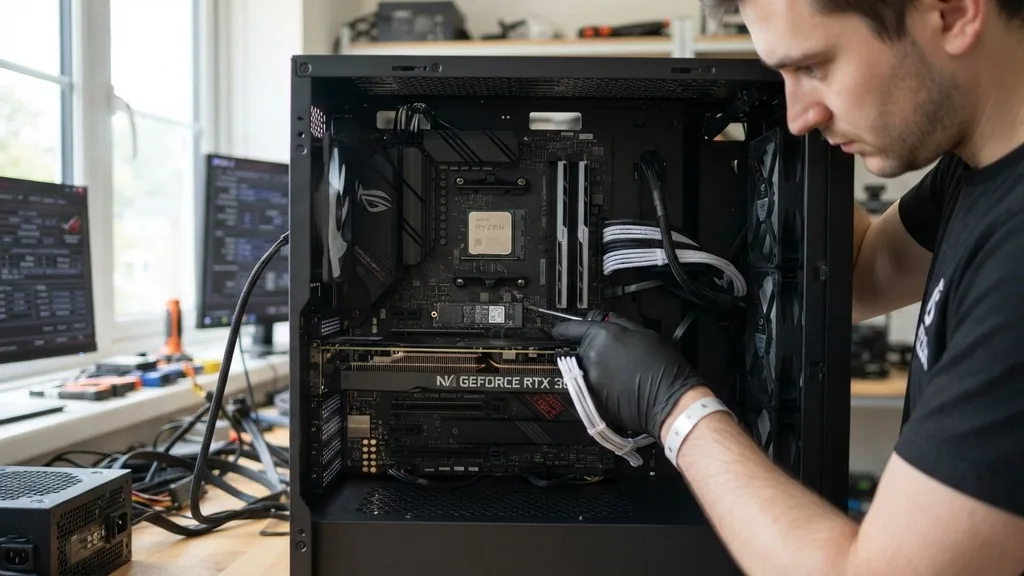
At its simplest level, the term motherboard refers to the primary printed circuit board found inside a computer. It serves as the central nervous system, connecting every critical component of the machine and allowing them to communicate with one another.
Without this board, your processor, memory, and storage drives would be nothing more than isolated pieces of hardware. It acts as the physical backbone that ties the entire system together, routing power from the supply to the various chips and managing the flow of data between the hardware.
What Does Motherboard Mean in the Context of a Computer

To understand what does motherboard mean in a technical sense, think of it as the city infrastructure of your computer. Just as a city needs roads, power lines, and data cables to function, the motherboard provides the copper pathways—known as traces—that allow electricity and information to travel between components. Every modern computer, whether it is a high-end desktop workstation, a compact laptop, or a server in a data center, relies on this central board to facilitate operations.
The board itself is a multi-layered sheet of non-conductive material, usually fiberglass, with intricate patterns of conductive metal printed onto its surface. When you install a CPU into its socket or snap a stick of RAM into a slot, you are essentially plugging those components into this massive network of highways. The motherboard doesn’t just hold these parts in place; it translates the signals sent by the processor into commands that other parts of the system can understand, effectively coordinating the entire computing experience.
Core Components Found on Every Motherboard
The motherboard acts as the host for several vital hardware pieces that determine the performance and capability of your machine. When you look at the board, you will see a variety of ports, slots, and chips. The most prominent feature is the CPU socket, which houses the brain of the computer.
Surrounding this are the DIMM slots, where you insert your RAM. These slots are directly wired to the CPU, ensuring that data can be read and written with the lowest possible latency.
Beyond these, the board contains the chipset, which acts as a traffic controller. The chipset manages the flow of data between the processor, the storage drives, and external peripherals like keyboards or mice.
You will also find various expansion slots, such as PCIe lanes, which allow you to install dedicated graphics cards, sound cards, or high-speed network adapters. Finally, the board features a BIOS or UEFI chip, which contains the low-level software that initializes the hardware the moment you press the power button.
How the Motherboard Manages System Power
Power distribution is one of the most critical functions of a motherboard. The board receives raw electricity from the power supply unit (PSU) through large multi-pin connectors.
It then regulates this power to ensure that each component receives exactly the voltage it requires. For example, a modern CPU might need a very specific, stable voltage to operate at high frequencies, while a small fan or a USB port requires significantly less.
This power regulation is handled by the Voltage Regulator Modules (VRMs) located near the CPU socket. These modules take the high-voltage input from the PSU and “step it down” to a safe, usable level.
If a motherboard has poor-quality power regulation, the system may experience crashes, overheating, or even permanent damage to the processor. High-performance boards often include heat sinks over these modules to dissipate the heat generated during this conversion process, ensuring the system remains stable under heavy workloads.
The Evolution of Motherboard Form Factors
A form factor is a set of specifications that dictates the physical dimensions, mounting hole locations, and connector placement of a motherboard. These standards are essential because they ensure that a board from one manufacturer will fit into a case from another.
The most common standard is ATX, which has been the industry staple for decades. However, as computing needs have changed, so have the sizes of these boards.
- ATX (Advanced Technology Extended): The most common size, offering plenty of space for expansion slots and multiple ports.
- Micro-ATX: A smaller version of the standard ATX, often used in budget-friendly or space-saving builds.
- Mini-ITX: A tiny, square form factor perfect for ultra-compact PCs and home theater systems.
- E-ATX (Extended ATX): Larger boards designed for enthusiasts and servers, providing additional room for extra RAM slots and PCIe lanes.
This standardization allows users to upgrade their computers easily. If you decide your system needs more power, you can often swap out your current board for a new one that follows the same form factor without needing to replace your entire computer case. You can learn more about these technical standards through the official hardware specifications provided by industry leaders.
Data Routing and the Role of the Bus System
The motherboard facilitates communication through a complex series of electrical pathways known as the bus system. This system functions like a high-speed data highway. When you open an application, your processor requests data from the storage drive.
That data travels across the motherboard’s traces, through the chipset, and eventually reaches the RAM, where it is held for quick access. This entire process happens millions of times per second.
Modern motherboards use different types of buses to handle various speeds. For instance, the bus connecting the CPU to the RAM is designed for extreme speed and low latency, as the processor must read data from memory constantly.
Conversely, the bus connecting the BIOS chip to the rest of the system is relatively slow, as it only needs to be accessed during the boot process. By segmenting these paths, the motherboard ensures that high-priority tasks are never bottlenecked by slower, less critical hardware.
Comparing Motherboard Capabilities
Not all boards are created equal. The capabilities of a motherboard are largely determined by its chipset and the quality of its components. While a basic board might get the job done for office work, it may lack the features required for gaming, video editing, or server-level reliability.
| Feature | Entry-Level Board | High-End Enthusiast Board |
|---|---|---|
| RAM Slots | 2 Slots | 4 or 8 Slots |
| PCIe Lanes | Limited (1 or 2) | Abundant (Multiple GPUs) |
| Overclocking | Not Supported | Full Support |
| Connectivity | Basic USB | USB-C, Wi-Fi 6E, 10Gb Ethernet |
As shown in the table above, the difference between entry-level and high-end hardware often comes down to the density of features. High-end boards include extra copper layers for better signal integrity and more robust cooling solutions for the chipset and VRMs. These additions allow for higher performance, better stability, and significantly more room for future hardware upgrades.
Addressing Common Misconceptions
Many people ask, “Can a computer run without a motherboard?” The answer is a definitive no. Because the motherboard is the physical interface for all other parts, it is impossible for a computer to function in its absence.
Some might confuse the motherboard with the CPU, but they are distinct entities. The CPU is the brain, but the motherboard is the body that allows the brain to connect to the senses and limbs of the computer.
Another common question is whether the motherboard impacts gaming performance. While the board itself doesn’t “generate” frames like a graphics card, it does dictate whether your components can run at their maximum rated speeds.
A cheap motherboard might throttle your CPU if it cannot provide enough stable power, or it might limit the speed of your RAM. Therefore, while it isn’t the primary driver of visual fidelity, a quality board is essential for maintaining the consistency and reliability required for a smooth gaming experience.
Troubleshooting and Maintenance
Because the motherboard is the foundation of the entire system, signs of failure can be difficult to diagnose. Often, a faulty board will present as random system crashes, blue screens, or failure to boot.
Before assuming the board is dead, it is important to check the simpler connections. Ensure the power cables from the PSU are fully seated in the board and that the RAM sticks are properly locked into their slots.
Maintenance is relatively straightforward: keep it clean and cool. Dust buildup can trap heat and, in humid environments, can even become conductive, leading to short circuits. Using compressed air to occasionally blow out the dust from your case and the motherboard’s components will go a long way in extending the life of your hardware.
Additionally, ensure your system has proper airflow. If the air inside your case is stagnant, the heat generated by the CPU and chipset will have nowhere to go, which can shorten the lifespan of the electronic components soldered onto the board.
Future Trends in Motherboard Design
The design of these boards is constantly shifting to accommodate new technologies. As we move toward more integrated systems, we are seeing more components being built directly onto the board. For example, many modern laptops feature soldered RAM and storage, which makes the device thinner but eliminates the ability for the user to upgrade those parts later.
Another trend is the integration of high-speed wireless connectivity and advanced audio processing directly onto the board’s surface. This reduces the need for expansion cards, making systems cleaner and more efficient. As processors become more powerful, the demand for better power delivery and more efficient heat management will continue to drive innovation in how these boards are manufactured.
Whether you are building your first PC or upgrading an existing one, understanding the role of the motherboard is the key to building a machine that is both reliable and capable of meeting your specific needs. It is the silent partner in every digital task you perform, ensuring that your data is processed, your power is managed, and your hardware remains a cohesive, functional unit.
Frequently Asked Questions
- What is the simple definition of a motherboard? The motherboard is the main printed circuit board in a computer. It acts as the central hub that connects the CPU, memory, storage, and other peripherals, allowing them to communicate and function together as a unified system.
- What does “motherboard” mean in slang? In casual tech slang, it is sometimes referred to as a “mobo.” This is simply a shorthand abbreviation used by enthusiasts and system builders to save time when discussing hardware builds or troubleshooting PC components.
- Is it possible for a computer to run without a motherboard? No, it is not possible. The motherboard provides the necessary electrical pathways and physical slots for the CPU, RAM, and storage to connect to each other. Without it, there is no way for the computer’s components to interact or receive power.
- What is another name for a motherboard? Depending on the region or context, you might hear it called a mainboard, system board, or logic board. Apple, in particular, frequently uses the term “logic board” to describe the primary circuit board inside their Macintosh computers.


