

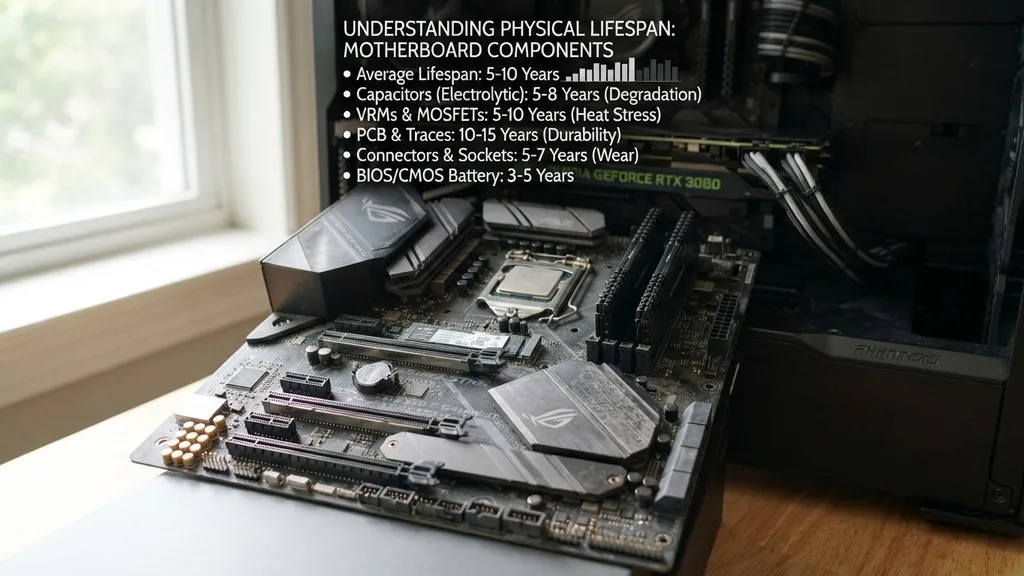
The motherboard serves as the central nervous system of any computer, connecting your processor, memory, and storage into a cohesive machine. When users ask how long does a motherboard last, they are often trying to determine if their current system has reached the end of its functional life. While there is no single expiration date, most high-quality motherboards are designed to remain operational for approximately 10 to 15 years under normal conditions.
However, the practical lifespan is often dictated by technological obsolescence rather than physical failure. As new standards for connectivity and processing power emerge, your board may become unable to support the latest software or hardware, forcing an upgrade long before the circuitry actually stops working.
Understanding the Physical Lifespan of Motherboard Components
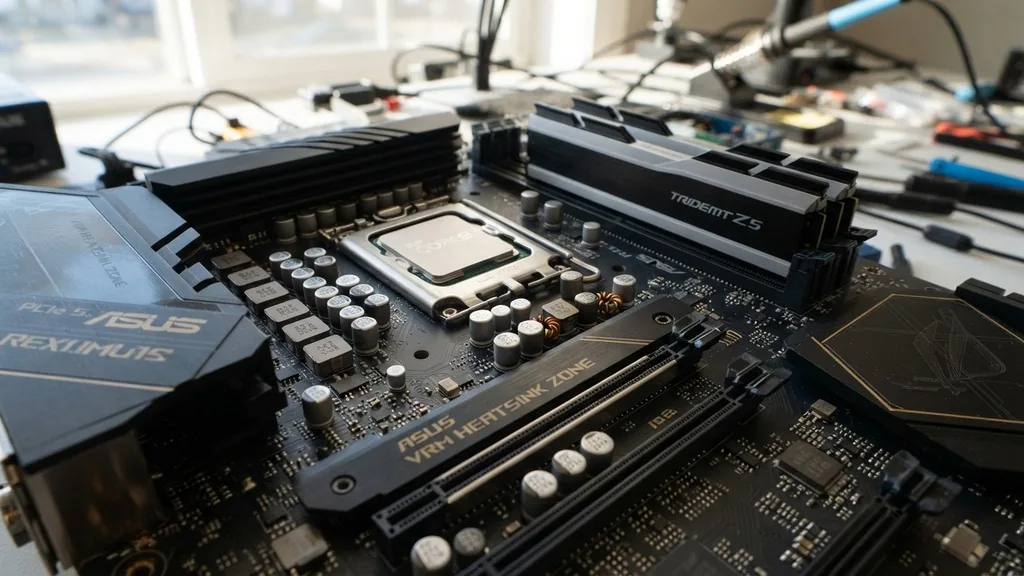
The physical lifespan of a motherboard is primarily determined by the durability of its electronic components, most notably the capacitors, voltage regulator modules (VRMs), and the printed circuit board (PCB) itself. Capacitors act as tiny energy reservoirs that stabilize power delivery to the CPU and other vital parts.
Over time, these components degrade due to constant exposure to electricity and heat. High-quality solid-state capacitors are engineered to withstand these stresses for well over a decade, but cheaper electrolytic capacitors can dry out or leak, leading to system instability or total failure.
Another critical factor is the integrity of the solder joints. Computers undergo cycles of heating up during use and cooling down when powered off. This thermal expansion and contraction can eventually create microscopic fractures in the solder connecting chips to the board.
When these connections break, the motherboard experiences intermittent errors or complete death. While modern lead-free soldering techniques have improved, they are still susceptible to these physical stresses. By maintaining a clean environment and ensuring proper airflow, you can mitigate these physical risks and help your hardware reach its theoretical peak lifespan.
Technological Obsolescence vs. Hardware Failure
Most computer users will find that their motherboard becomes obsolete long before it suffers a hardware failure. Technological obsolescence occurs when the board’s physical socket or chipset can no longer accommodate modern components.
For instance, if you have a motherboard with an aging CPU socket, you cannot upgrade to the latest processor generation without replacing the entire board. This creates a situation where the hardware is technically fine, yet it can no longer meet the demands of modern operating systems or high-performance applications.
The rapid evolution of interfaces also plays a significant role in this timeline. Consider the transition from SATA to NVMe storage or the introduction of new PCIe generations. A motherboard purchased seven years ago likely lacks the high-speed slots required for modern, ultra-fast solid-state drives.
While you might try to force compatibility with adapters, you will inevitably hit a performance bottleneck. Understanding this distinction is vital: you aren’t replacing the board because it died; you are replacing it because the rest of the industry has moved on, leaving your current foundation behind.
The Impact of Power Supply Quality on Longevity
Your power supply unit (PSU) is perhaps the most influential factor in how long a motherboard lasts. A power supply is responsible for converting wall electricity into the stable voltages required by your motherboard.
If a PSU is low-quality or failing, it can send “dirty” power—characterized by voltage spikes, drops, or excessive noise—directly into the sensitive circuitry of the board. This constant electrical stress can significantly shorten the lifespan of capacitors and integrated circuits, leading to a premature death.
Investing in a high-quality 80 Plus certified power supply is one of the best ways to protect your investment. A good PSU includes robust over-voltage and short-circuit protection, acting as a shield between the unpredictable power grid and your computer.
If you are curious about the technical standards that define these protections, you can read more about official power supply design specifications to understand what high-quality hardware should look like. When your power supply fails, it often takes the motherboard down with it, making the PSU a critical link in the chain of durability.
Environmental Factors and Thermal Management
Heat is the silent killer of all electronics. The lifespan of your motherboard is inversely proportional to the average temperature at which it operates. If your system is constantly running hot due to poor case ventilation, dust buildup, or an overclocked processor, the internal components will degrade significantly faster.
Dust acts as an insulator, trapping heat against the board and preventing the natural cooling process. Over time, this thermal accumulation can cause the silicon to migrate, leading to permanent hardware damage.
Water cooling has become a popular way to manage heat, but it introduces its own set of risks. While water is an excellent conductor of heat, a leak inside the chassis can cause immediate, catastrophic damage to a motherboard.
If you choose to use liquid cooling, you must be diligent about maintenance and leak prevention. Regardless of your cooling solution, keeping your PC in a cool, dry place and regularly cleaning out dust with compressed air will extend the life of your board far beyond what you would get in a neglected system.
Signs Your Motherboard Is Nearing the End
Identifying when a motherboard is struggling requires paying attention to subtle warning signs. Since the motherboard connects everything, symptoms of failure can often look like issues with other components.
Frequent “blue screen of death” errors, random system restarts, or the inability to boot the computer despite having a working power supply are common indicators. You might also notice that USB ports stop working, or the onboard audio begins to output static and crackling sounds, suggesting that the traces on the board are failing.
Another major sign is the failure of the CMOS battery. This small, coin-shaped battery maintains the BIOS settings when the power is off.
While replacing the battery is a simple fix, if the board begins to lose its settings regularly or fails to save changes in the BIOS, it may indicate that the underlying power management circuitry on the board is failing. When these symptoms appear in combination, it is usually a strong signal that the motherboard is no longer reliable and should be backed up immediately.
Troubleshooting vs. Replacing
Before you assume your motherboard has died, it is essential to rule out other possibilities. Often, what appears to be a motherboard failure is actually a loose connection or a faulty RAM stick. Try reseating your memory, checking all power cables, and testing the system with a different power supply.
If you have multiple sticks of RAM, try running the machine with only one at a time to see if the system stabilizes. This diagnostic process can save you from replacing a perfectly functional board when the issue was simply a bad memory module.
Comparing Hardware Lifespans
It is helpful to compare the motherboard to other components to set realistic expectations for your system’s overall maintenance. While the motherboard is a long-term piece of hardware, other parts of the PC will naturally fail or become outdated much faster.
| Component | Average Expected Lifespan | Failure Primary Cause |
|---|---|---|
| Motherboard | 10–15 Years | Capacitor/Solder degradation |
| Power Supply | 5–10 Years | Internal component aging |
| Mechanical HDD | 3–5 Years | Moving parts failure |
| Solid State Drive | 5–10 Years | NAND Flash wear |
| CPU | 15+ Years | Rarely fails |
As you can see, the motherboard sits on the longer end of the spectrum. However, because it is the foundation for everything else, its failure is the most disruptive. When a hard drive fails, you lose data; when a motherboard fails, you lose the ability to interact with any of your hardware, making it a critical point of failure in your computing ecosystem.
How Usage Habits Influence Durability
The way you use your computer has a direct impact on how long the motherboard will last. A system that is left running 24/7 in a server environment will experience different stresses compared to a gaming PC that is turned on for three hours a day.
Continuous operation keeps the board at a stable temperature, which can actually be beneficial, but it also accelerates the aging of capacitors. Conversely, a machine that is turned on and off multiple times a day is subjected to frequent thermal cycling, which puts more strain on the solder joints.
If you are a heavy user, such as a video editor or a gamer who pushes the system to its limits, you are likely to encounter component degradation faster than a casual user. Overclocking, in particular, increases the voltage flowing through the board, which generates excess heat and accelerates the wear of the voltage regulation modules.
If you want your board to last, stick to factory-recommended settings. While modern hardware is designed to handle high performance, pushing beyond those design limits will always come at the cost of long-term reliability.
When Is It Worth Replacing a Motherboard?
Deciding whether to replace a motherboard or buy an entirely new computer is a question of value and compatibility. If your motherboard fails after five years, you have to consider the cost of finding a replacement that fits your existing CPU and RAM. Because manufacturers change socket designs every few years, finding a compatible board for an older processor can be difficult and often requires buying used hardware on secondary markets.
If you find yourself needing to buy a used board, you have no way of knowing how much life is left in it. In these cases, it is often more cost-effective to upgrade your CPU, motherboard, and RAM as a set.
This provides you with a modern warranty, better performance, and up-to-date features like USB-C, Wi-Fi 6, and faster PCIe lanes. Replacing just the motherboard is usually only worth it if your system is relatively new and you can source an identical replacement part that allows you to keep the rest of your components running for several more years.
Frequently Asked Questions
- How do I know if my motherboard is the cause of my computer issues? If your PC fails to POST (Power-On Self-Test), shows no signs of life, or produces specific beep codes during startup, the motherboard is a prime suspect. Always test your RAM and power supply first, as these are more common failure points than the motherboard itself.
- Does leaving my computer on all the time shorten the motherboard’s life? Continuous operation can lead to faster degradation of capacitors due to constant electrical flow and heat. However, frequent power cycling also causes stress from temperature changes. A balanced approach, such as using sleep mode when not in use, is generally the best way to preserve hardware health.
- Is it worth repairing a motherboard? Generally, no. Repairing a motherboard requires specialized equipment to replace microscopic surface-mount components and traces. Unless you have significant experience with electronics repair or the motherboard is a rare, high-value item, the cost of professional repair usually exceeds the value of a modern replacement board.
- Do gaming motherboards last longer than standard office boards? Gaming motherboards often feature higher-quality capacitors and better thermal cooling for the power delivery systems, which can theoretically improve longevity. However, they are also more likely to be subjected to overclocking and high-heat environments, which can negate those benefits if the user isn’t careful with maintenance.


