

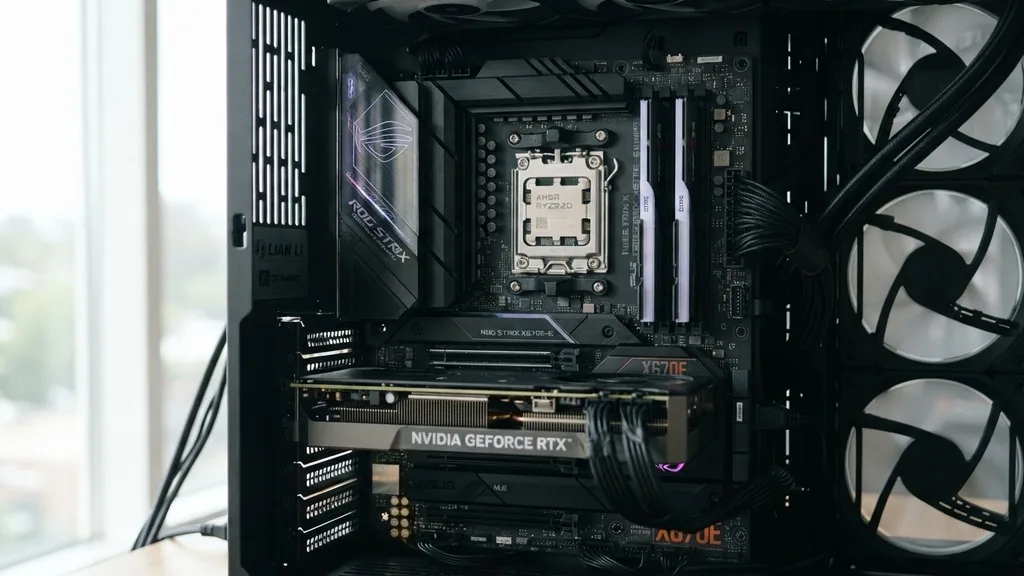
Choosing the right foundation for your build is critical when dealing with high-performance hardware like the AMD Ryzen 7 7800X3D. This CPU is widely considered the pinnacle of modern gaming processors due to its massive 3D V-Cache technology.
Because it runs efficiently and doesn’t require the extreme power delivery needed by the Ryzen 9 series, you have significant flexibility in your choice of motherboard. You don’t necessarily need the most expensive flagship board to get the best performance, but you do need to ensure your platform supports your specific connectivity, aesthetic, and expansion needs.
Understanding the AM5 Platform Chipsets
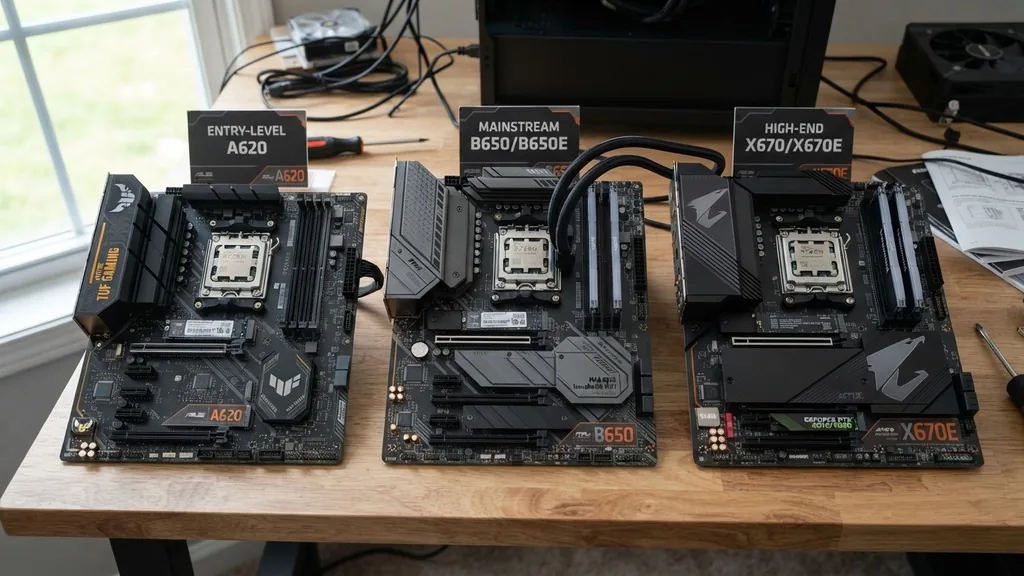
The AM5 socket is the heart of your system, and choosing the right chipset is the first step in deciding what motherboard for Ryzen 7 7800X3D fits your budget and goals. AMD currently offers three primary tiers of chipsets: the entry-level A620, the mainstream B650 and B650E, and the high-end X670 and X670E. Each tier serves a different purpose, and understanding these differences will prevent you from overspending on features you may never use.
The A620 chipset is designed for budget-conscious users who want the latest technology without the bells and whistles. While it works perfectly fine with the 7800X3D, it often lacks robust VRM cooling and extensive PCIe lanes, which might limit your ability to upgrade components in the future. Moving up to the B650 series, you find the sweet spot for most gamers.
These boards provide a perfect balance of performance and price, offering support for DDR5 memory and enough expansion slots for a standard gaming setup. Finally, the X670 series is for power users who need maximum connectivity, such as multiple NVMe drives and advanced overclocking capabilities.
The Case for B650 Motherboards
If you are asking what motherboard for Ryzen 7 7800X3D offers the best value, the B650 chipset is almost always the answer. These boards are engineered to handle the thermal and power requirements of the 7800X3D without any issues. Most B650 boards come equipped with high-quality power delivery systems, often referred to as VRMs (Voltage Regulator Modules), which ensure stable voltage even during intense gaming sessions.
When choosing a B650 board, look for ones that include decent heatsinks over the VRMs. Even though the 7800X3D is power-efficient, a cool-running motherboard is a long-lasting one.
You should also check for the inclusion of integrated WiFi, which has become a standard requirement for many users. Whether you choose a board from ASUS or MSI, the B650 ecosystem is vast, offering options ranging from basic boards with essential features to premium models with integrated IO shields, extra M.2 slots, and enhanced audio codecs.
Why PCIe Gen 5 Matters for Future-Proofing
One of the most important considerations when building a modern PC is future-proofing, and that is where the distinction between B650 and B650E (or X670E) becomes relevant. The ‘E’ stands for Extreme, which denotes that the motherboard supports PCIe Gen 5 for both the primary graphics card slot and the primary M.2 storage slot. While the 7800X3D and current graphics cards primarily utilize PCIe Gen 4, having Gen 5 support ensures your board won’t become obsolete when next-generation hardware hits the market.
If you plan on keeping your motherboard for five or more years, investing in an ‘E’ series board is a smart move. It provides the bandwidth necessary to support future high-speed NVMe drives and cutting-edge GPUs that might eventually saturate the limits of older standards.
However, if you are strictly focused on current performance, the extra cost for Gen 5 might be better spent on a faster GPU or more memory. You can find more information about these standards at the PCI-SIG official website regarding the evolution of bus technology.
Memory Compatibility and DDR5 Performance
The Ryzen 7 7800X3D is notoriously sensitive to memory speed and latency. AM5 motherboards exclusively support DDR5 technology, which represents a significant leap over the older DDR4 standard.
When selecting your motherboard, you must ensure that its BIOS supports AMD EXPO (Extended Profiles for Overclocking). This allows you to set your memory to its advertised speeds with a single click in the BIOS, which is essential for maximizing the 3D V-Cache performance.
Most quality motherboards for this CPU will support memory speeds up to 6000MHz or higher. In the current market, 6000MHz with low latency (CL30) is considered the “sweet spot” for performance.
When browsing sites like Amazon for your components, always verify the QVL (Qualified Vendor List) on the manufacturer’s website. This list confirms that your specific sticks of RAM have been tested for stability with that exact motherboard model, saving you from potential boot loops or system instability.
Connectivity and Integrated Features
Modern gaming setups require more than just a CPU and a GPU; they require a high-speed ecosystem of peripherals. When evaluating what motherboard for Ryzen 7 7800X3D is right for you, consider your connectivity needs. Do you have a high-speed external storage drive?
Do you need a 2.5 Gigabit Ethernet port? Are you planning on using multiple monitors or high-fidelity audio equipment?
Many users prioritize onboard headers for their PC cases. If your case has a USB-C port on the front panel, ensure the motherboard has a matching internal header. Furthermore, the number of M.2 slots is a major factor.
If you hoard games, you will eventually fill up your storage. A board with three or four M.2 slots allows you to expand your library without needing to swap out older drives. Don’t overlook the rear I/O panel either; having enough USB ports to support your keyboard, mouse, headset, and webcam is vital for a clutter-free desk.
Aesthetics and Case Integration
For many builders, the look of the PC is just as important as the performance. If you are going for a specific theme, such as an all-white build, you have plenty of options.
Several manufacturers offer motherboards with white PCBs, silver heatsinks, and custom RGB lighting zones. These boards are functionally identical to their black counterparts but offer a distinct visual flair.
When selecting a board for its looks, ensure that the aesthetic choices don’t compromise the thermal performance. Some boards feature heavy shrouds that look great but can trap heat if not properly ventilated.
Always check for airflow paths and ensure that the placement of the CPU socket, RAM slots, and PCIe lanes makes sense for your intended cooling solution. Whether you are using a large air cooler or a liquid cooling loop, the motherboard layout must accommodate the physical size of your cooling block.
Comparison of Motherboard Chipsets
To help you visualize the differences between the available options, the following table provides a breakdown of how the different AM5 chipsets generally compare in terms of feature sets and intended use cases.
| Chipset | Best For | Key Feature | Price Range |
|---|---|---|---|
| A620 | Budget Builds | Essential connectivity | Low |
| B650 | Mainstream Gaming | Best price/performance | Medium |
| B650E | Future-Proofing | PCIe Gen 5 support | Mid-High |
| X670E | Enthusiasts | Maximum I/O | High |
Addressing Common Configuration Gaps
One common mistake users make is assuming that the most expensive motherboard will automatically make their 7800X3D run faster. In reality, the 7800X3D is a highly efficient chip. Once you have a board with decent power delivery, spending more money on a higher-tier chipset provides almost zero tangible gaming performance gains.
The “gap” in knowledge here is the difference between “gaming performance” and “platform capability.” If you don’t need ten USB ports or RAID support, those features are effectively wasted money.
Another overlooked detail is the BIOS update process. Since the AM5 platform is evolving, motherboard manufacturers frequently release BIOS updates to improve memory compatibility and stability. Always choose a board that features “BIOS Flashback.”
This allows you to update your motherboard’s firmware using only a USB stick and a power supply, even if you don’t have a CPU installed. This is a lifesaver if you happen to buy a board that has been sitting on a shelf for a while and doesn’t natively support the latest Ryzen 7 processor.
Summary of Selection Criteria
When you are finally ready to pull the trigger on your purchase, keep this checklist in mind to ensure you get the best experience for your specific needs.
- Confirm the motherboard has a sufficient VRM heatsink to keep the power delivery cool during long sessions.
- Check that the board includes the necessary internal headers for your PC case’s front panel ports.
- Verify that the memory QVL lists your chosen RAM kit to ensure maximum stability and speed.
- Look for integrated WiFi if you don’t plan on using a wired Ethernet connection for your gaming setup.
- Ensure the BIOS is up-to-date or that the board supports BIOS Flashback for easy updates.
- Match the physical size of the board (ATX, Micro-ATX, or Mini-ITX) to the dimensions of your computer case.
Choosing the right motherboard doesn’t have to be a stressful experience. By focusing on the B650 chipset for the best value, ensuring your memory is compatible, and looking for essential features like BIOS Flashback, you can build a stable and high-performing machine. The Ryzen 7 7800X3D is a powerful piece of technology that deserves a reliable home, and with the right board, you will enjoy a seamless gaming experience for years to come.
Frequently Asked Questions
- Is a B650 motherboard good enough for the Ryzen 7 7800X3D? Yes, a B650 motherboard is excellent for the 7800X3D. It provides the necessary power delivery and features required for this specific CPU, offering the best balance of price and performance without needing the extra, often unnecessary, features of more expensive X670 chipsets.
- Do I need an X670E motherboard for the best gaming performance? No, the X670E chipset does not inherently increase the gaming performance of the 7800X3D compared to a quality B650 board. The extra cost of X670E is primarily for additional connectivity, such as more M.2 slots and PCIe lanes, which are not required for a standard gaming build.
- What should I look for in a motherboard if I want to use WiFi? Look for models that specify “WiFi” in the product name or description. Most modern B650 and higher boards include integrated WiFi 6E or WiFi 7. Ensure the antennas are included in the box, as they are necessary for stable, high-speed wireless connectivity during online gaming.
- Does the motherboard affect the 3D V-Cache performance? The motherboard itself does not dictate the performance of the V-Cache, but it does influence how well your memory and power delivery maintain that performance. Choosing a board that supports stable, high-speed DDR5 memory profiles is the most important factor in ensuring the 7800X3D operates at its peak.


