

The motherboard serves as the central nervous system of any modern computer, acting as the primary hub that connects and coordinates every vital piece of hardware. While most users are familiar with the rectangular board sitting inside their PC case, few stop to consider the complex material science and precise engineering required to create it.
At its core, a motherboard is a sophisticated, multi-layered electronic landscape designed to facilitate high-speed communication between the central processing unit (CPU), memory modules, storage drives, and various peripherals. Understanding what this hardware is composed of requires looking past the colorful heatsinks and plastic ports to the microscopic layers of conductive metal and insulating substrates that make modern computing possible.
The Foundation: Understanding the Substrate
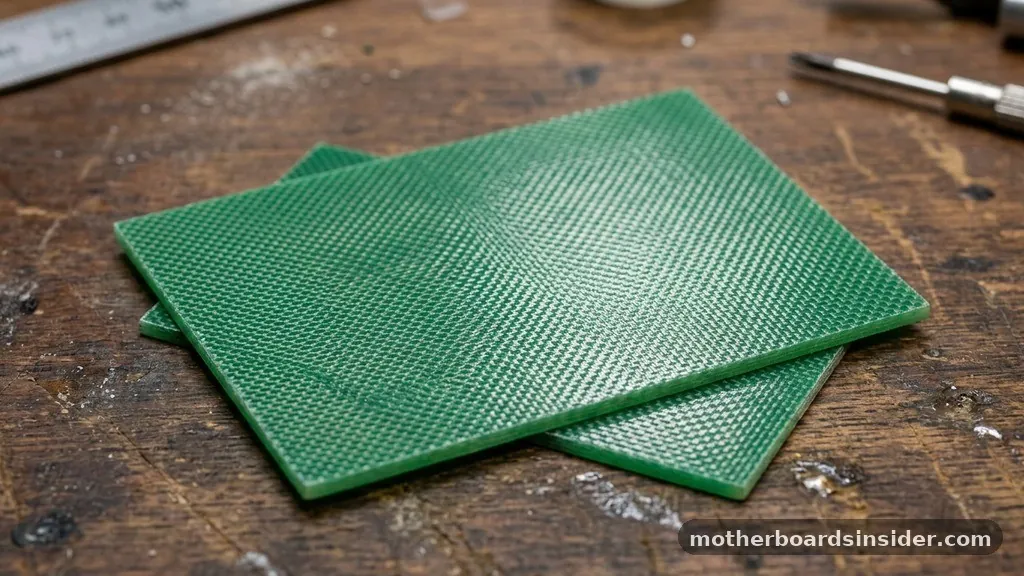
At the most basic level, a motherboard is a printed circuit board (PCB). The base material for this board is typically a composite known as FR-4, which stands for Flame Retardant 4.
This material is a woven fiberglass cloth impregnated with an epoxy resin binder. The choice of FR-4 is deliberate; it provides the structural rigidity necessary to hold heavy components like large CPU coolers and graphics cards without warping, while also maintaining excellent electrical insulation properties.
The manufacturing process begins with this base sheet, which acts as the physical skeleton. Because computers require immense stability, the substrate must be highly resistant to heat and moisture.
If the material were to expand significantly under the thermal load generated by the CPU or GPU, the microscopic traces embedded within the board could crack or delaminate, leading to catastrophic system failure. By using a high-quality glass-reinforced epoxy, manufacturers ensure that the board remains dimensionally stable even as the system cycles through extreme temperature shifts during intensive tasks like gaming or video rendering.
Conductive Pathways: Copper Traces and Layers
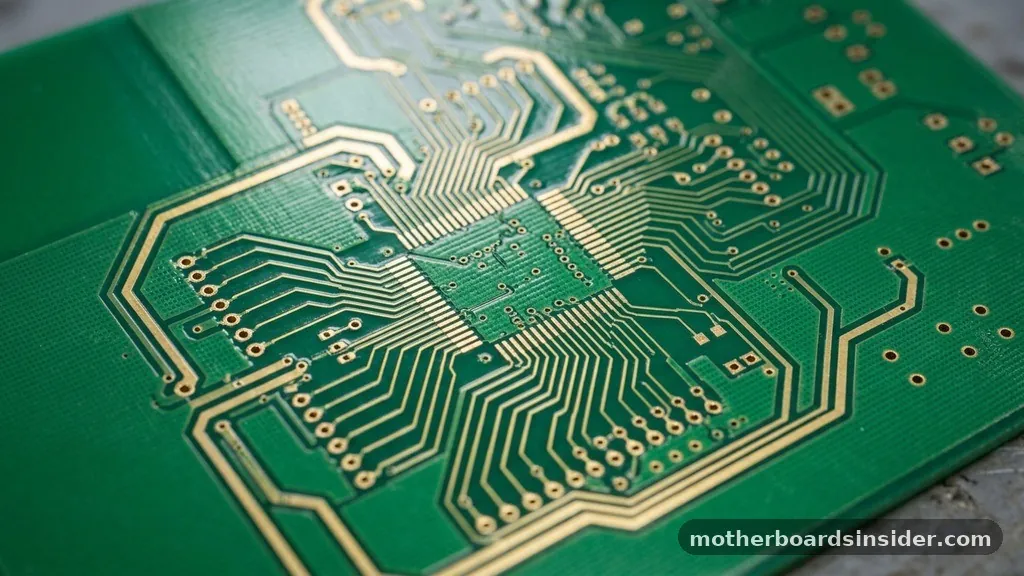
While the fiberglass provides the structure, the “intelligence” of the board relies on the copper layers. If you look closely at a motherboard, you will see thin, intricate lines snaking across the surface. These are copper traces that act as the highways for electrical signals.
However, a modern motherboard is not just a single layer; it is a sandwich of multiple conductive layers separated by insulating material. High-end motherboards often feature six, eight, or even more layers of copper.
These internal layers are essential for managing the sheer volume of data moving between the CPU, RAM, and other components. In a multi-layered design, power and ground planes occupy internal layers to reduce electromagnetic interference (EMI). This shielding is critical; without it, the high-frequency signals pulsing through the board would leak into adjacent traces, causing data corruption or “crosstalk.”
Engineers use a complex chemical process known as photolithography to etch these precise copper patterns onto the board. This involves coating the copper with a light-sensitive material, exposing it to UV light through a mask, and then washing away the unwanted metal to leave behind the exact circuitry required for the system to function.
Surface Components and Soldering Technology
Once the base PCB is etched with its internal and external traces, the assembly phase begins. This is where the board transitions from a passive piece of fiberglass and copper into an active system.
The process relies heavily on Surface Mount Technology (SMT). Unlike older electronics that used “through-hole” components—where wires were pushed through holes in the board and soldered on the other side—SMT components are placed directly onto pads on the surface of the board.
This allows for much higher component density. Tiny resistors, capacitors, and integrated circuits (ICs) are placed with robotic precision onto the board using a solder paste that acts as both an adhesive and a conductive medium.
The entire assembly is then sent through a reflow oven, where the heat melts the solder, creating a permanent, reliable connection. This transition to SMT is one of the primary reasons why motherboards have become so much more powerful while simultaneously shrinking in physical size, allowing for the sleek form factors we see in modern laptops and compact desktops.
The Role of Ports, Slots, and Connectors
Beyond the microscopic circuitry, a motherboard is defined by its physical interfaces. These are the points of contact where users interact with the machine.
These include the slots for expansion cards, such as the PCI Express lanes used for graphics cards, and the DIMM slots designed to hold memory modules. Each of these slots is manufactured using a combination of high-grade plastics and spring-loaded metal contacts.
The metal contacts within these slots are often plated with gold or tin. Gold is preferred for high-speed connections because it is highly conductive and, crucially, does not oxidize or corrode over time. When you insert a piece of hardware into a PCIe slot, you are creating a friction-fit connection that must remain stable for years.
The plastic housing, typically made from high-temperature resistant polymers, ensures that the pins remain perfectly aligned. Without these precise mechanical interfaces, the electrical signals would be interrupted, causing the entire computer to freeze or crash. According to information found on Britannica, the motherboard acts as the main circuit board of a microcomputer, housing the essential integrated circuits and providing the necessary connectors for other peripheral devices.
Power Delivery Systems
One of the most critical components of any motherboard is the Voltage Regulator Module (VRM). Because a power supply unit provides a relatively high voltage (usually 12V), but the CPU and other sensitive chips require much lower, highly stable voltages (often between 1V and 1.5V), the motherboard must perform a complex conversion. The VRM is made of a series of chokes, capacitors, and MOSFETs (Metal-Oxide-Semiconductor Field-Effect Transistors).
These components work in tandem to “step down” the voltage and filter out any electrical noise. The quality of these materials directly dictates the stability of the computer. If the capacitors are of poor quality, they may leak or bulge over time, leading to system instability or total failure.
High-end boards use solid polymer capacitors, which are far more durable and provide a cleaner, more consistent flow of electricity. The heat generated by these power components is significant, which is why you will often see large aluminum heatsinks mounted directly on top of the VRM area to dissipate thermal energy into the surrounding air.
The BIOS and Firmware Layer
While the hardware is physical, the motherboard also requires a “brain” to manage its startup sequence. This is the BIOS (Basic Input/Output System) or the more modern UEFI (Unified Extensible Firmware Interface).
This firmware is stored on a small, non-volatile memory chip soldered directly onto the motherboard. This chip is unique because it retains its data even when the computer is powered off.
The BIOS contains the low-level instructions that tell the hardware how to initialize before the operating system takes over. It checks the integrity of the RAM, identifies the hard drives, and ensures that the CPU is operating within safe parameters. When you enter the BIOS menu on your computer, you are interacting with this firmware.
It acts as the bridge between the raw hardware and the software, defining the rules of how the system communicates. Without this small, dedicated chip, the motherboard would be nothing more than a collection of inert metals and plastics.
Addressing Topical Gaps: Can You Build a Motherboard?
A common question among enthusiasts is whether one can build a motherboard from scratch. While it is theoretically possible to design a PCB, etch the copper, and solder the components, it is practically impossible to build a modern, high-performance motherboard at home. The complexity involved in multi-layer board design—where signals must travel through “vias” or holes between layers—requires industrial-grade machinery.
Furthermore, the signal integrity requirements for high-speed data transfer (such as PCIe 5.0 or DDR5 memory) require simulation software that costs thousands of dollars. Even if you could etch the board, the process of installing the CPU socket—which requires extremely tight tolerances to ensure thousands of microscopic pins make contact with the CPU—is beyond the reach of hobbyist tools. While you can build a computer by assembling pre-made parts, the motherboard itself remains a marvel of mass-produced precision engineering that relies on a global supply chain of chemical, mechanical, and electrical expertise.
Comparison of Motherboard Component Materials
To help visualize how different parts of the motherboard are constructed, the following table breaks down the primary materials used for key functional areas.
| Component | Primary Material | Function |
|---|---|---|
| Substrate | FR-4 (Fiberglass/Epoxy) | Structural support and electrical insulation |
| Circuit Traces | Copper | Conducting electrical signals and data |
| Slot Contacts | Gold or Tin plating | Corrosion-resistant signal transfer |
| Capacitors | Solid Polymer/Aluminum | Energy storage and voltage smoothing |
| Heatsinks | Aluminum or Copper | Thermal management and heat dissipation |
The Future of Motherboard Engineering
As we look toward the future of computers, the materials used in motherboard construction are continuing to evolve. We are seeing a shift toward higher-density interconnects and more advanced thermal management materials.
As CPUs and GPUs demand more power, the traces on the board must become more efficient to prevent energy loss through heat. Researchers are experimenting with new dielectric materials that can further reduce signal interference, allowing for even faster data transfer speeds.
Additionally, there is a growing push toward sustainability in the electronics industry. Manufacturers are exploring lead-free soldering processes and more easily recyclable plastics for the various ports and slots.
While the fundamental architecture of the motherboard—as a central hub connecting disparate components—is unlikely to change, the underlying material science will continue to be a silent driver of computing progress. Every time you turn on your machine, you are relying on a complex, multi-layered masterpiece of engineering that has been refined over decades to provide a stable, lightning-fast foundation for your digital life.
Frequently Asked Questions
What is the lifespan of a motherboard?
A well-made motherboard can easily last 10 to 15 years, though it is often replaced sooner due to technology obsolescence. The most common point of failure is the electrolytic capacitors, which can dry out or leak after many years of constant thermal stress.
Are motherboards just PCBs?
While the foundation is a printed circuit board, a motherboard is much more than that. It includes pre-programmed firmware, specialized voltage regulation components, complex multi-layer signal routing, and physical mechanical interfaces designed to support and power the various hardware components installed in the system.
What are the three main components of a motherboard?
While it is difficult to isolate just three, the most critical are the chipset, which manages data flow; the VRM (Voltage Regulator Module), which powers the CPU; and the BIOS/UEFI chip, which controls the startup and hardware initialization process. These three pillars facilitate all system operations.
Can I upgrade the individual parts on a motherboard?
You can upgrade components like the CPU, RAM, and storage drives, as these are designed to be modular. However, you cannot upgrade the motherboard’s internal circuitry, such as the traces or the chipset, because these are permanently etched and soldered into the board during the manufacturing process.


