

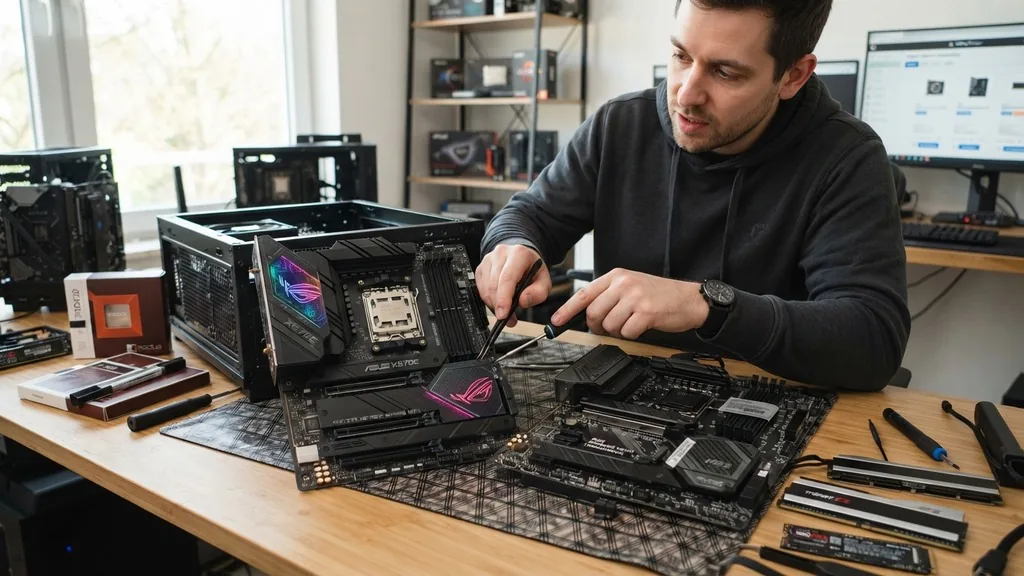
The AMD Ryzen 7 7800X3D stands as a titan in the gaming world, largely thanks to its innovative 3D V-Cache technology. When you are deciding what motherboard for 7800X3D builds is appropriate, you aren’t just picking a piece of hardware; you are selecting the foundation for a high-performance system.
Because this processor is remarkably power-efficient, you don’t necessarily need a flagship board to get the most out of it. However, your choice of chipset, connectivity, and power delivery will dictate how your PC performs over the next few years.
Understanding Chipset Differences for the 7800X3D
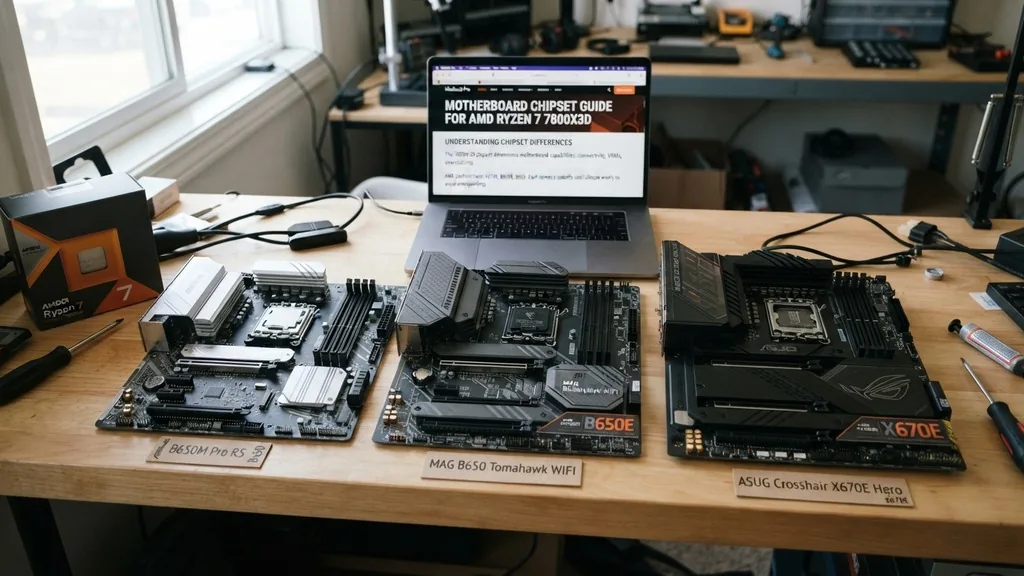
The chipset is the primary determinant of your motherboard’s capabilities, including connectivity and overclocking potential. For the AM5 platform, you are looking at three main tiers: X670E, B650E, and B650. Each serves a specific type of user, and choosing the wrong one can lead to overspending on features you will never actually use.
The X670E chipset is the enthusiast choice. It provides the most PCIe 5.0 lanes, allowing for both a Gen 5 graphics card and a Gen 5 NVMe SSD to run at full speed simultaneously. If you are a power user who constantly upgrades components or needs massive amounts of high-speed storage, this is your target.
Conversely, the B650 chipset is the sweet spot for most gamers. It omits some of the extreme connectivity options of the X670E to save costs while still offering excellent performance.
The “E” in B650E stands for Extreme, which signifies that the board supports PCIe 5.0 for both the graphics slot and the M.2 storage slot. Standard B650 boards often stick to PCIe 4.0 for the primary GPU slot.
Since current graphics cards do not fully saturate PCIe 4.0, sticking with a standard B650 board is often the smartest financial decision for a dedicated gaming rig. You gain virtually identical frame rates while keeping more money in your pocket for a better GPU or more RAM.
Power Delivery and VRM Quality
The Voltage Regulator Module, or VRM, is the component responsible for converting the power from your power supply into the stable voltage your CPU requires. Because the 7800X3D is so efficient, it does not put a massive strain on the VRM compared to high-end chips like the 7950X. This means you do not need a 20-phase power delivery system to keep your system stable.
When evaluating a board, look for decent heatsinks covering the VRMs. Even though the 7800X3D doesn’t run hot, the components around the CPU socket can still get warm during long gaming sessions. A board with a robust, multi-phase design ensures that power delivery remains clean and consistent, which is vital for maintaining the boost clocks that make this processor so fast.
Most mid-range B650 boards feature more than enough power stages to handle the 7800X3D indefinitely. You should avoid the absolute cheapest boards that lack any heatsinks on the VRMs, as these can suffer from thermal throttling under sustained loads. Stick to reputable brands that prioritize thermal management, as this will lead to a longer lifespan for your motherboard components and a more reliable system overall.
Connectivity and I/O Port Considerations
The rear I/O panel is where you connect your peripherals, and it is a major differentiator between entry-level and premium boards. When deciding what motherboard for 7800X3D setups fits your needs, count how many USB ports you actually require. Do you use a high-end DAC, a flight simulator setup, or multiple external drives?
Premium boards often include a wide array of high-speed USB 3.2 Gen 2×2 ports, which are excellent for fast file transfers. If you are a content creator, these ports are invaluable.
However, if you are strictly a gamer, you might only need a few USB-A ports for your mouse, keyboard, and headset. Don’t pay for 15 USB ports if you only ever plug in three devices.
Networking is another critical factor. Almost every modern board comes with 2.5Gb Ethernet, which is the current industry standard. If you prefer a wireless setup, look for boards with Wi-Fi 6E or Wi-Fi 7 integration.
Having built-in Wi-Fi is significantly more convenient than relying on a USB dongle, especially if you move your PC between rooms. Check the official AMD Ryzen 7 7800X3D specifications to ensure you understand the platform’s native capabilities regarding memory and PCIe lanes.
Memory Support and EXPO Profiles
The AM5 platform exclusively uses DDR5 memory, which is a significant step up from the older DDR4 standard. When picking a motherboard, you must ensure it supports AMD EXPO, which stands for Extended Profiles for Overclocking. This feature allows you to load optimized memory settings with a single click in the BIOS, ensuring your RAM runs at its advertised speed and tightest timings.
While the 7800X3D is less sensitive to extreme memory speeds than some other chips, you should still aim for a “sweet spot” of 6000MHz with CL30 timings. When shopping for a motherboard, check the QVL (Qualified Vendor List) on the manufacturer’s website. This list confirms which specific memory kits have been tested to work perfectly with that board.
Some motherboards have better memory trace layouts than others. If you plan on pushing your RAM beyond 6000MHz, you might want to look at a board with a 2-DIMM slot configuration.
These boards generally offer better signal integrity for high-speed memory overclocking, though they limit you to a maximum of two sticks of RAM. For 99% of gamers, a standard 4-DIMM board is perfectly fine and provides an upgrade path for more capacity later.
Form Factor: ATX vs. Micro-ATX vs. Mini-ITX
The physical size of your motherboard dictates the size of your case and the number of expansion slots you have available. ATX is the standard size, offering the most slots for additional hardware like sound cards or capture cards. If you have a large case, ATX is the easiest to build in and usually offers the best value for money.
Micro-ATX boards are a popular middle ground. They are smaller than ATX but still provide enough PCIe slots for a GPU and maybe one or two other expansion cards.
The trade-off is often a slightly more cramped building experience and fewer total fan headers. If you are trying to save space on your desk without going to the extreme of an ITX build, Micro-ATX is a fantastic choice.
Mini-ITX is for the enthusiasts who want a compact, portable gaming machine. These boards are dense with features but have very limited expansion options.
Because they are smaller, they often command a higher price tag despite having fewer ports. If you are building an ITX system, be prepared to pay a premium and spend more time planning your cable management, as space will be at a premium inside the chassis.
Addressing Topical Gaps: Why Price Isn’t Always Performance
A common misconception is that a more expensive motherboard will directly increase your gaming frame rates. In reality, the motherboard has a minimal impact on raw gaming performance once you meet the baseline requirements for power and stability. A $500 motherboard will not give you more FPS than a $200 motherboard if the CPU, GPU, and RAM are identical.
The primary reasons to spend more on a motherboard are features, aesthetics, and build quality. You might pay more for better onboard audio, more M.2 slots, faster integrated Wi-Fi, or better-looking heatsinks. These are all valid reasons to upgrade, but they are “quality of life” improvements rather than performance boosters.
If you are on a strict budget, your money is almost always better spent on a better graphics card or a faster SSD than on an expensive motherboard. The 7800X3D is a highly efficient chip that does not require the heavy-duty power delivery found on $400+ boards. Focus on getting a reliable board with the I/O you need, and put the remaining budget toward components that actually influence your gaming experience.
Comparison of Motherboard Chipset Tiers
To help you visualize the differences between the available options for your 7800X3D, the following table breaks down the core features of each major chipset tier.
| Feature | B650 | B650E | X670E |
|---|---|---|---|
| PCIe 5.0 GPU | No | Yes | Yes |
| PCIe 5.0 SSD | Optional | Yes | Yes |
| Overclocking | Yes | Yes | Yes |
| USB 3.2 Gen 2×2 | Standard | Standard | Abundant |
This table highlights why B650 is the go-to for most users. You aren’t losing out on overclocking capabilities, which is a major advantage of the AMD platform compared to some of the competition.
Installation Tips and Final Recommendations
When you finally have your components, take your time with the build. The AM5 socket uses an LGA (Land Grid Array) design, which means the pins are on the motherboard, not the CPU.
This is a change from older AM4 processors and requires a bit more care during installation. Be gentle when lowering the CPU into the socket to avoid bending any pins.
Always ensure your BIOS is updated to the latest version. Manufacturers frequently release updates that improve memory compatibility and system stability for the 7800X3D. You can typically flash the BIOS using a USB drive before you even install the CPU, which is a great feature found on many modern motherboards.
When selecting your specific board, consider the following list of priorities:
- Ensure the board has enough M.2 slots for your current and future storage needs.
- Check for rear I/O connectivity to match your specific peripheral setup.
- Look for integrated Wi-Fi if you don’t have a direct Ethernet run to your desk.
- Verify that the VRM heatsinks are substantial enough to provide long-term stability.
- Confirm that the board supports the specific RAM speed you intend to purchase.
- Consider the aesthetic and color scheme if you are building in a case with a glass side panel.
Ultimately, the best motherboard for your 7800X3D is one that fits your budget and provides the specific connectivity you need. Don’t get caught up in the marketing hype of “gaming” branding that doesn’t offer functional value.
Focus on the core components, the chipset that meets your needs, and a reliable manufacturer that offers good software support. By keeping these factors in mind, you will build a system that is not only fast but also reliable for years to come.
Frequently Asked Questions
- Do I need an X670E motherboard for the 7800X3D? No, you do not. The 7800X3D is highly power-efficient and does not require the extreme power delivery or massive PCIe lane count of the X670E chipset. A well-built B650 motherboard will perform identically in games while saving you a significant amount of money.
- Is a B650 motherboard good for the 7800X3D? Yes, it is the ideal choice for most users. It provides all the necessary features, including support for DDR5 memory and AMD EXPO, without the unnecessary overhead of the more expensive chipsets. It is the most cost-effective way to get the best gaming performance out of your processor.
- Should I prioritize PCIe 5.0 for my future-proofing? While PCIe 5.0 is the latest standard, current GPUs and even high-end SSDs do not fully utilize it. Unless you plan on using high-end workstation hardware or specifically need the absolute highest sequential storage speeds, you likely won’t notice the difference between PCIe 4.0 and 5.0 in real-world gaming.
- How much RAM should I pair with this processor? For gaming, 32GB of DDR5 memory running at 6000MHz with CL30 timings is the sweet spot. This provides enough capacity for modern games and background applications, and the 6000MHz speed is widely considered the most stable and performant target for the Ryzen 7000 series architecture.


