

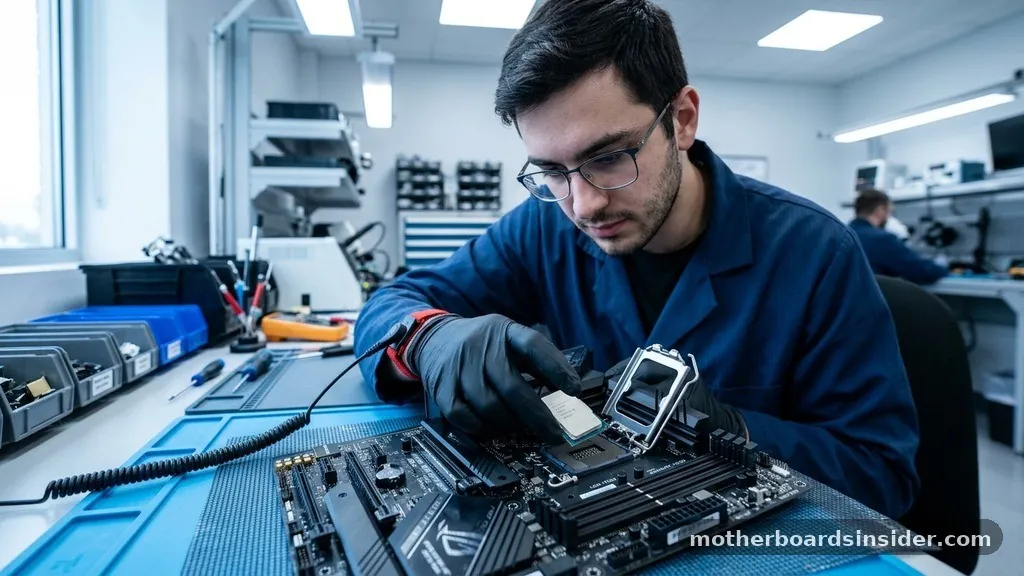
Selecting the core component of your computer is a decision that dictates your system’s longevity, performance ceiling, and upgrade path. When asking yourself what motherboard should I get, you are essentially defining the foundation upon which your processor, memory, and graphics card will interact.
A well-chosen board acts as a high-speed highway for data, ensuring that your CPU can communicate efficiently with your storage and GPU without bottlenecks. Whether you are building a high-end workstation for rendering or a sleek rig for competitive gaming, the right choice balances connectivity, thermal management, and compatibility.
Understanding Chipsets and CPU Compatibility
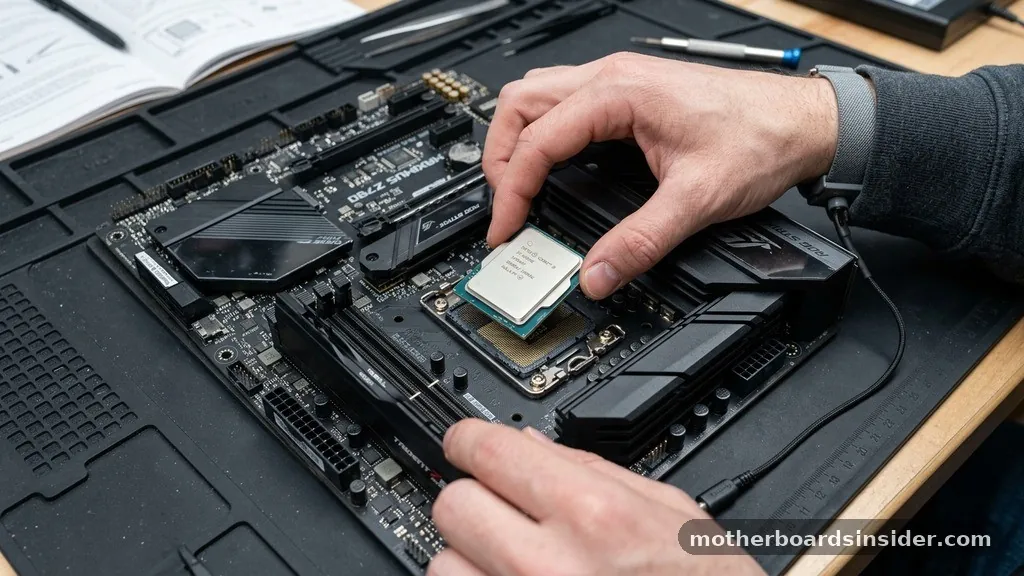
The first step in determining what motherboard should I get involves identifying your chosen processor. The motherboard must feature the correct socket type to physically house your CPU, and its chipset must be compatible with your specific generation of processors.
For AMD users, the current AM5 platform offers a long-term commitment to support, meaning you can likely upgrade your CPU in a few years without replacing the entire board. Conversely, Intel typically updates its socket every two generations, which necessitates a more careful look at your long-term upgrade strategy.
When evaluating chipsets, consider the hierarchy. Entry-level chipsets (like the A-series for AMD or H-series for Intel) are designed for office tasks and basic home use. They often lack overclocking capabilities and have fewer high-speed lanes.
Mid-range options, such as the B-series, provide the best value for most users, offering sufficient PCIe lanes and robust features for gaming. High-end chipsets, identified by the X or Z prefixes, cater to enthusiasts who want extreme overclocking headroom and maximum multi-GPU or multi-drive configurations. Always check the manufacturer’s website to ensure the BIOS version supports your specific CPU out of the box, as some older inventory might require a firmware update before they can boot.
Form Factor and Case Compatibility
Before you commit to a purchase, you must verify that the physical size of the motherboard aligns with your computer case. The most common standard is ATX, which provides the most space for expansion, additional slots, and sophisticated cooling solutions.
If you are building a compact system, you might look at Micro-ATX or Mini-ITX options. However, smaller boards often come with trade-offs, such as fewer DIMM slots for RAM or a reduced number of internal headers for fans and RGB lighting.
Measure your case’s interior dimensions carefully. Even if a case claims to support ATX, some larger, feature-rich motherboards might interfere with cable management grommets or liquid cooling radiators. A premium board might have massive heatsinks covering the power delivery components, which can occasionally block clearance for oversized air coolers.
When in doubt, consult the case manufacturer’s documentation to see which form factors are officially supported. Building in a smaller chassis requires more planning, but it yields a highly portable or aesthetically pleasing machine that fits perfectly in smaller workspaces.
Evaluating Power Delivery and Thermal Management
Under heavy loads, such as rendering 4K video or running demanding simulation software, the power delivery system—often referred to as the VRM (Voltage Regulator Module)—becomes the most critical aspect of your system’s stability. A robust power delivery system ensures a clean, steady flow of electricity to your CPU. If the VRMs are poorly cooled or insufficient, they can overheat, leading to thermal throttling where the system automatically lowers the CPU’s clock speed to prevent damage.
Look for motherboards that feature heavy heatsinks over the VRM components. These are not merely decorative; they serve as a critical heat sink for the MOSFETs. High-end boards often use better-quality capacitors and chokes that can handle higher currents with less heat generation.
If you plan to overclock, prioritize boards with a higher “phase” count. While more phases don’t always equate to higher performance, they do distribute the electrical load across more components, reducing the stress on any single part and increasing the overall lifespan of your machine. You can find detailed technical specifications for various hardware components at the official Intel support portal to better understand how power requirements correlate with specific processor architectures.
Connectivity: USB Ports and Expansion Slots
Modern computing requires a significant amount of input and output flexibility. When you decide what motherboard should I get, look closely at the rear I/O panel. You should assess the number and type of USB ports available.
Do you need high-speed USB-C for external storage? How many peripherals do you connect simultaneously? A board with a healthy mix of USB 3.2 Gen 2 and legacy USB 2.0 ports provides the best versatility for mice, keyboards, audio interfaces, and external drives.
Beyond external connectivity, consider the internal PCIe lanes. The number of slots determines how many expansion cards you can add, such as dedicated sound cards, capture cards, or additional network controllers. Most modern builds prioritize a high-speed PCIe x16 slot for the graphics card, followed by several NVMe M.2 storage slots.
As solid-state drives become faster and more affordable, having at least two M.2 slots is becoming the standard for any mid-to-high-tier build. Ensure that populating these slots doesn’t disable other essential features, a common occurrence on lower-end boards where bandwidth is shared between ports.
Networking and Audio Quality
The integration of connectivity features like wi-fi and high-bandwidth Ethernet has evolved significantly. While many users still prefer a wired connection for the lowest possible latency, modern Wi-Fi 6E or Wi-Fi 7 standards offer performance that is nearly indistinguishable from cable in most environments. If you do not have easy access to an Ethernet drop, look for a board with built-in wireless capabilities and a high-quality antenna array.
Audio is another area where manufacturers differentiate their products. While most integrated audio chips are sufficient for gaming and media consumption, higher-end boards feature isolated audio circuitry to prevent electromagnetic interference from other components. This results in a cleaner signal-to-noise ratio, which is noticeable if you use high-impedance headphones.
Look for specialized audio capacitors and dedicated headphone amplifiers if you consider yourself an audiophile or if you rely on high-fidelity sound for professional editing tasks. These small, often-overlooked features contribute significantly to the premium feel of your system.
Memory Support and DDR Standards
The transition to DDR5 memory has brought faster speeds and improved power efficiency, but it also means that your motherboard choice is locked to a specific memory type. Most modern platforms do not support both DDR4 and DDR5; you must choose one or the other.
When selecting your board, check the Qualified Vendor List (QVL) to see which memory kits have been tested for compatibility. This is particularly important if you intend to run high-frequency XMP or EXPO profiles, as these settings can sometimes be finicky on boards with less mature BIOS firmware.
Memory capacity is equally important. If you are building a workstation, you might need four slots to take advantage of high-capacity kits.
For a gaming rig, two slots are usually sufficient and often allow for better signal integrity, which can lead to higher stable memory frequencies. Always prioritize a board that supports the fastest memory speeds your CPU can handle, as memory latency and bandwidth have a measurable impact on frame rates in modern titles.
Comparing Board Tiers
To help you decide, consider the following general comparison of motherboard tiers. While specific branding like Aorus or other manufacturer lines might offer unique aesthetic or cooling features, the underlying performance tiers remain consistent.
| Tier | Best For | Key Characteristics |
|---|---|---|
| Entry-Level | Office, Media PC | Basic power delivery, limited I/O, no overclocking. |
| Mid-Range | Gaming, General Productivity | Balanced features, good VRM, multiple M.2 slots. |
| High-End | Enthusiasts, Workstations | Extreme cooling, premium audio, overclocking focus. |
Addressing Common Topical Gaps
A frequent point of confusion for builders is the impact of motherboard choice on actual gaming frame rates. It is a common misconception that a more expensive board will inherently provide higher FPS. In reality, the motherboard’s primary role is to provide a stable environment for the CPU and GPU to operate.
Unless the board is overheating or failing to supply consistent power, it will not throttle your performance. The “best” board is not the one with the highest price tag, but the one that offers the features you will actually use.
Another gap is the importance of BIOS updates. Many users fear updating the BIOS, yet it is a critical maintenance task. Manufacturers release updates to improve memory compatibility, fix security vulnerabilities, and add support for newer CPU revisions.
Before you finalize your build, check if the board supports BIOS Flashback, a feature that allows you to update the firmware even without a CPU installed. This is a lifesaver if you happen to receive a board with an older BIOS version that does not recognize your newer processor.
Final Considerations for Your Build
- Check the manufacturer’s QVL for your RAM to ensure stability.
- Verify the number of fan headers to avoid needing extra splitters.
- Consider the aesthetic theme of your build, as some boards have specific color schemes or RGB lighting zones.
- Look for integrated I/O shields, which make the installation process much smoother.
- Ensure the board has enough internal headers for your case’s front-panel USB-C and USB 3.0 ports.
When finalizing your decision, think about your future-proofing needs. If you foresee yourself adding more NVMe drives or upgrading to a more powerful processor in two years, spending a little extra on a mid-to-high-end board now will save you from having to perform a full system rebuild later.
A motherboard is the one component you rarely want to swap out, as it requires dismantling almost the entire PC. Choose wisely, prioritize stability and connectivity, and you will have a rock-solid foundation for years to come.
Frequently Asked Questions
Does the motherboard affect gaming performance?
Generally, no. As long as the motherboard provides stable power and stays cool, it will not bottleneck your GPU or CPU. Performance differences are usually negligible unless you are pushing extreme overclocks that require a specialized, high-end power delivery system.
Is it worth buying a more expensive motherboard?
It is worth it only if you need the extra features, such as more M.2 slots for storage, better onboard audio, or enhanced connectivity like high-speed Wi-Fi and extra USB ports. If you don’t need those specific inputs, a mid-range board is usually the best value.
What happens if I choose an incompatible motherboard?
If the socket does not match your CPU, the processor will not physically fit, and you will be unable to install it. If the chipset is incompatible, the system may fail to boot, or it may not support the full feature set of your processor.
How do I know if my motherboard needs a BIOS update?
If your processor is newer than the motherboard’s release date, it likely requires an update. Check the manufacturer’s support page for your specific board model; it will list which CPU versions are supported by which BIOS version.


